Here are the news in version 2.11.0
Would you like to find out more about TAG Application and have more information?

Task – Change to default performer in closing phase
Have you ever closed tasks on behalf of a supplier? Or even simply on behalf of a colleague?
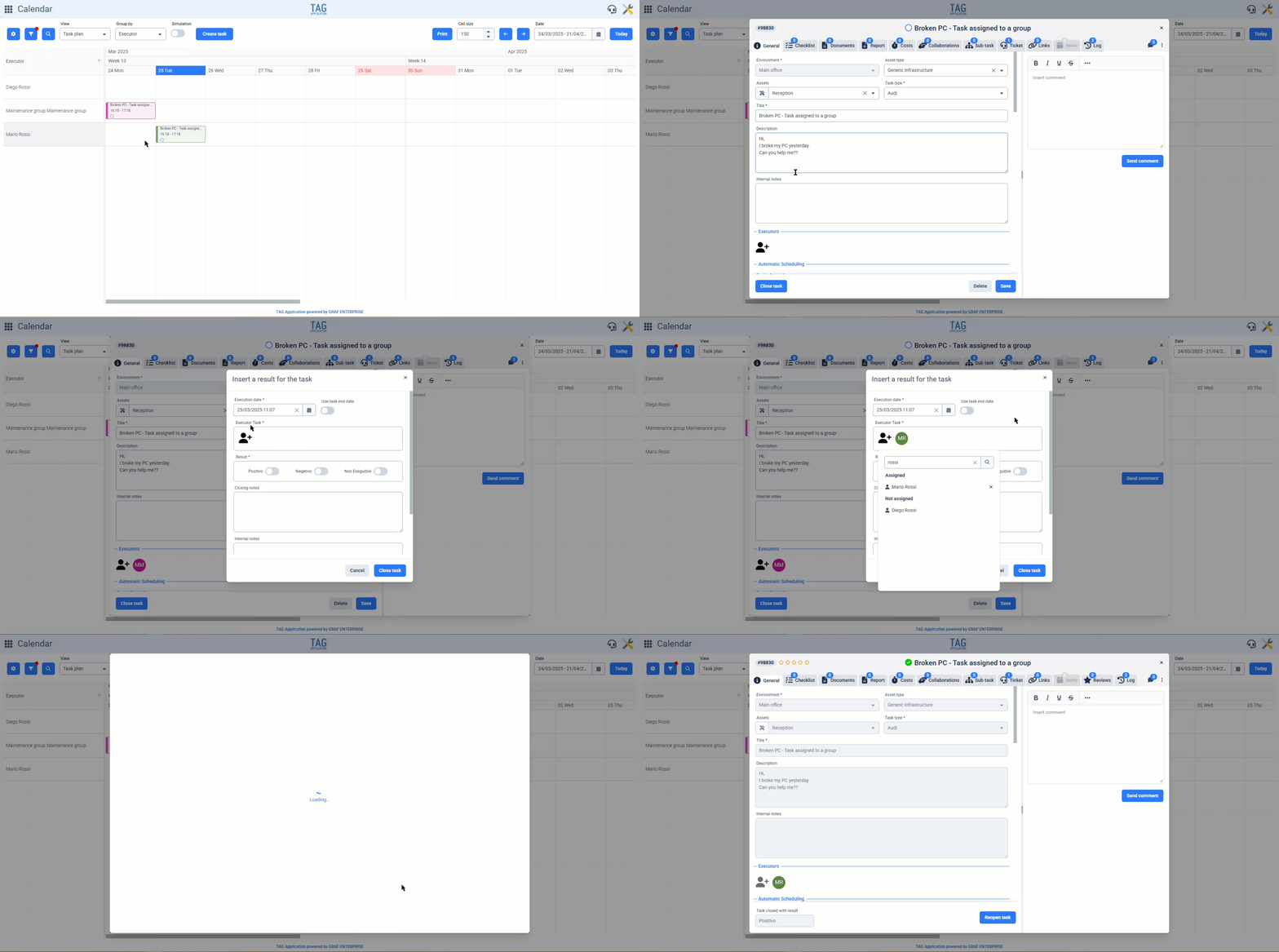
Well, this operation is very common: during the task closure phase, you can specify a performer other than yourself, declaring the completion of a task on behalf of someone else. This allows you to quickly manage tasks assigned to those who do not access the system, or to those who, for some reason, forget to close them.
With the new version, the operation of closing tasks on behalf of others will become even simpler and faster, significantly reducing the margin for human error and making the process easier for the user during data entry. Before the update, when closing a task, the “Performer” field was always pre-filled with the user performing the operation.
Useful, yes, but not always. Because even for tasks assigned to other operators, the performer was always pre-filled with the logged-in user. In these cases, the behavior has now changed: starting from this version, during task closure, the performer will no longer be pre-filled with the logged-in user, but with the original assignee of the task being closed.
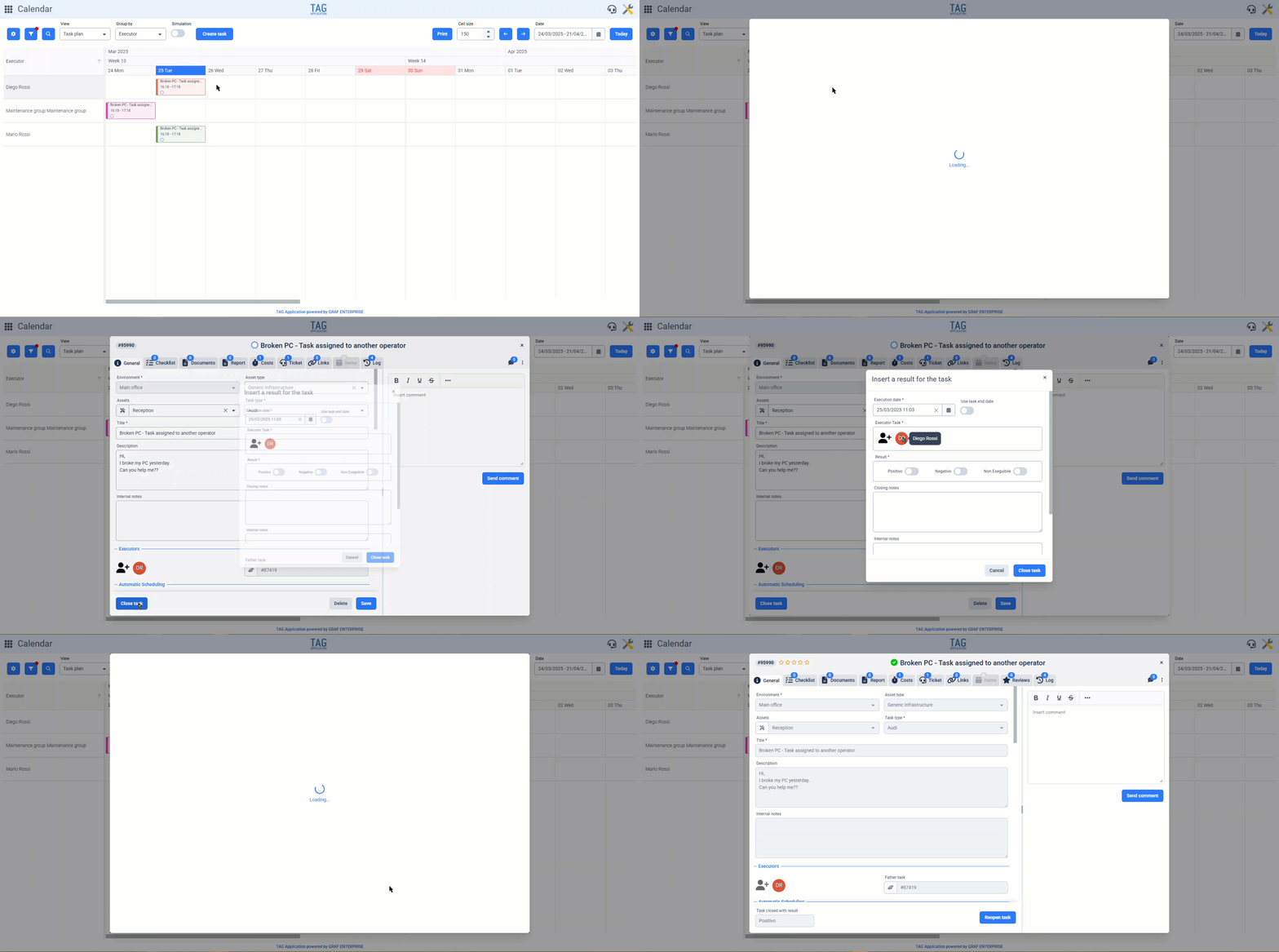
If the task to be closed is instead assigned to a group, the system never pre-fills the “Performer” field, always requiring the user to select a performer from the available options they can see.

Settings – Expansion of notification configurations for task types
Receiving timely and effective notifications only for relevant topics is essential for any role: whether in facility management, customer care, plant monitoring, or production.
For this reason, TAG Application offers a highly granular, flexible, and intuitive notification system, capable of meeting any implementation need. In this regard, with the upcoming version, the notification configuration set becomes even broader and more powerful.
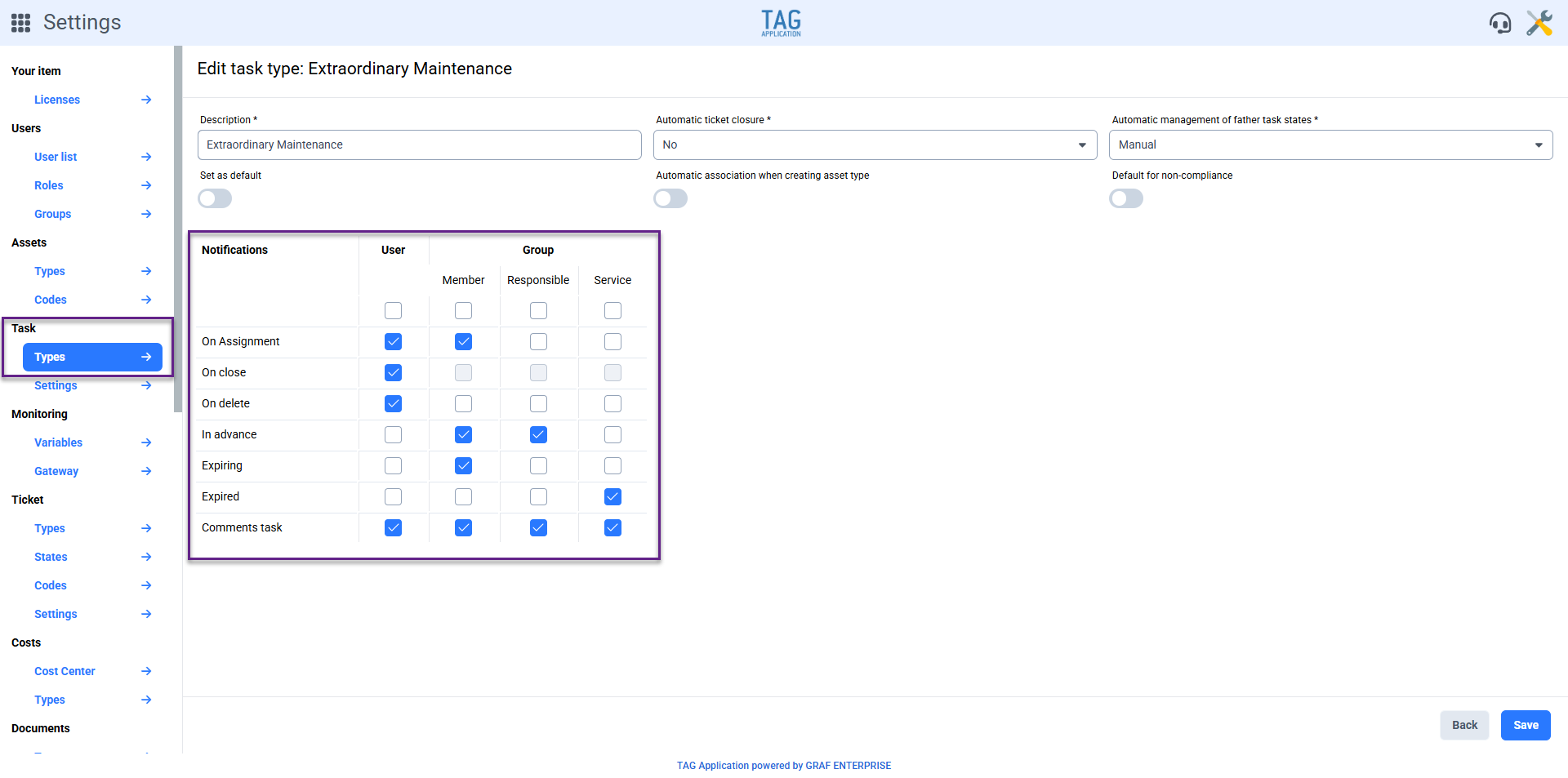
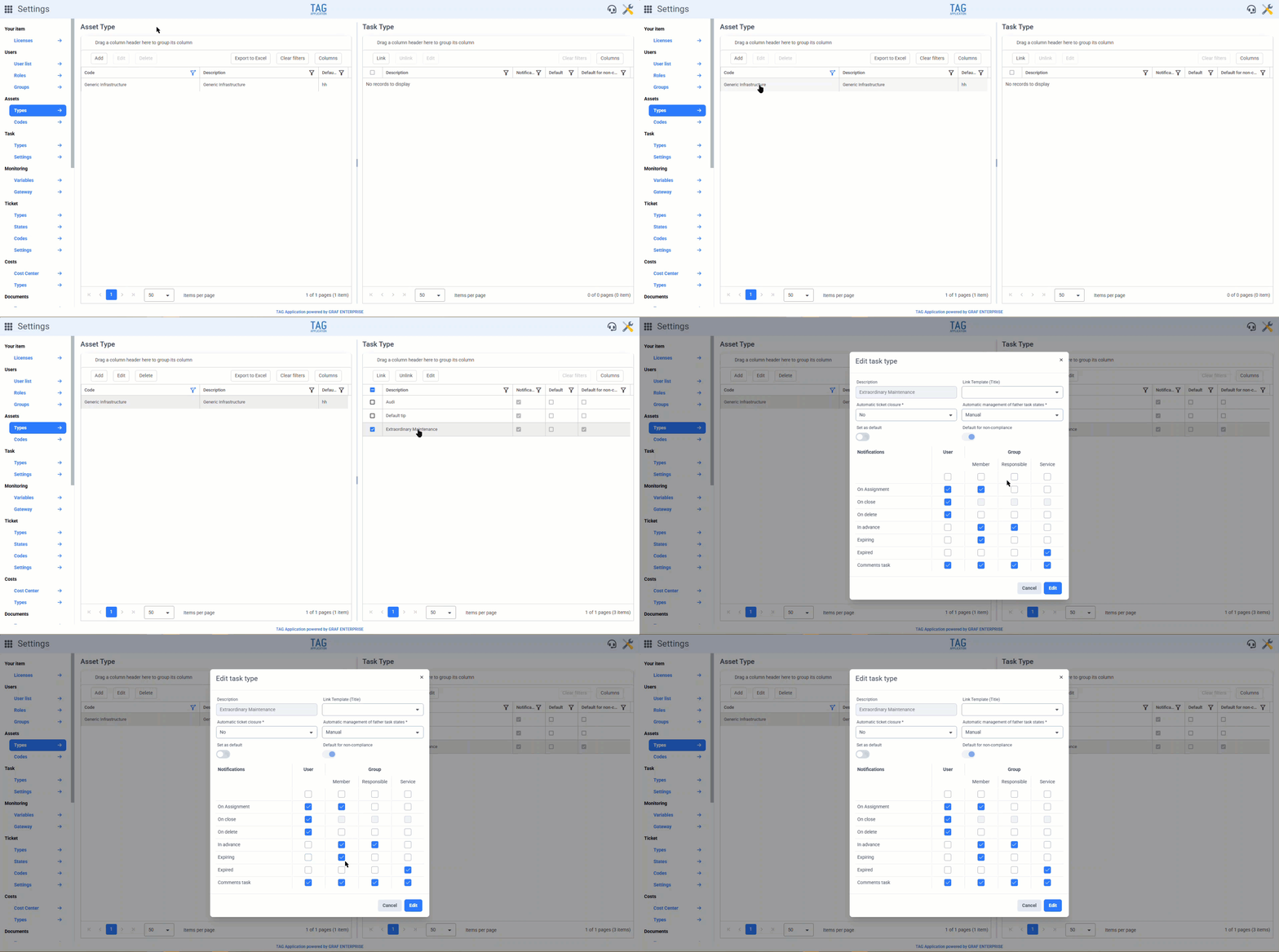
Both in the Settings (from the section dedicated to task types)
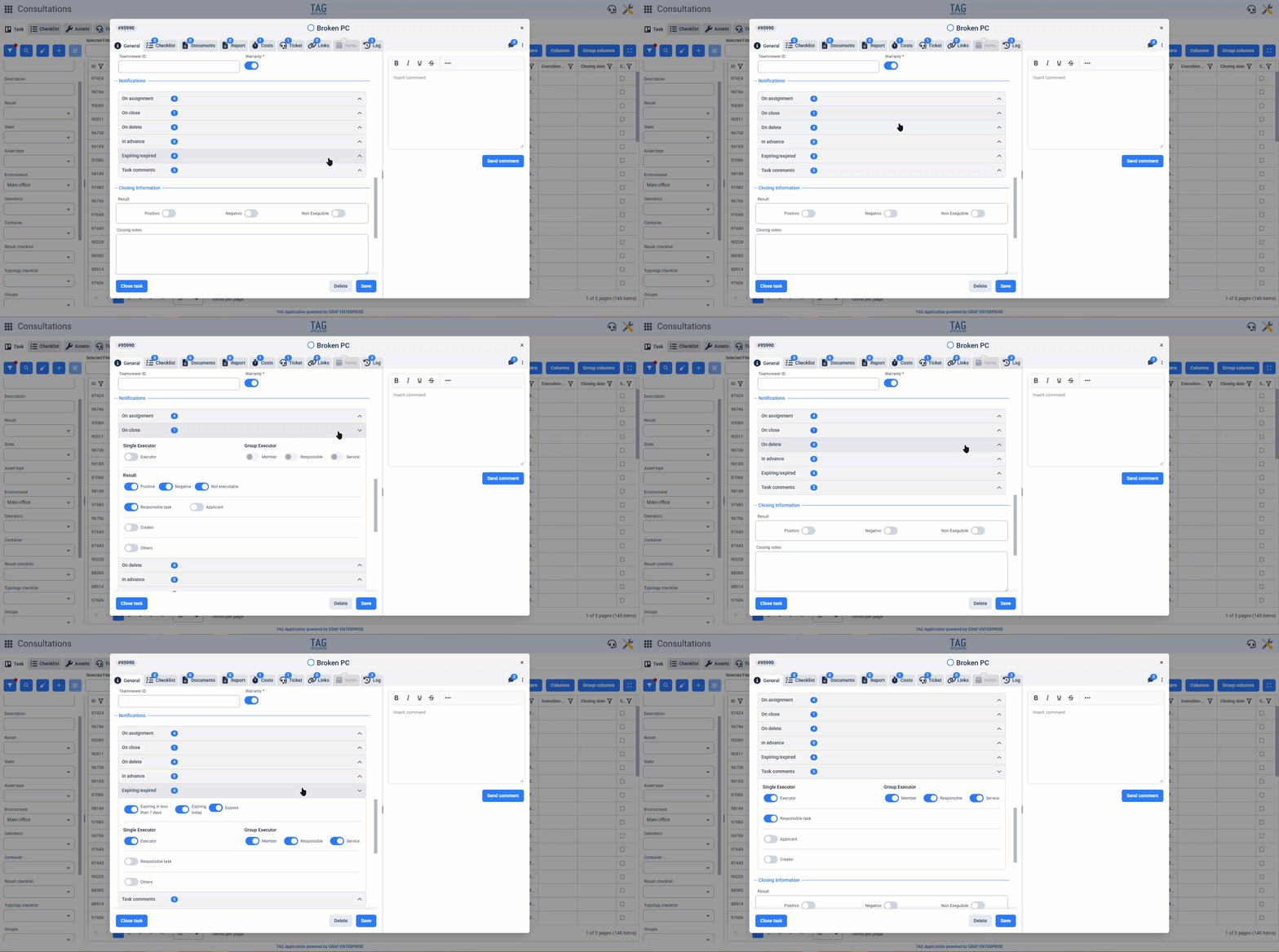
Either directly from the task details, it is now possible not only to control the notifications generically assigned to the performer, but also to specify whether and to which members of the assignee group specific types of notifications should be sent.
In each task, the switches “Member“, “Manager“, and “Service” now appear under the heading “Group Performer“. These allow you to choose which members of the assignee group to send certain notifications to, based on the role they hold.
Additionally, at the end of the notification section, the comments section has also been integrated.
It is now possible to specify who should receive the comment notifications inserted in the task being referenced, greatly increasing operational efficiency.
Attention! As mentioned earlier, in addition to the task details, these configurations (although in a tabular form) can also be made in the Settings, from the generic section “Tasks – Types” or from associations with asset types in “Assets – Types”. These configurations made in the Settings will directly impact the tasks of the types you have worked on. By disabling notifications in these tables, the related tasks will therefore never send notifications to recipients disabled from the Settings.

Items – New section in assets
Associate a list of spare parts to an asset? With the new version, you can do that!
Now, when accessing any asset from the dedicated module, the “Items” section is also available. From here, you can search and link any item registered in the database through a convenient dedicated button.
Once the link is made, the new section will be populated with the list of items.
By accessing any infrastructure, it is now possible to view the details of the linked items and even edit them. Additionally, if needed, you can also link new items or unlink existing ones, always through the convenient buttons that are prominently displayed.
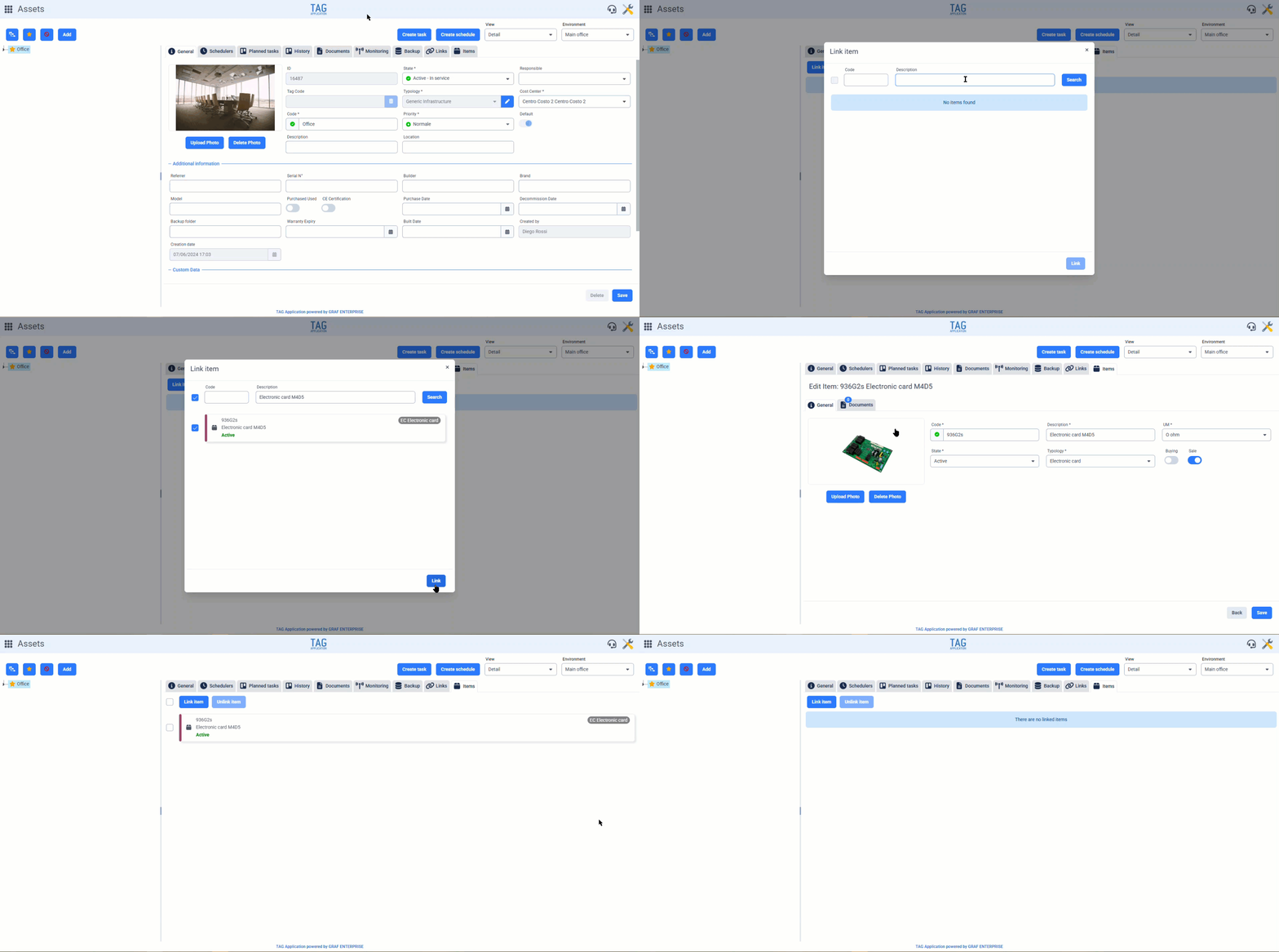
Items – New section in tasks
Exactly like for assets, from this version the “Items” section is also available for tasks.
By accessing the details of any task, you can manage the items from the dedicated section. Here too, with the two main buttons, you can link and unlink items at any time, as well as access their details and edit the information.
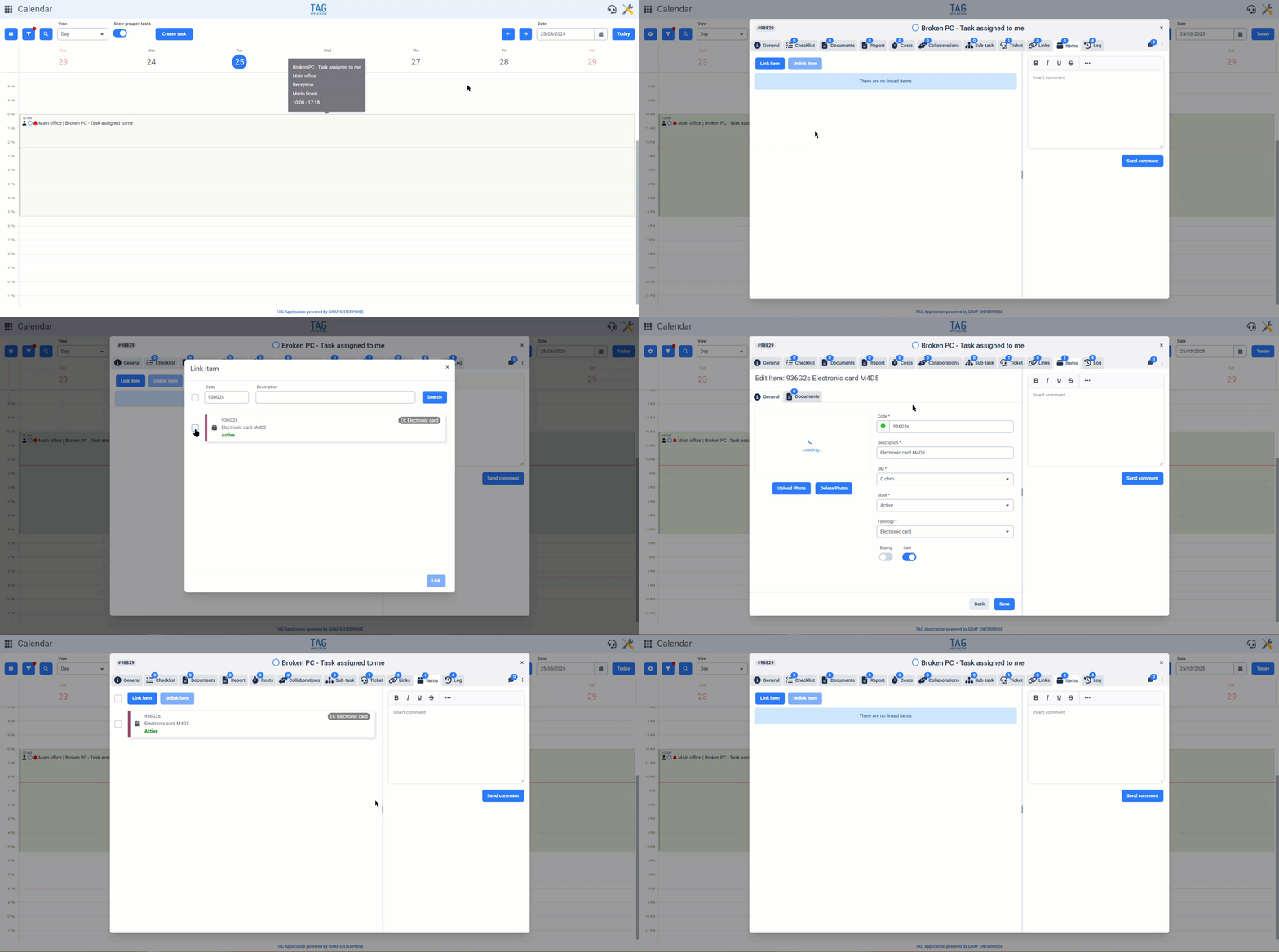
The ability to associate items is not limited to tasks, but is also extended to models and schedules. By associating items with models and schedules, they will consequently be propagated to the related tasks as well.
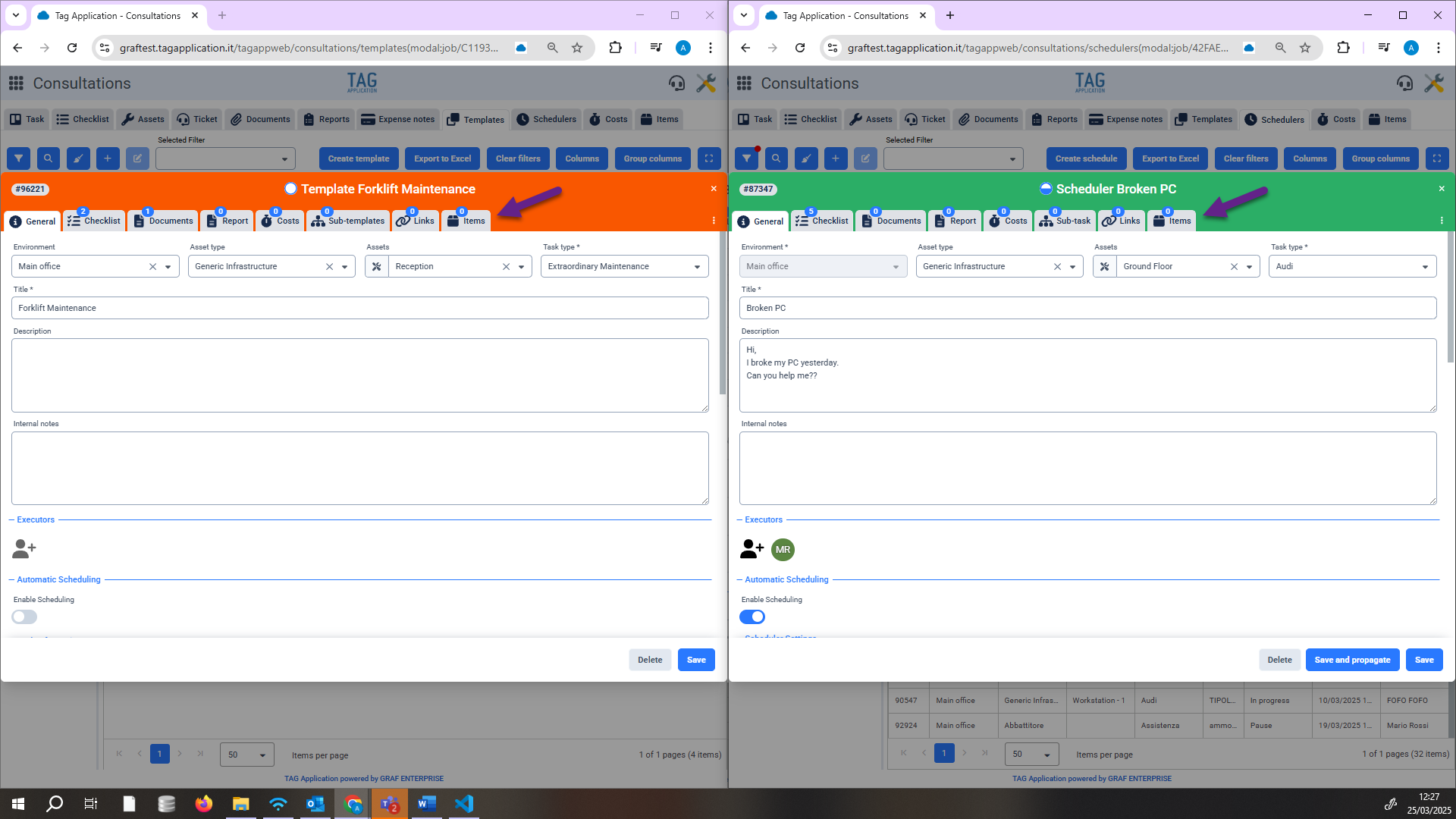

Calendar – New “View” and “Group by” preferences
Improved calendar usability? Here it is!
With the new version, the preferences section is further expanded, allowing the user to work even faster in their preferred mode.
Now, from the preferences, you can set the default view from the first section at the top, “General”, and the preferred grouping in the task plan through the “Group by” dropdown in the last section, “Task Plan”.
Like the other existing preferences, these are always pre-loaded when opening the module and are fully customizable based on each user’s needs.
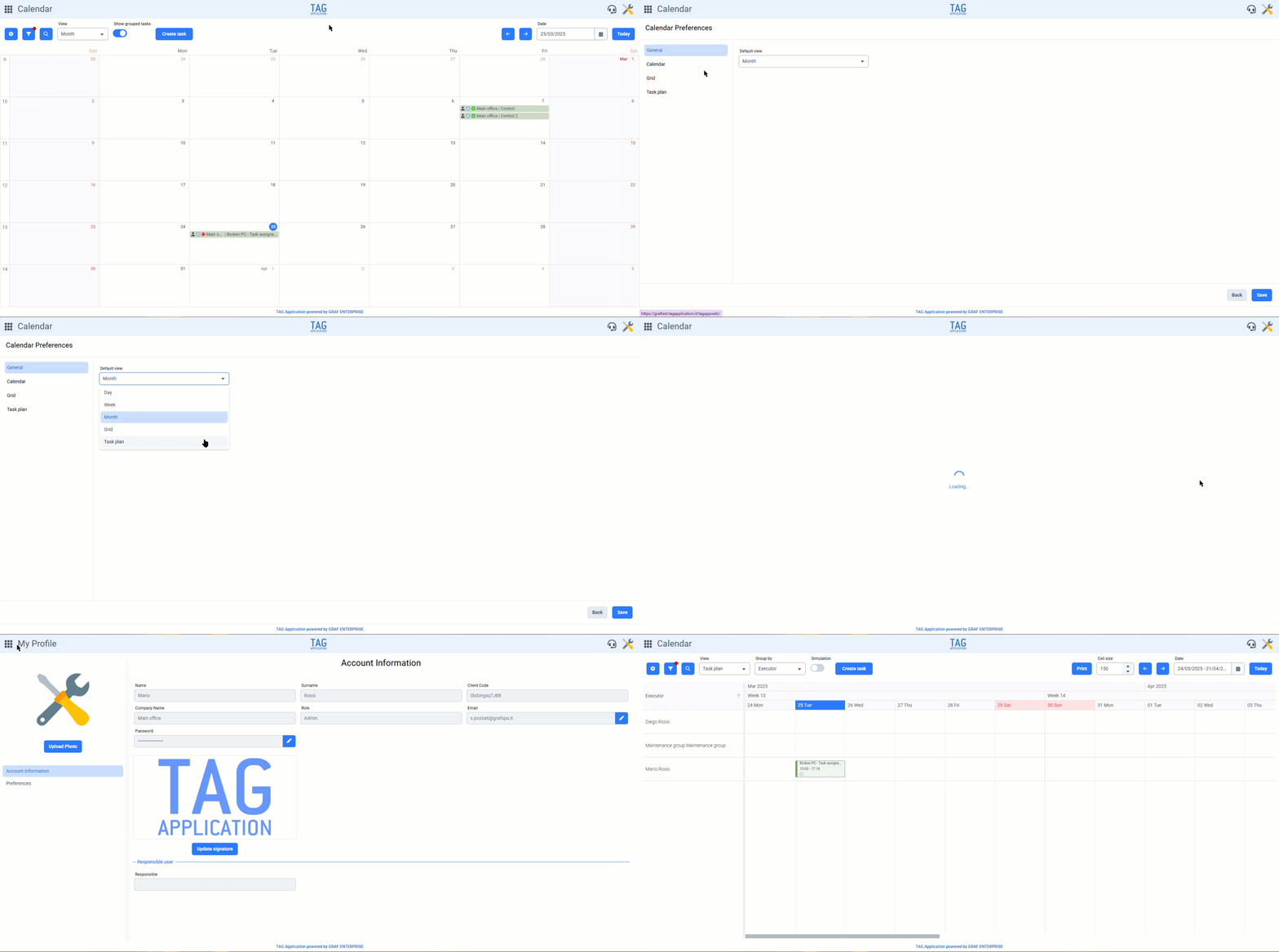

Consultations – New columns under tasks and collaborations
Want to immediately know if a task has sub-tasks or collaborations? Now you can do that in the table views, without even opening the details!
With the new version, any table view that shows tasks (whether it’s the Consultations, the Calendar grid view, or the table views from the Asset module) now includes two new columns.
The “Sub-tasks” and “Collaborations” columns allow you to immediately see if the task you are viewing has related entities, even in the middle of a long list, without needing to open the details.
These new columns, in addition to speeding up consultation times, are also useful for exports, as they can be included in the Excel files generated from the tables.
Tasks – Expanded notification set
Just like the web version, it is now possible on the app to configure even more precise notifications.
Now, even in the mobile version, you can not only control notifications generally sent to the performer, but also specify if and to which members of the assigned group certain types of notifications should be sent.
Each task now includes the switches for “Member”, “Responsible”, and “Service” under the “Group Executor” section. These allow you to choose which group members should receive certain notifications based on their role.
Additionally, the section for comments has been integrated as well.
This makes it possible to specify who should receive the comment notifications inserted in the referenced task, greatly increasing operational efficiency.