Here are the news in version 2.10.0
Would you like to find out more about TAG Application and have more information?

Ticket – Automatic inheritance of custom asset data
When you want to save time, exploit the inheritance of fields becomes essential.
For this reason, from now on, if specific custom data are configured on a certain type of ticket, if these were also present and compiled on the asset for which you are creating a new report, in the ticket creation popup these custom data would already appear pre-filled, precisely because they are inherited from the asset’s registry.
This new feature allows you to avoid repetitions in the filling of fields, exploiting the intelligence of the system and the data already present in the anagrafiche to save valuable time.
(fig 1.0)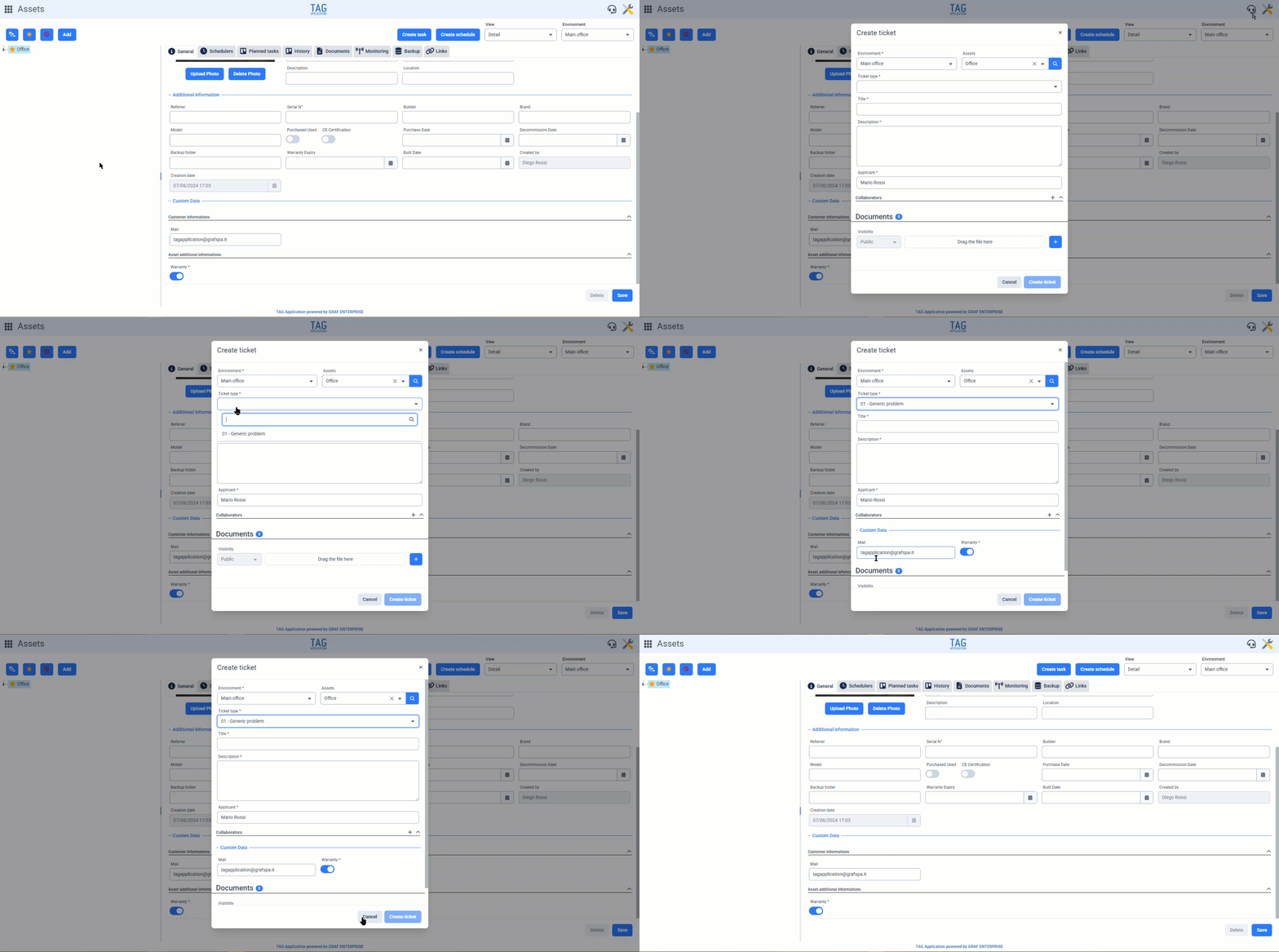

Settings – Propagation of custom data to task types associated with multiple asset types
Speaking again of custom data, another upcoming feature mainly concerns the configuration part, present in the Settings module.
If you want to configure specific custom data for different task types, with the new version, it will be possible to do so in an instant thanks to mass propagation: with the upcoming update, it will be possible to propagate custom data not only to activity types linked to a single asset type at a time, as was already allowed previously, but it will now be possible to carry out even broader “propagations”, selecting task types also associated with different asset types in a single propagation.
The new feature of making the “Asset Type” dropdown multi-selection allows taking into account essentially all the activity types recorded in the system, so that all custom data can be propagated with just one click, without any additional steps or wasted time.
(fig 2.0)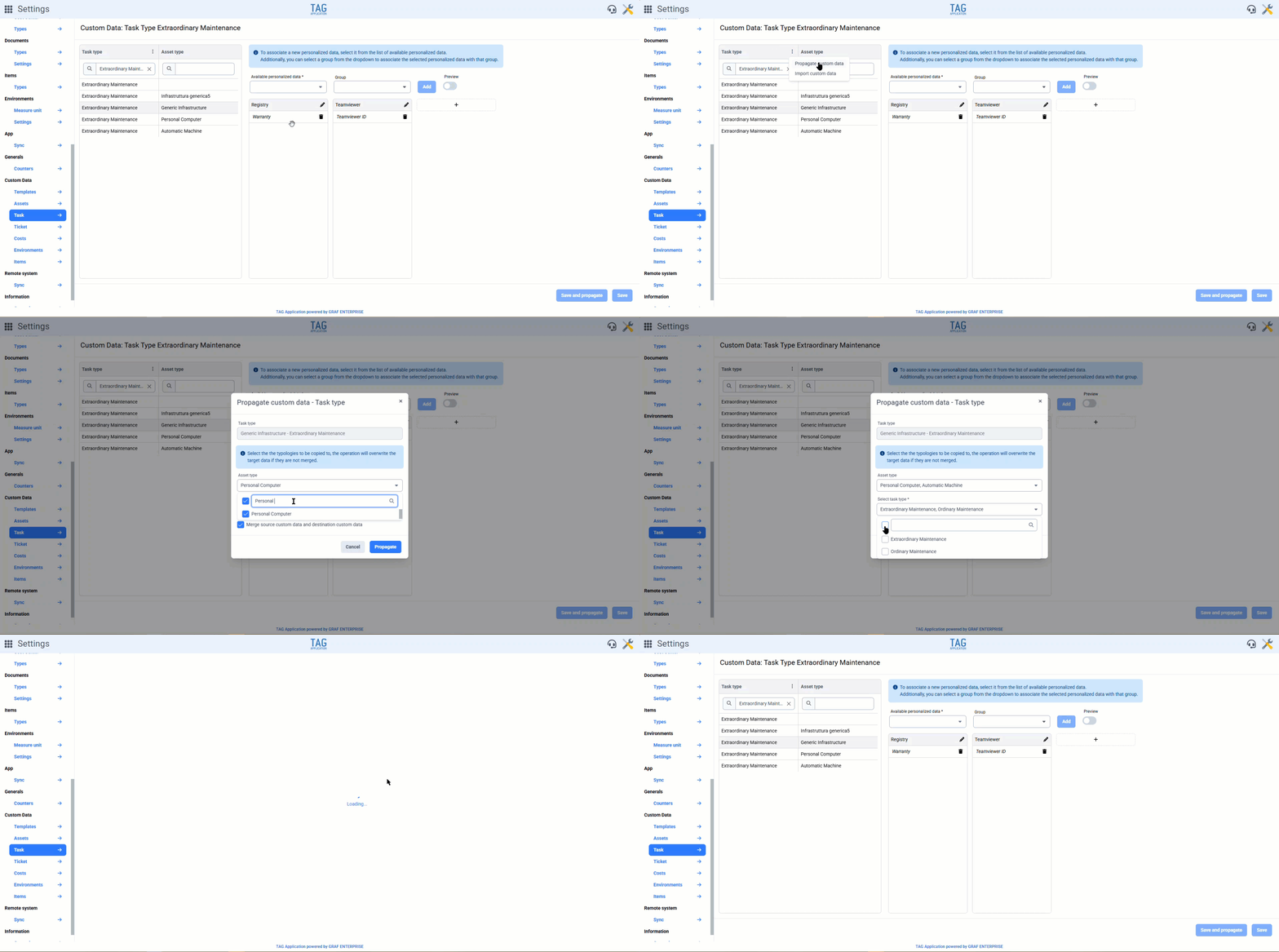

Documents – New icon for downloading
If in the previous version a graphic redesign of the document tiles had already begun, the upcoming update will bring even more changes!
Now, in fact, in addition to being able to access previews of images and PDF files by clicking on the document icon, it is also possible to download the document in an instant with a simple click on the dedicated icon.
At the bottom right of the tile, just before the context menu, you can now always use the “Download” icon to start the download process.
As introduced in the previous version, the classic generic click on the tile now opens the document’s details.
(fig 3.0)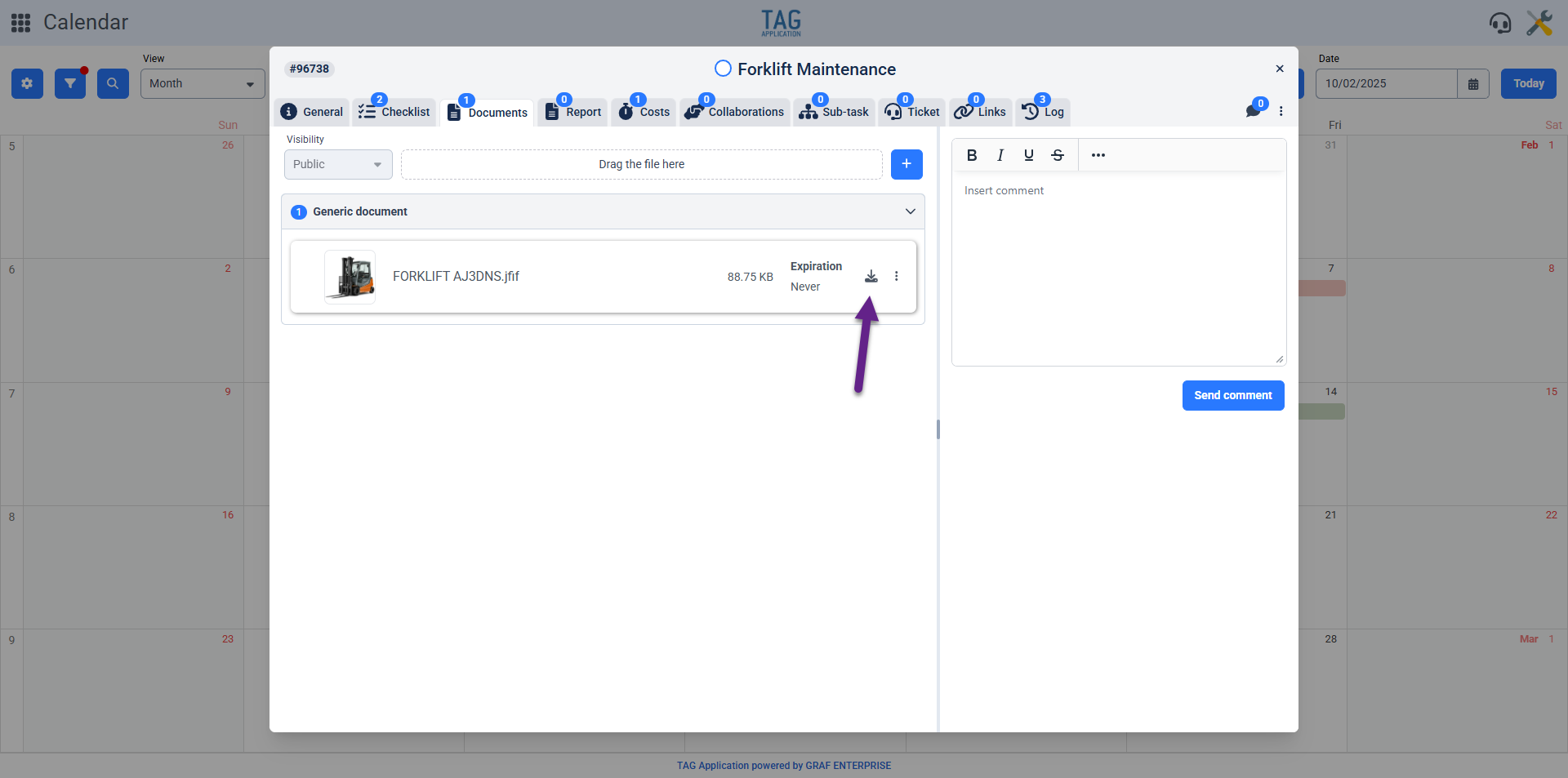

Monitoring – New notes field for notification suspensions related to variables
When performing tests or dealing with known faults, receiving continuous notifications can be really annoying and intrusive.
For this reason, the system, for several versions now, has allowed managing these cases by suspending notifications for a specific time interval.
These operations, carried out from the Settings or Asset modules in the dedicated monitoring sections, previously allowed determining the time interval during which notifications would be suspended, but not specifying the reasons for it.
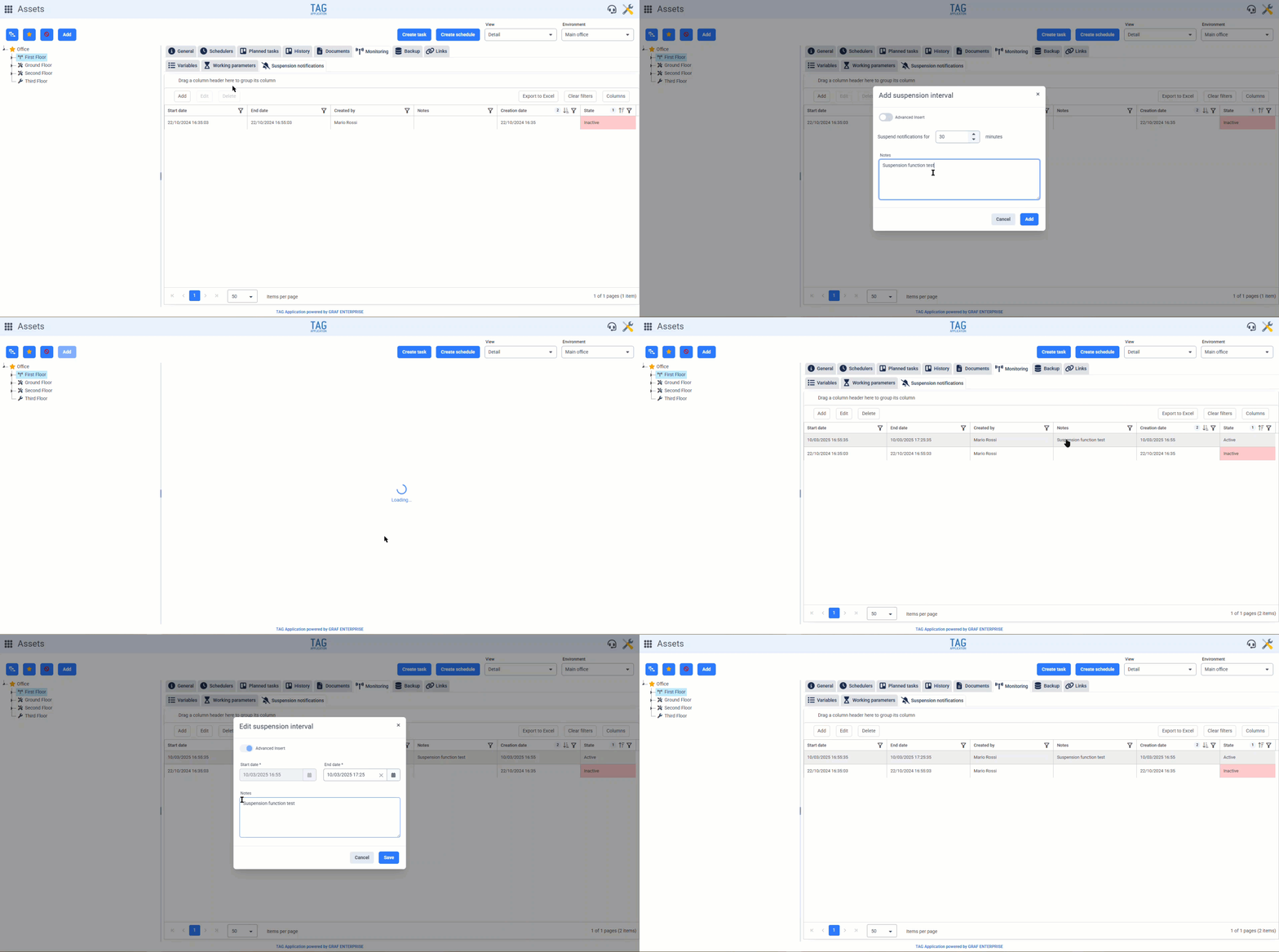
Since this is very important information, the new feature introduced in the upcoming version is the ability to justify the suspension of notifications through a convenient “Notes” field.
In this way, even retrospectively, anyone with the necessary permissions can quickly check when and why notifications were turned off for specific variables.
(fig 4.0) (fig 4.1)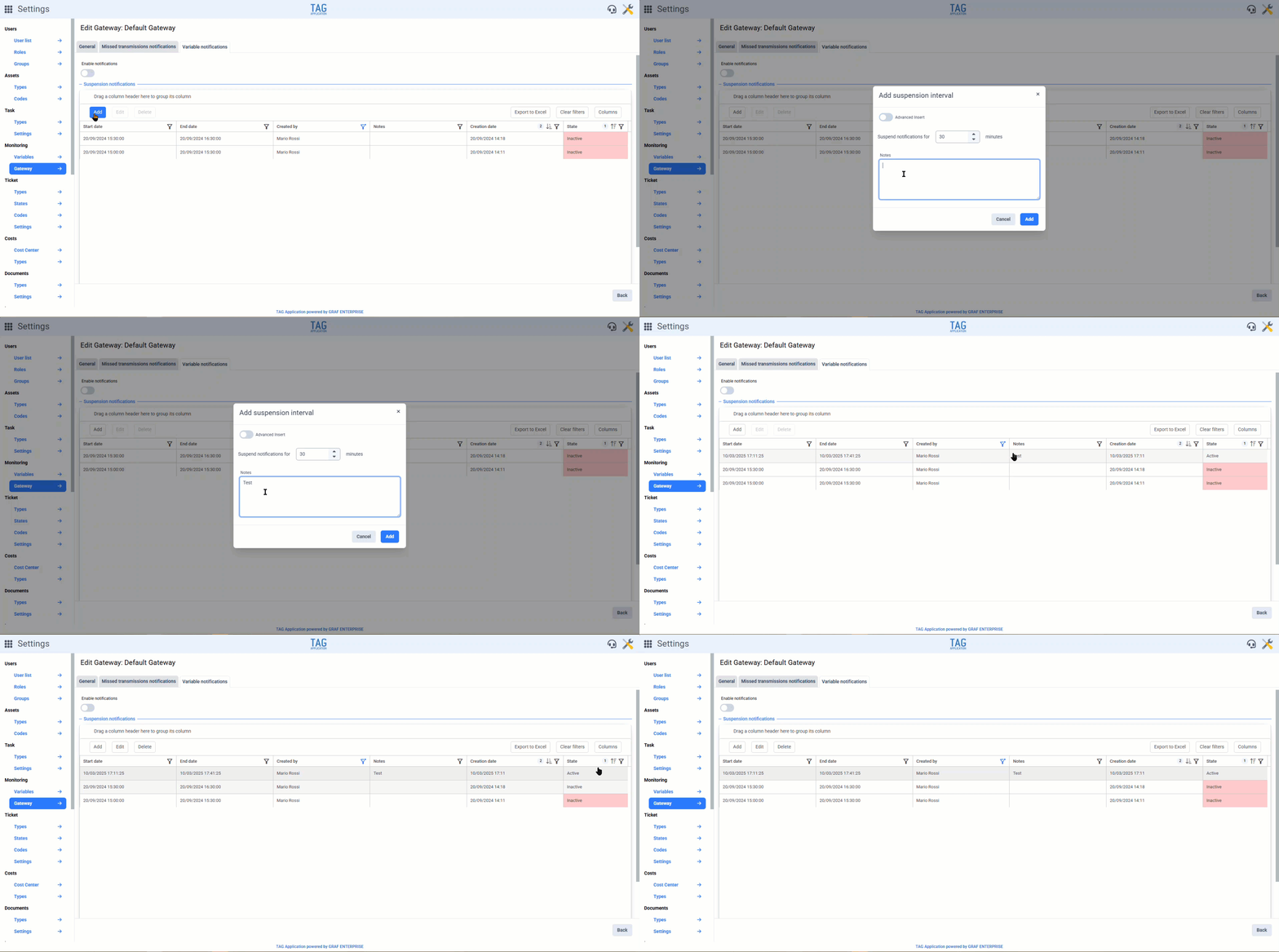

Tasks – Custom sorting of sub-tasks through drag and drop
Flexibility and Customization have always been key principles for TAG Application…
For this reason, with the new update, it becomes possible to take even more control of the system!
With the upcoming version, you will be able to manage the sorting of sub-tasks within the corresponding section in the parent task details, thanks to simple drag and drops.
Now you can independently choose the order in which to display the sub-activities, and the desired display order will persist even when the task details are closed.
This sorting, also inherited in the app, will allow those managing the planning to decide how to display both tasks and sub-tasks, in order to have a clearer and more consistent view, always aligned with the user’s needs.
(fig 5.0)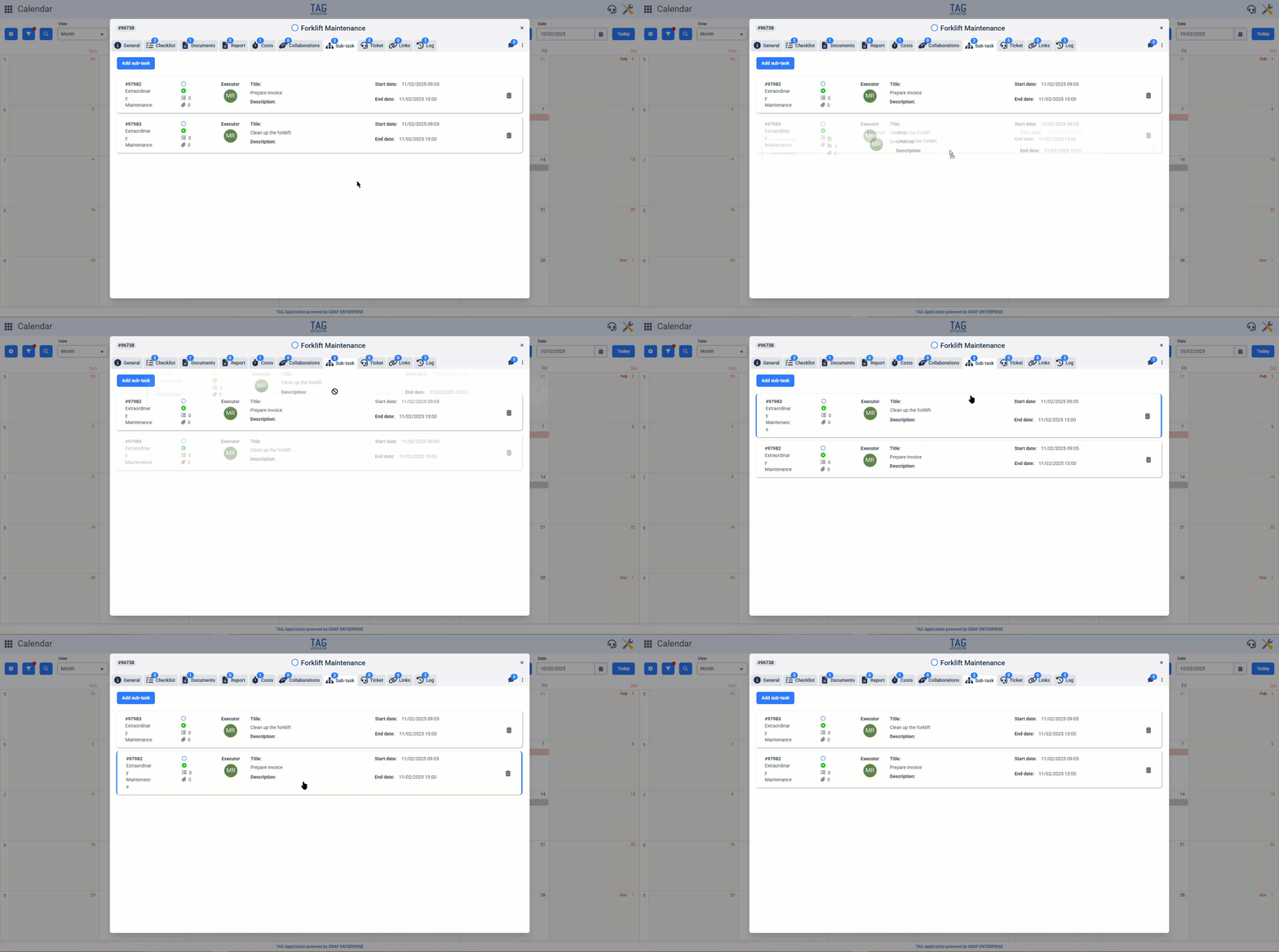
Tasks – Printing of collaborations and links
The “printing” of the task is a very useful method for obtaining a convenient overview of what has been done: downloadable, printable, and shareable.
Being one of the most used “shortcuts” in the system, the printing feature is always being updated! In this regard, an important new feature is coming!
With the new version, during the printing phase, it will be possible to include collaborations and links of the task that is being considered.
In this way, the overview generated by the printing operation becomes even richer and more complete, useful and valuable.
(fig 6.0)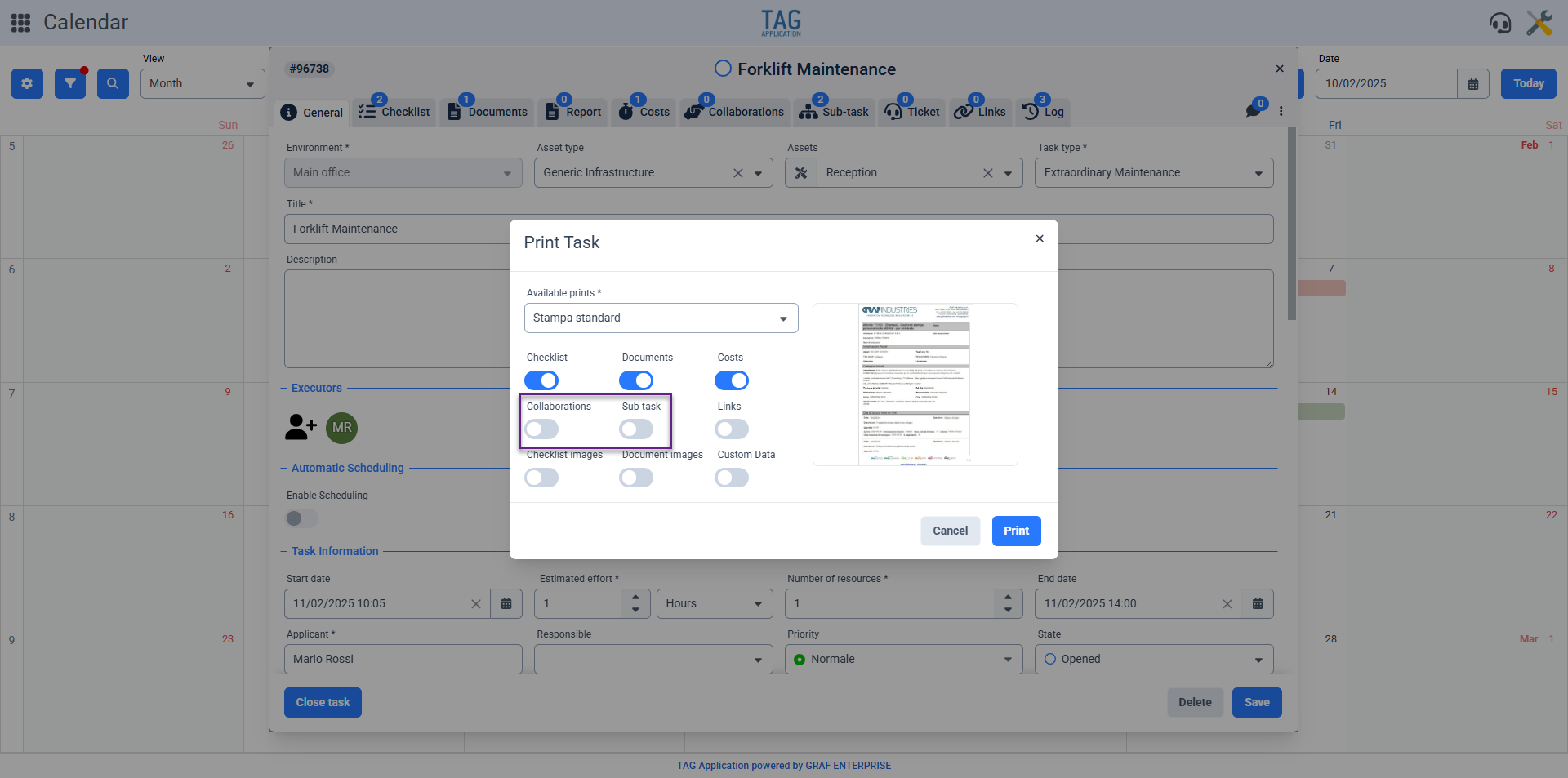

Calendar – Restore default tile in preferences
Being able to customize the system thanks to the new features is useful, extremely useful.
However, being able to go back is also very important…
Because you can make a mistake or change your mind, and for this reason, the system allows you to restore the configurations made in an instant, saving time and effort that would be spent doing it manually.
Thus, in the Calendar module, in the preferences section, near the fields that allow customizing the information displayed on the tile, the new version will introduce a “Restore default values” button.
This button will be useful for restoring the default information on the tiles representing tasks in the calendar, without wasting time manually re-entering it if you want to go back.
(fig 7.0)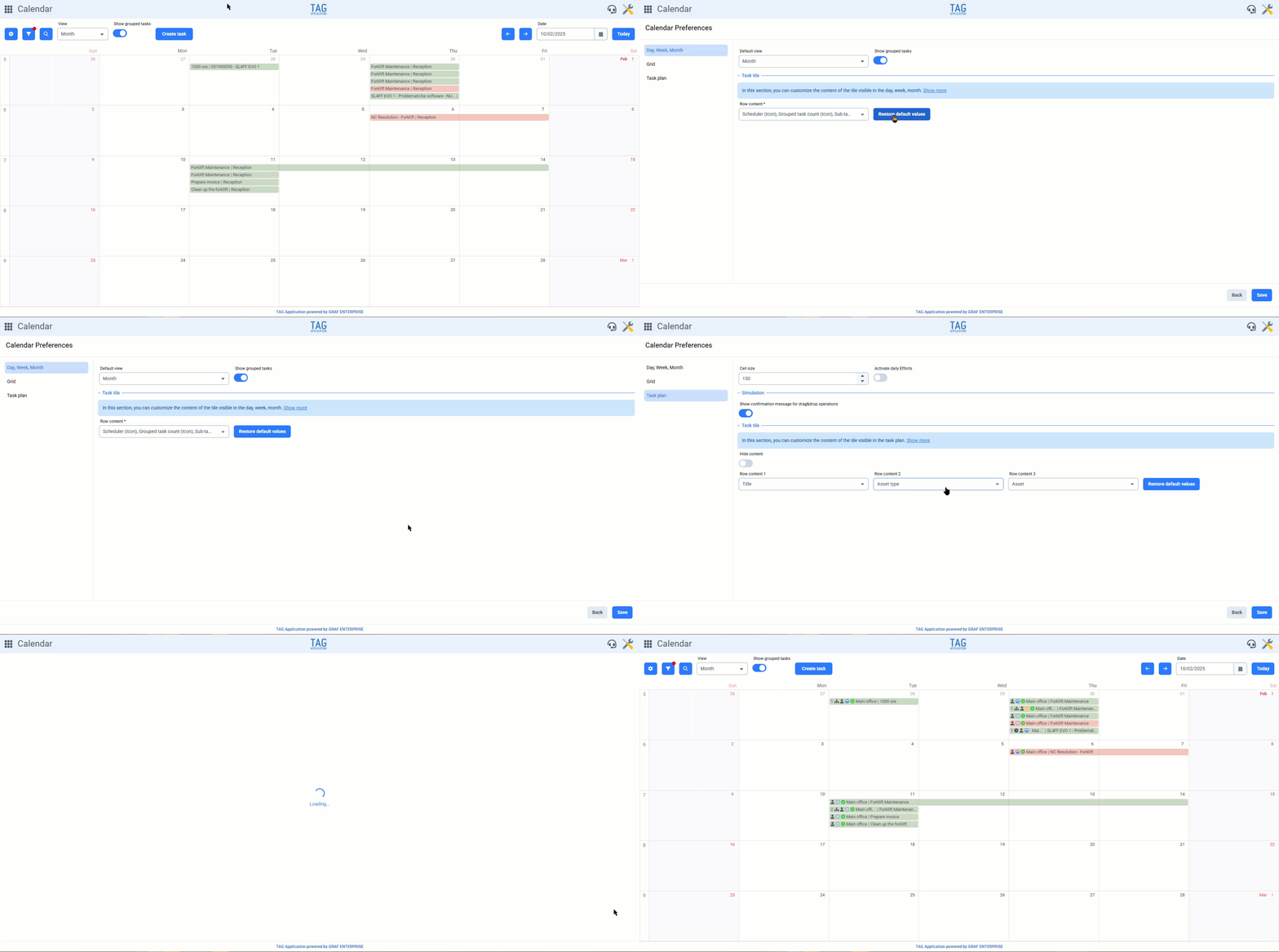

Report – New nomenclature for fields dedicated to email sending
Whether you are filling out or consulting a report, having a clear interface is essential.
For this reason, within reports in the “Email” section, the generic terms “Client” and “Administration” will no longer appear, which could have been misleading. Instead, the specific names of the environments will be displayed, along with the exact email addresses of the actual recipients of the report.
This update, which may seem trivial at first glance, will be crucial in terms of immediacy of understanding; allowing anyone consulting a report to quickly determine exactly who it was sent to, and act quickly to correct any errors that may have been noticed.
(fig 8.0)