Here are the new features in version 2.15.0.
Would you like to learn more about TAG Application and get further information?

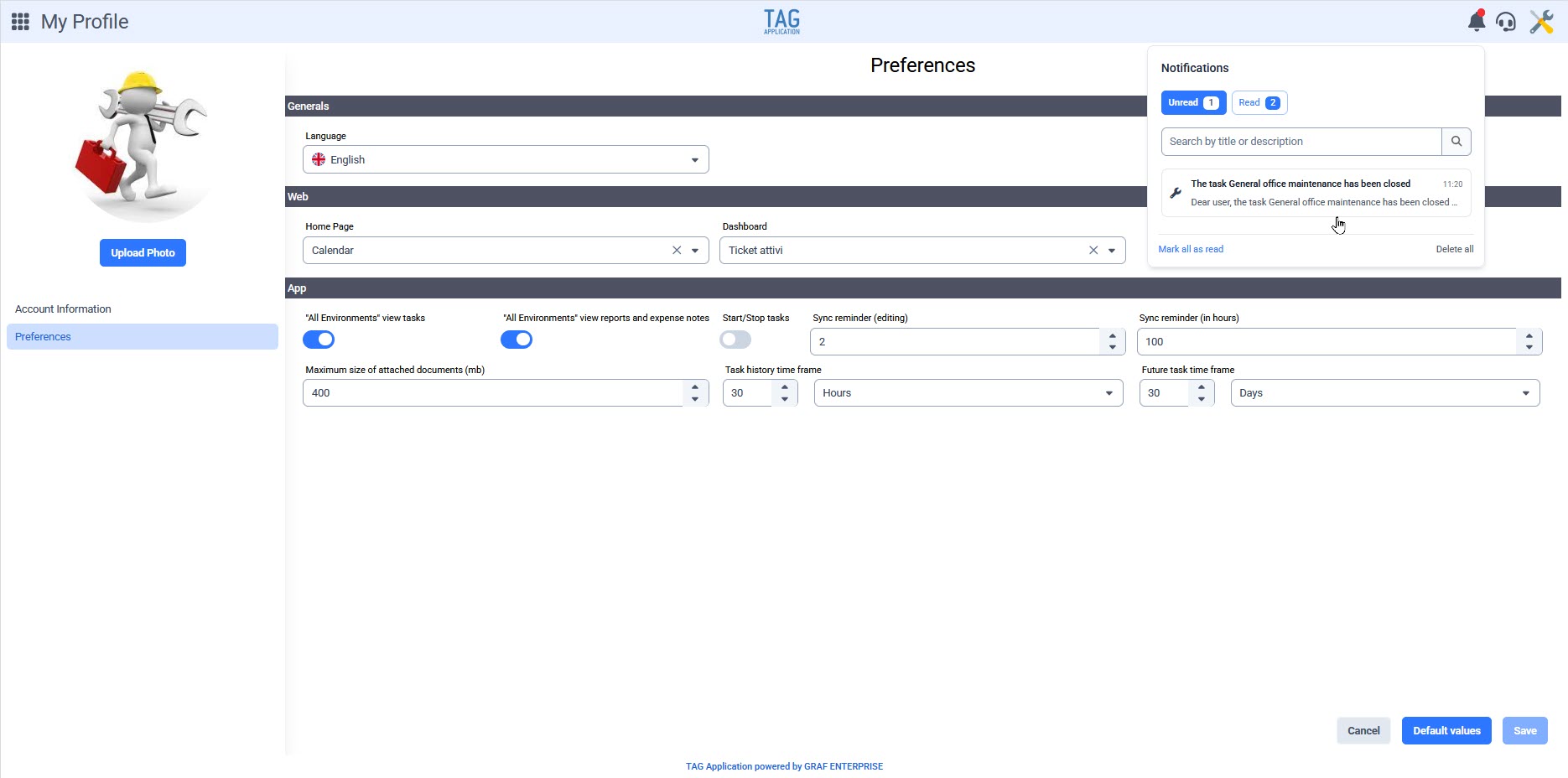
Entire System – New Notification Center
Starting today, you can receive notifications directly from your browser, neatly organized in a dedicated panel. A bell icon will always be fixed at the top right; by clicking it, the new notification center opens: a space containing all received notifications, split into “Unread” and “Read,” searchable via a text search box. You can access the related item with just one click.
No more complex Outlook rules and mixed-up communications: with the new version, all notifications are centralized, ordered, and manageable directly in TAG Application!
(fig 1.0)

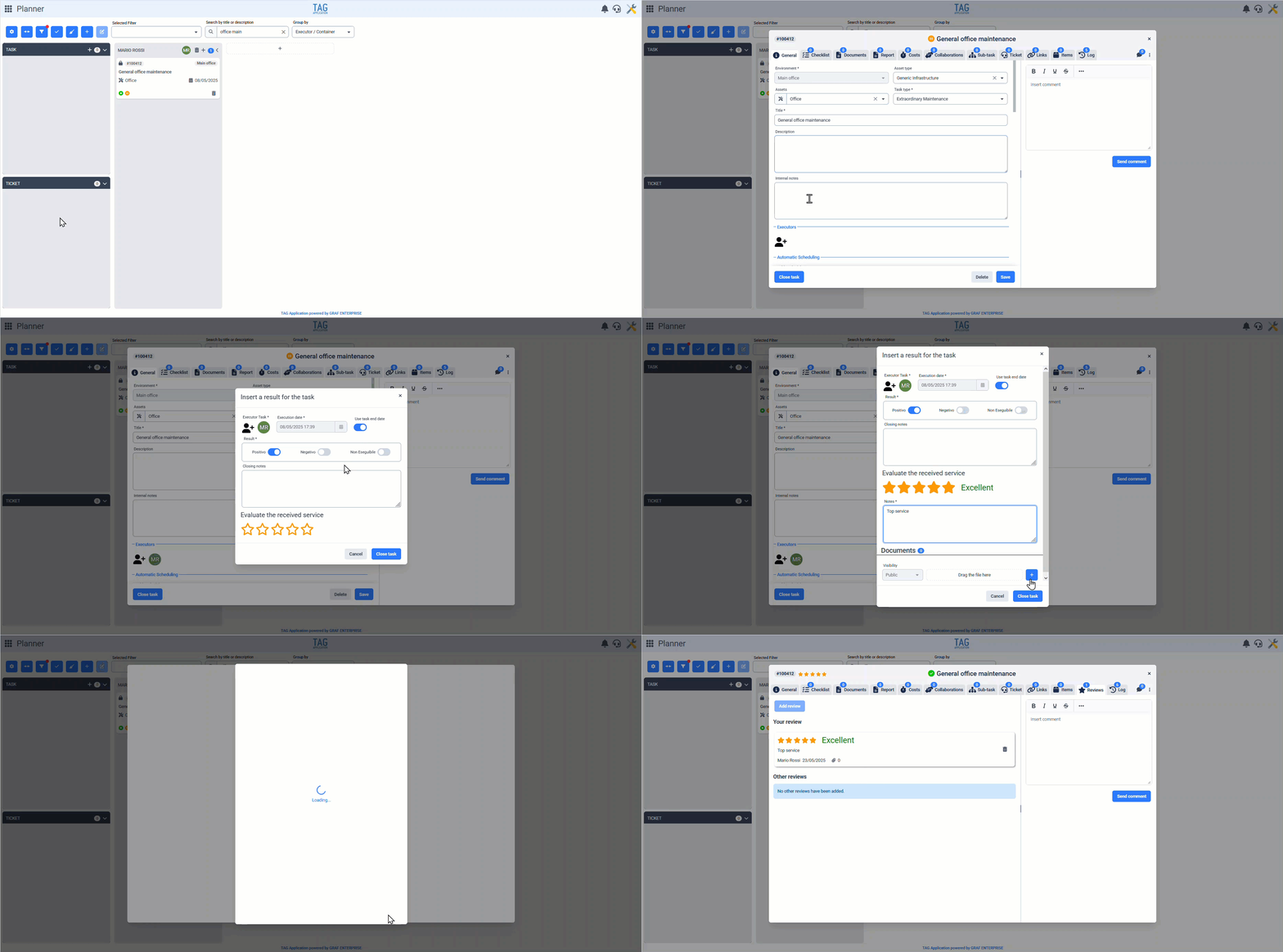
Tasks – New Closing Popup
Evaluating an Task is the best way to measure the effectiveness of an intervention: the first step to understanding what and where to improve.
With the new version, ratings are more prominent and can be easily entered during the Task closure phase.
Especially useful when closing an Task on behalf of a supplier, you can now immediately give a rating from 1 to 5 stars, with optional notes and attachments.
Once completed, the rating will go directly to the corresponding section, averaged with others and available for review at any time.
(fig 2.0)
Tasks – New Icons for Closed Status
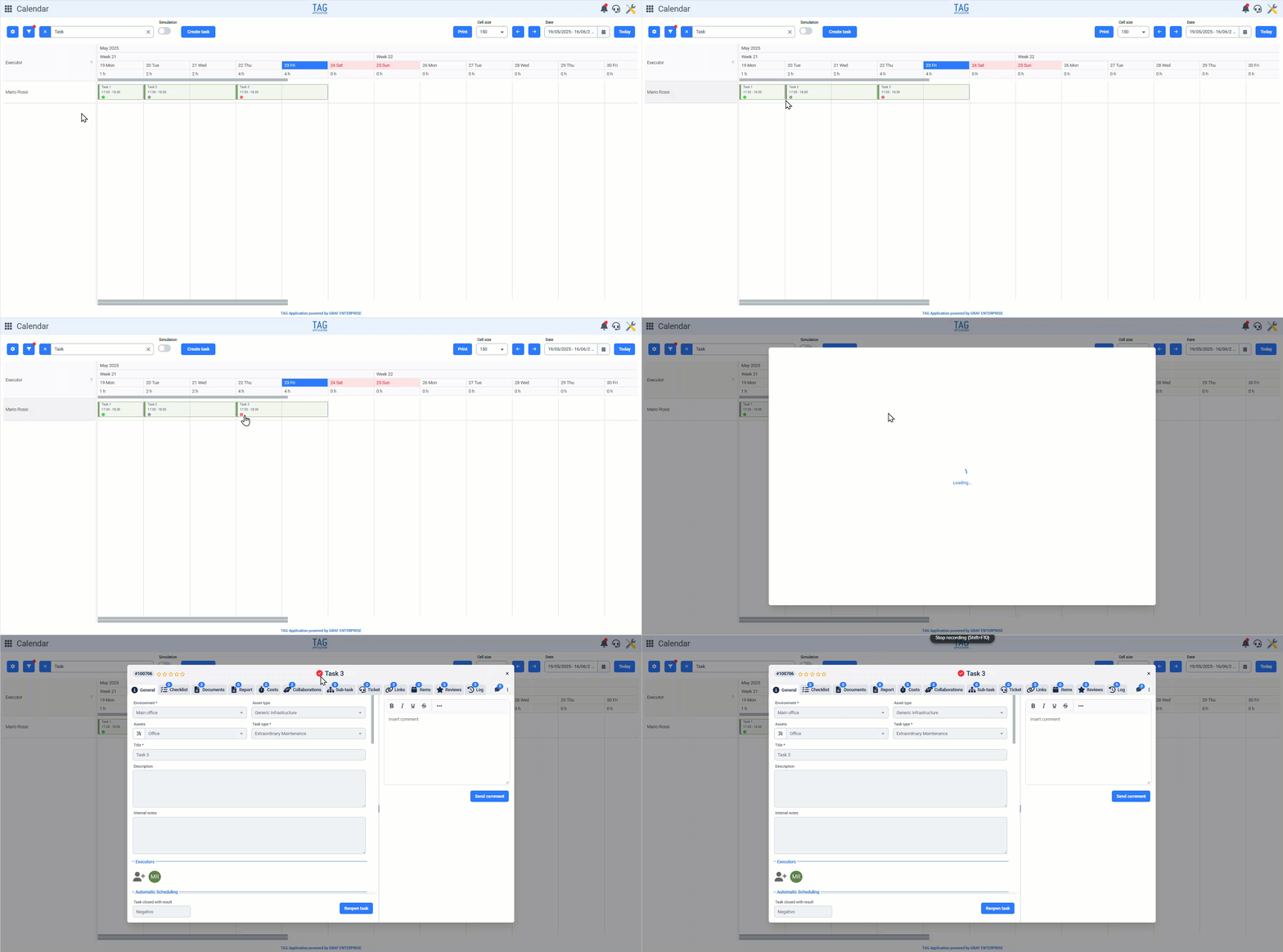
When an Task is closed, it’s important to quickly understand its outcome.
Now, the closed status icon changes based on the closure result.
If an Task is marked positive, a green check will appear; if not executable, a gray icon; and if negative, a red icon.
This helps you grasp the result at a glance without digging into details. The visual feedback is clear and visible, even in the calendar module.
(fig 3.0)

Calendar – Integration of Estimated Duration in Tiles
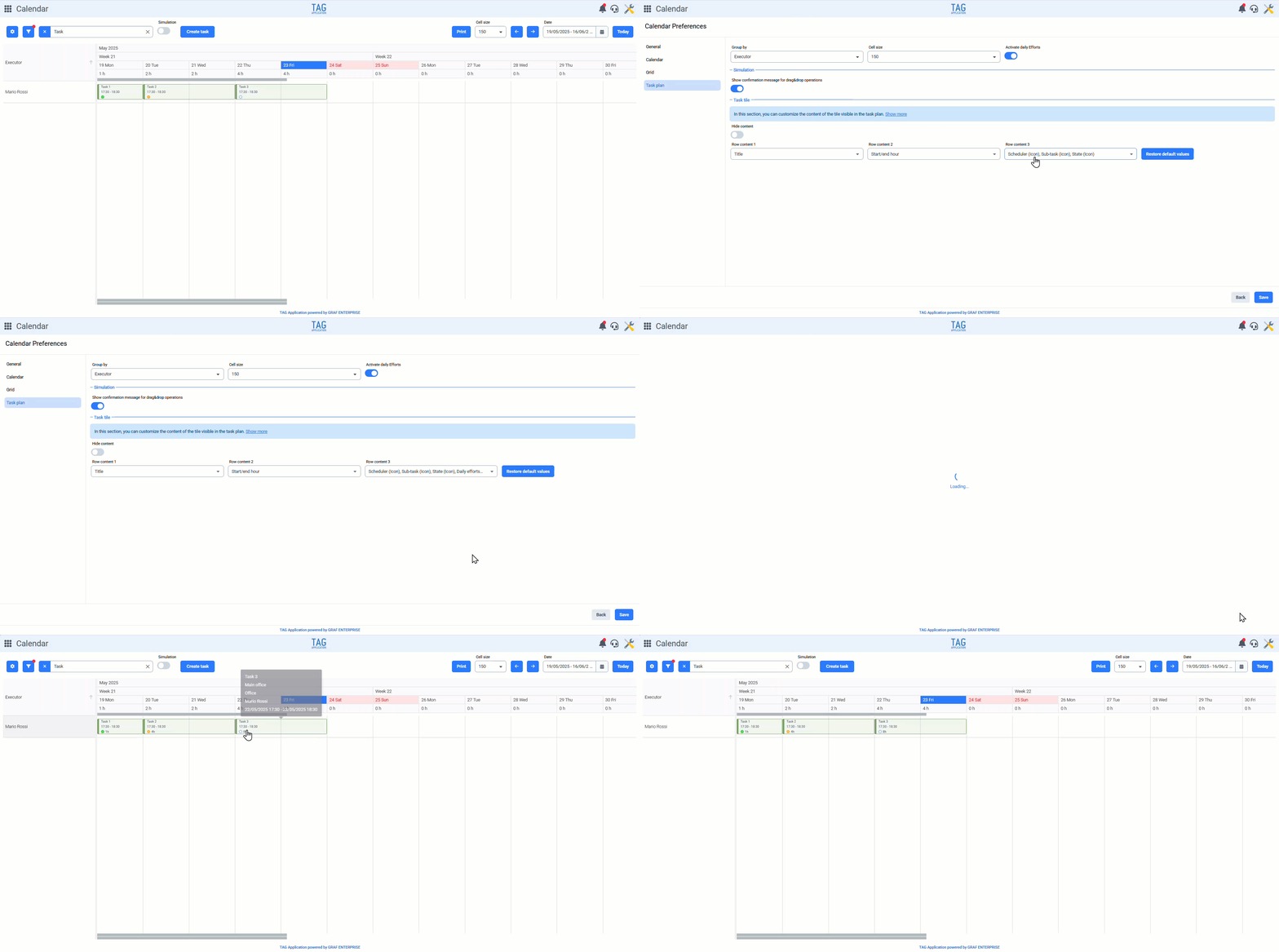
In previous versions, you could view daily workload from the Task plan. What was missing was Task-specific workload information—key for planning.
With this update, you can now see the exact estimated duration in hours on each Task tile. This helps planners assess workload visually without memorizing or checking each Task.
In calendar and Task plan preferences, simply select “Estimated working hours” under “Task tile” to display the estimated time.
(fig 4.0)

Dashboard – New Apply Filters Button
Dashboards are essential for real-time supervision and control.
The new version includes a significant upgrade: an “Apply Filters” button has been added to every dashboard.
Filters no longer update graphics one by one. Instead, set all filters first, then confirm using the button.
This enhances performance, avoids mistakes, and prevents unnecessary loading delays.

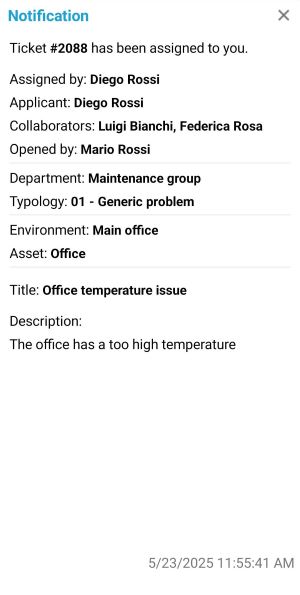
Ticket – Collaborators List in Notifications
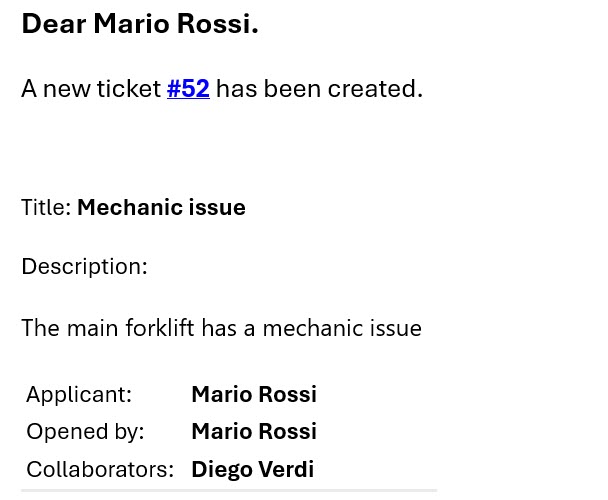
Keeping track of ticket collaborators is useful and already possible via ticket details.
Now, this feature is enhanced: like the “cc” field in emails, the collaborators list is now visible in TAG notifications.
You can instantly see who is involved in a ticket update, saving time and avoiding the need to open the system for more info.
(fig 5.0)

Consultations – New Columns Added
After expanding pre-filters in the previous version, this release brings new columns.
Consultations are now even more powerful, enabling faster and more precise searches. Each section now includes new columns to filter, consult, export, and analyze or share data.
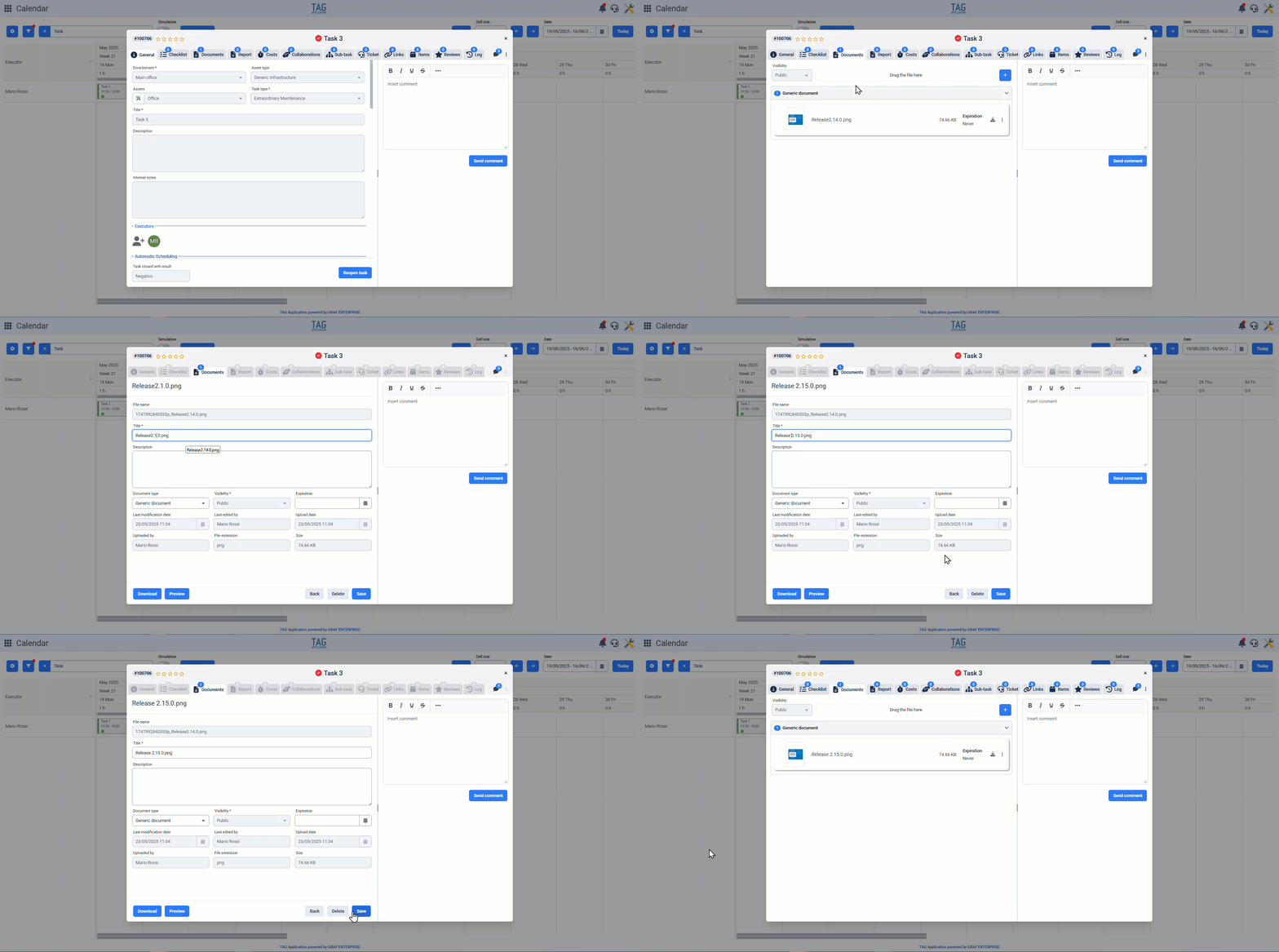
Documents – New Exit Mode from Detail View
A user-friendly interface is crucial for optimal work.
The exit method from the document detail view now changes, offering an improved experience.
Instead of clicking a small “x,” you now exit by clicking a clear “Back” button located at the bottom right, near the other function buttons.
(fig 6.0)
Ticket – Integration of collaborator list in notifications
Also for the applications, in push notifications, the list of collaborators will now always be shown.
This way, it will be possible to quickly understand if and who the collaborators of the ticket are for which updates are being received, without wasting time opening the app to check the full details.
(fig. 7.0)