Here are the news in version 1.88.0
Would you like to find out more about TAG Application and have more information?

Calendar – New task plan
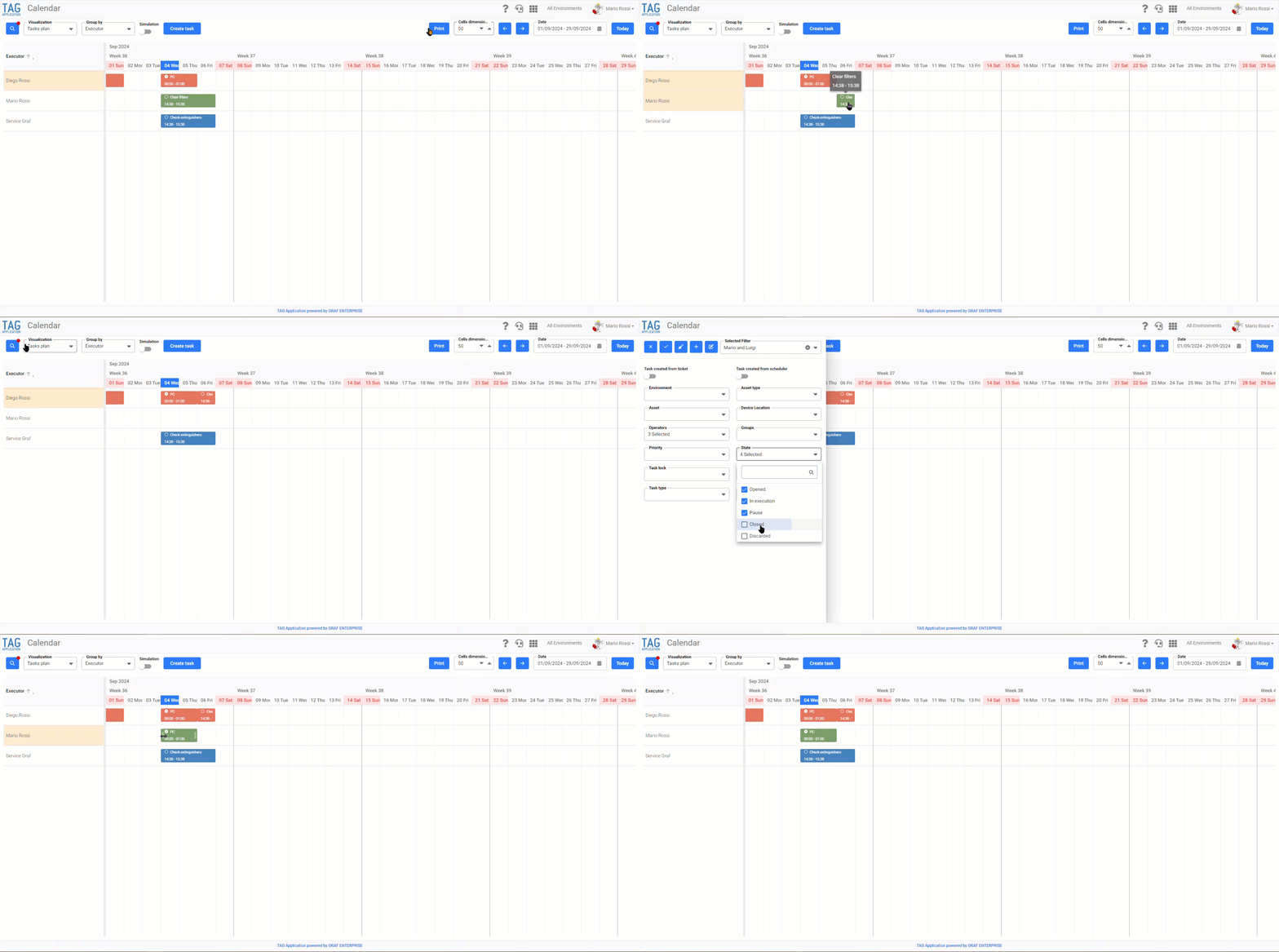
If you usually manage your tasks via the dedicated plan in the calendar module, you’ll be happy to know that a brand new version is coming soon!
Even faster and smoother, with the same logic but with useful additional features to discover: The task plan changes its appearance, for an even more efficient, fast and innovative task planning!
Thanks to the use of a library of the latest generation, in addition to using all the features present in the old version there will be an obvious performance enhancement and you can also see and manage comfortably all the closed tasks directly on the calendar, having immediate feedback on what has been executed, when and by whom.
(fig 1.0)

Ticket – Employees
This request has always been very much felt by users.
How can I indicate my manager so that he or she is informed of my requests and the approval flows are faster?
How can I share my reports with other users, even if they are not registered in the system?
TAG Application has the solution for your needs!
Thanks to the new functionality of ticket attendants all this will be possible!
First of all, it will be possible to configure for each user his own manager so that he has a certain hierarchy.
(fig 2.0)
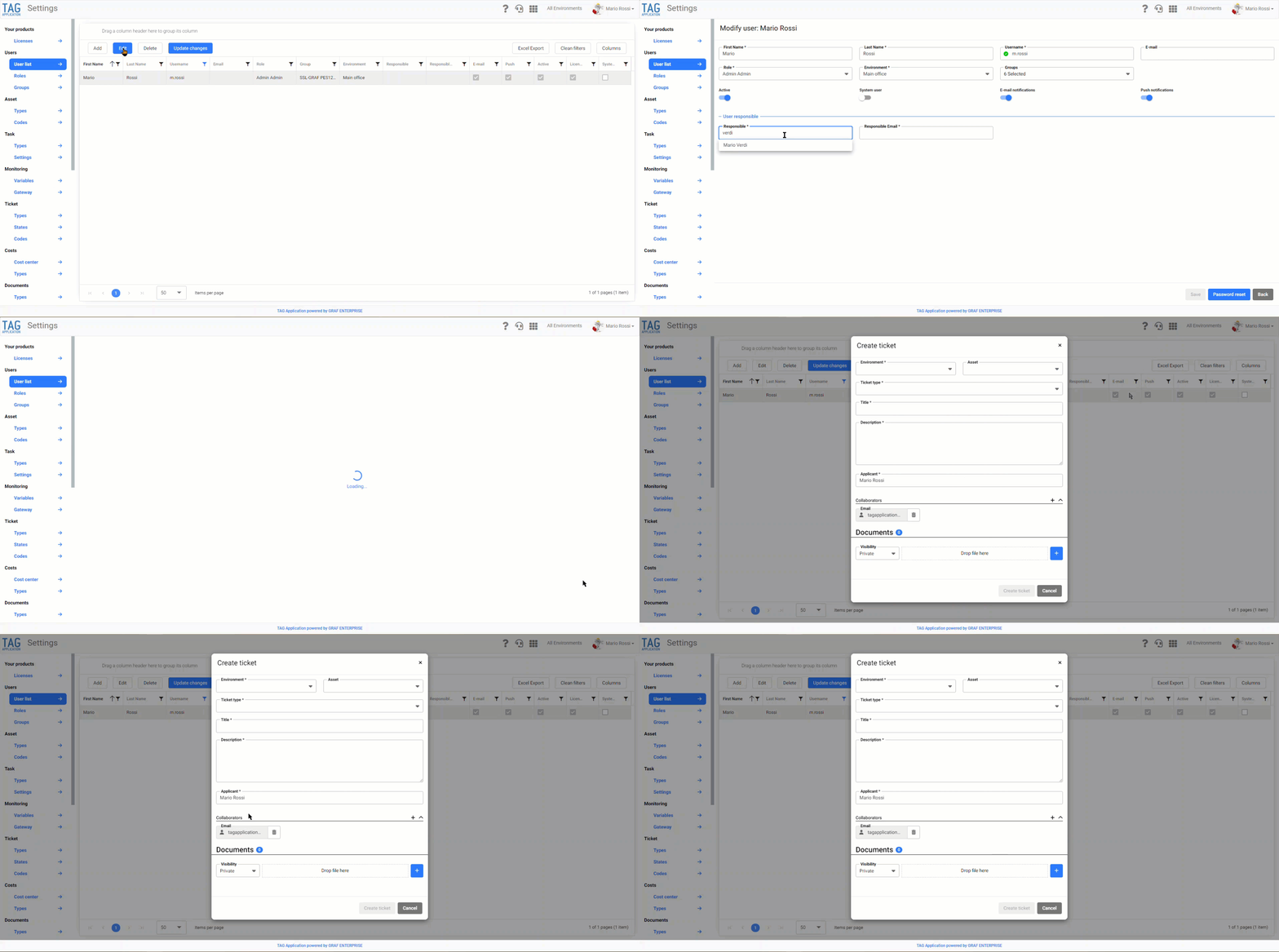
If the manager will be configured it will be reported in automatic among the ticket employees that are opened.
In the case of involving people other than the person responsible, it was decided to extend the concept of responsible to include the concept of Employee, which could then be a different person from the responsible…
The employees can be conveniently registered within the ticket itself and can be registered users and not within the system.
These users who are labeled as collaborators in the ticket will be treated as applicants of the same, therefore, they have the possibility to view the ticket, enter answers and documents… also will be inserted in CC in every ticket-related mail.
In the case of a ticket collaborator, opened on an environment that he can not see, this ticket must not be displayed on the web but will only be notified by mail. (fig 2.1)
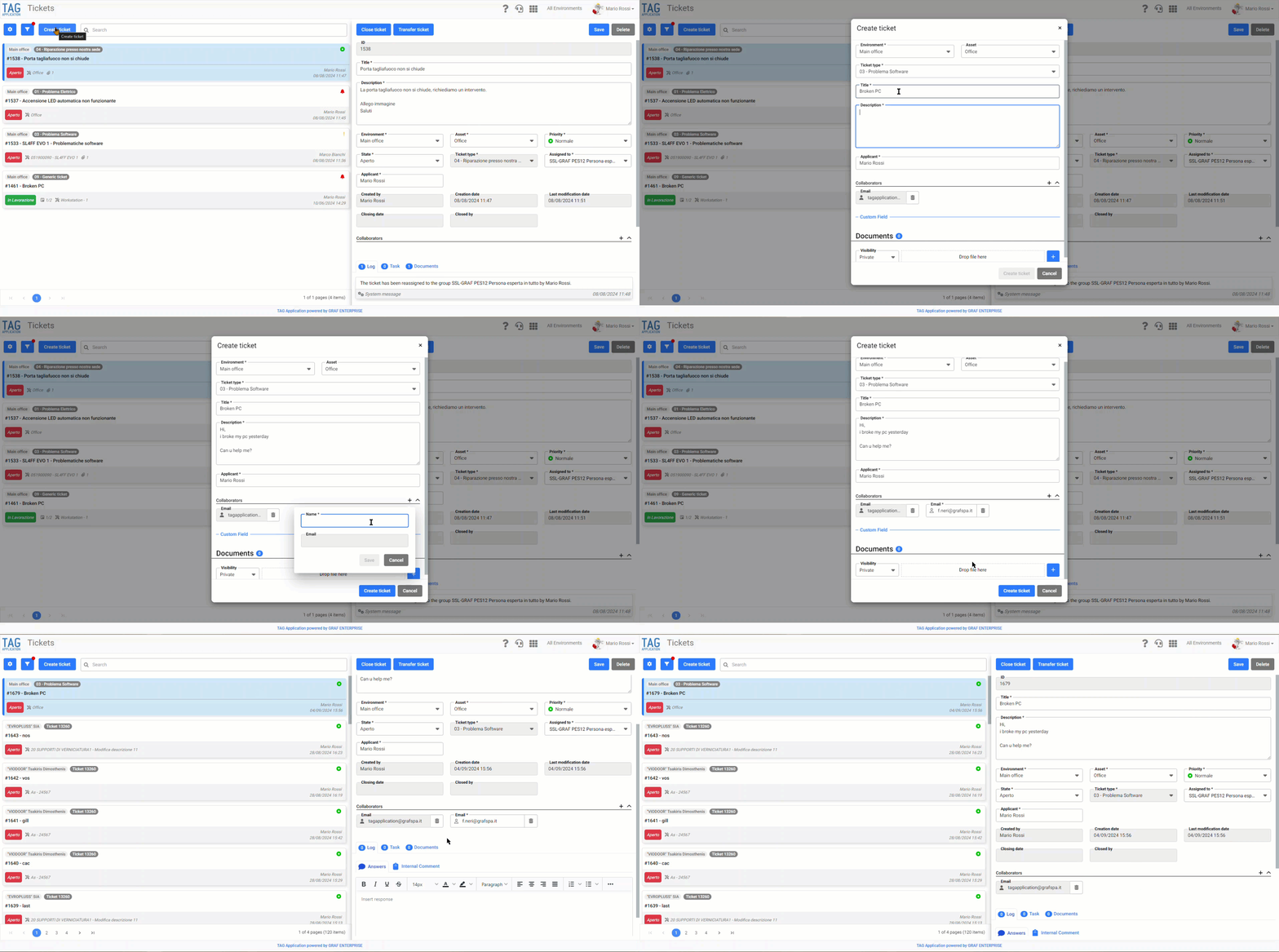
Ticket – Employees
The same functionality has been developed for the app counterpart regarding ticket managers and employees.
(fig 3.0)