Here are the new features in version 1.71.0
Would you like to find out more about TAG Application and get more information?

Notes Expenses – Cancellation and Regeneration
For an expatriate operator, or anyone else who has to report expenses, tracking this information and sending it quickly to those in charge is crucial.
In the rush, making mistakes or forgetting even one detail often happens: it is therefore important to have the opportunity to correct and, starting with this version, it will be possible to do so quickly and easily!
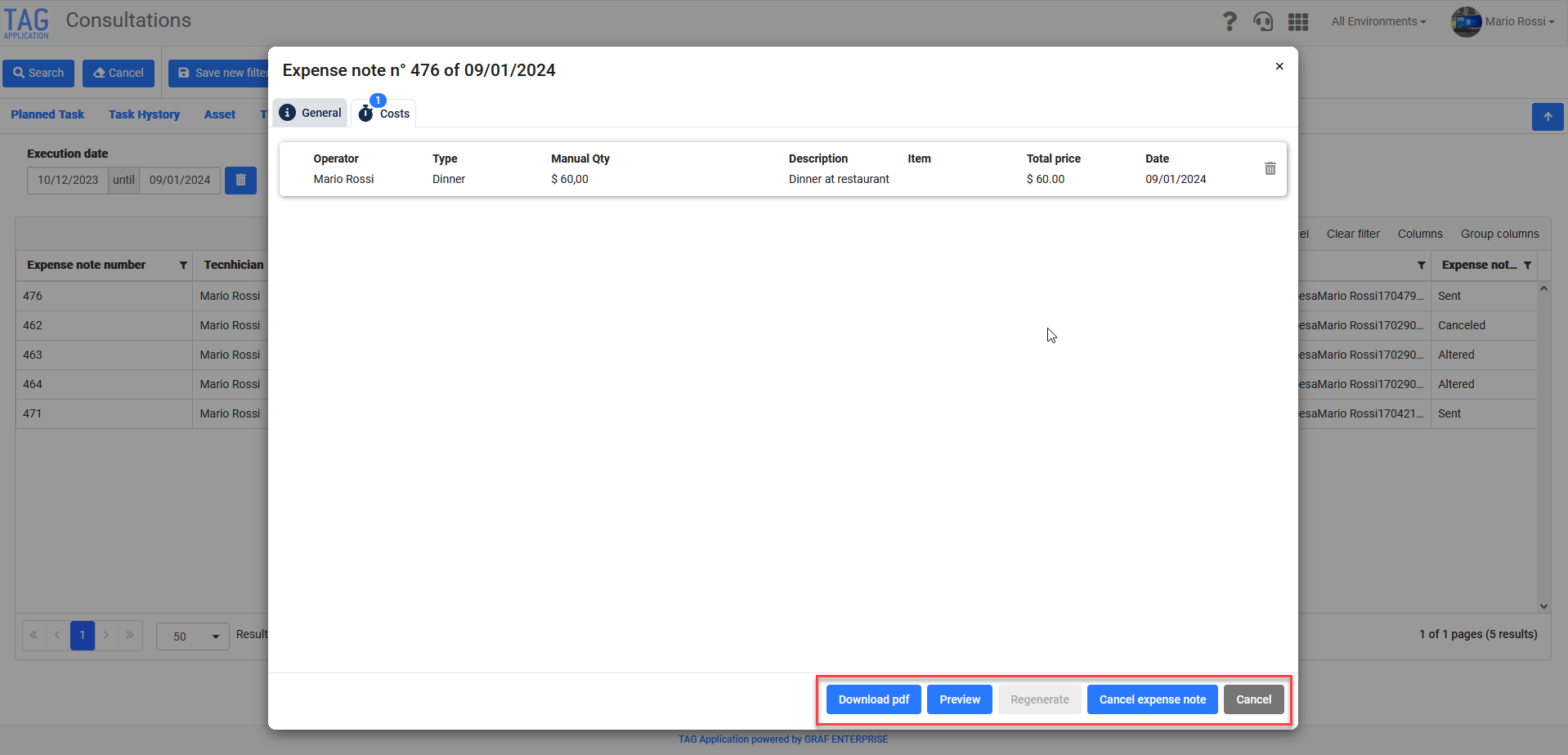
In fact, by accessing the Consultations module of the web version, exactly as for Reports, it will be possible to select and access the detail of the expense note concerned. At this point, in addition to the possibility of quickly viewing the information of the specific expense note and possibly modifying the costs, the system will allow you to:
- Download PDF document
- Viewing a preview of the PDF document
- Cancel/Regenerate the expense note depending on its status

Ticket – widget enhancement
After the important introduction of the ‘Widget Panel’ in the last version, two notable enhancements in this regard are coming soon:
The first refers to the persistence of the collapse/expansion of widget curtains: the system will in fact always keep in memory the last choice of each user, in order to improve and customise the experience. (fig 2.0)
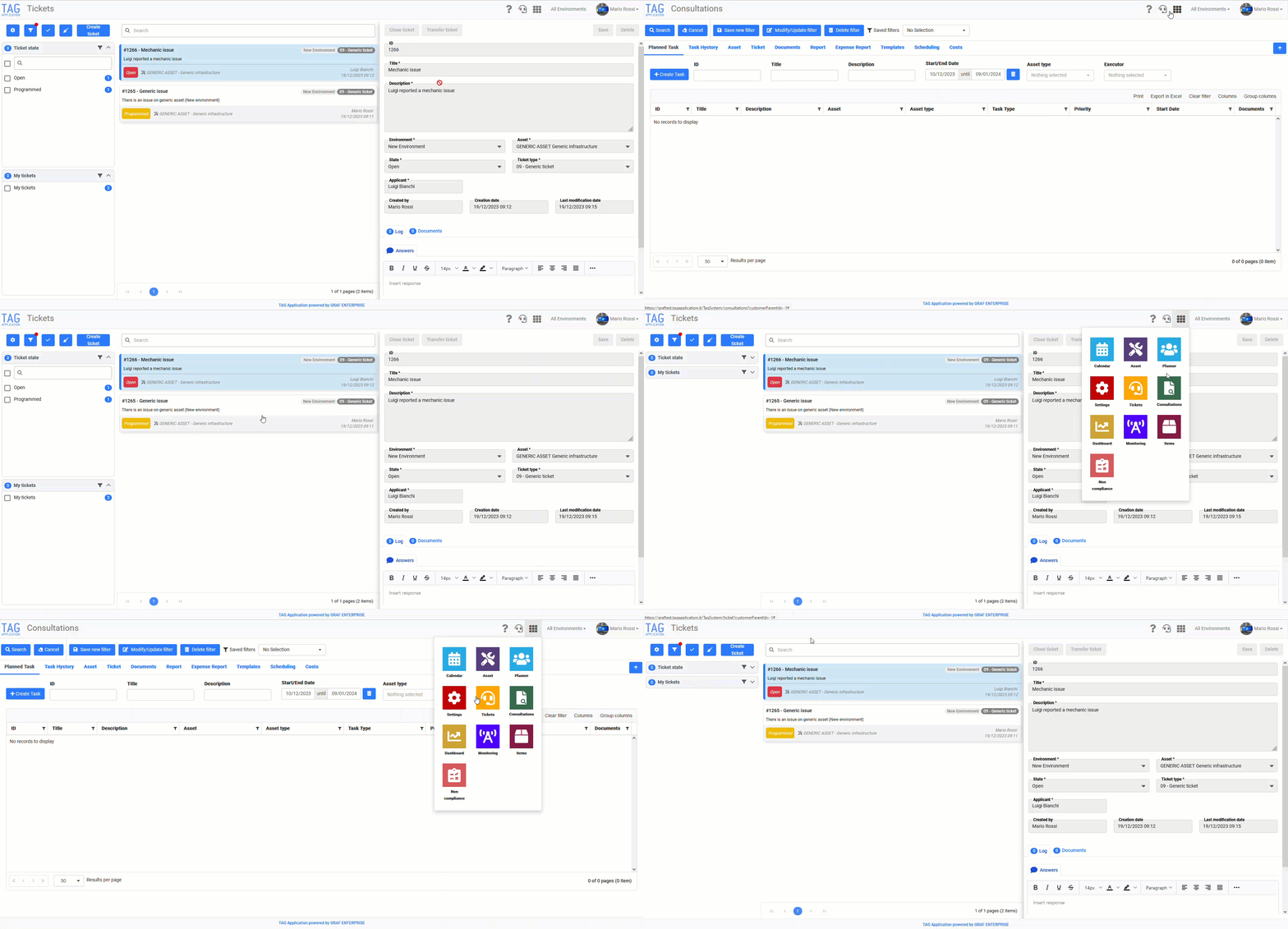
The second concerns the data and counters displayed within the widgets: these will become even more ‘dynamic’ and will update automatically according to the filters applied. (fig 2.1)
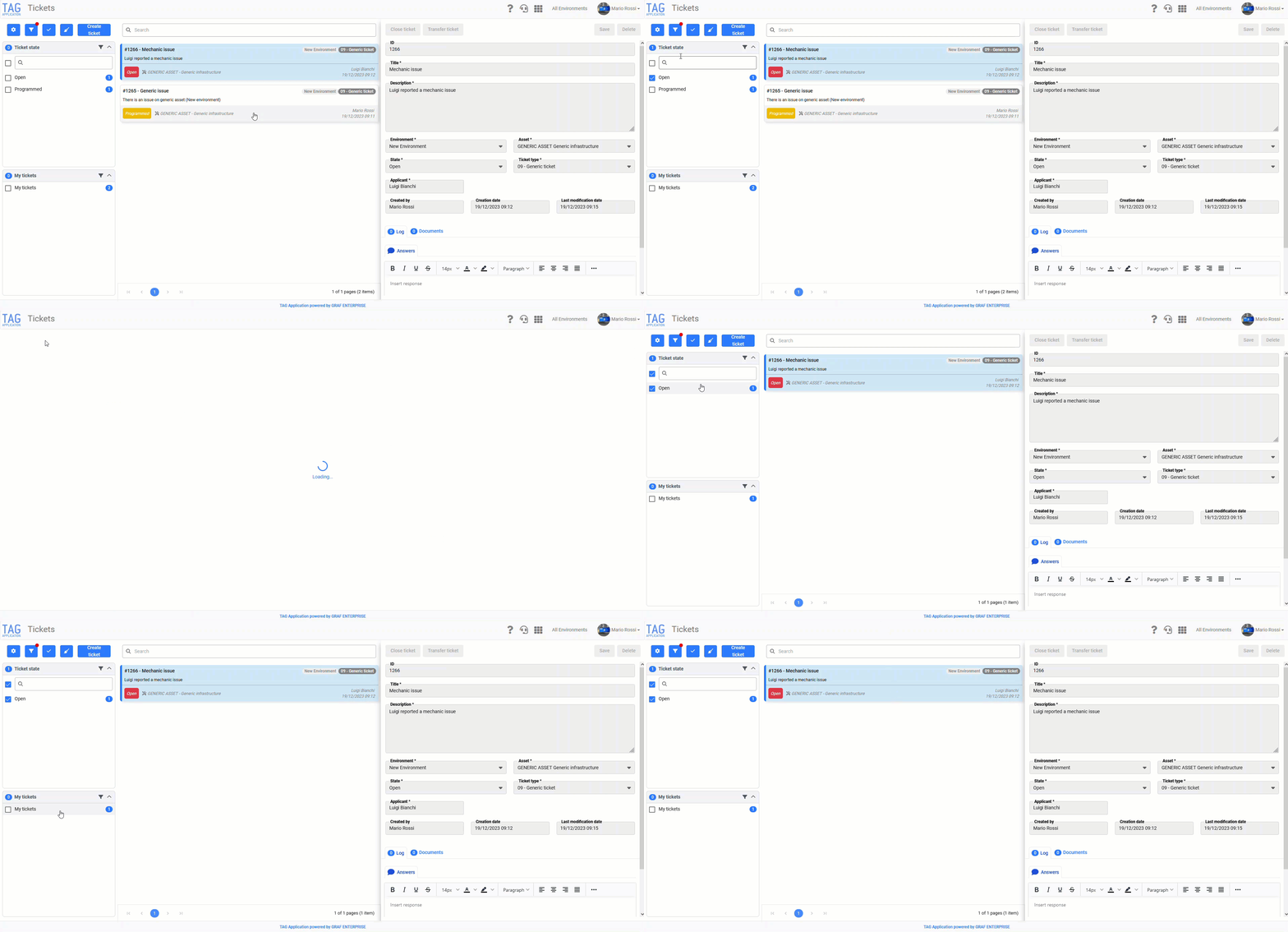

Tasks – Decommissioning detailed view
With the update of the new version of the application, significant new features are on the way.
Before introducing these innovations, aimed at optimising and speeding up the experience on the mobile version, the detailed view will be decommissioned.
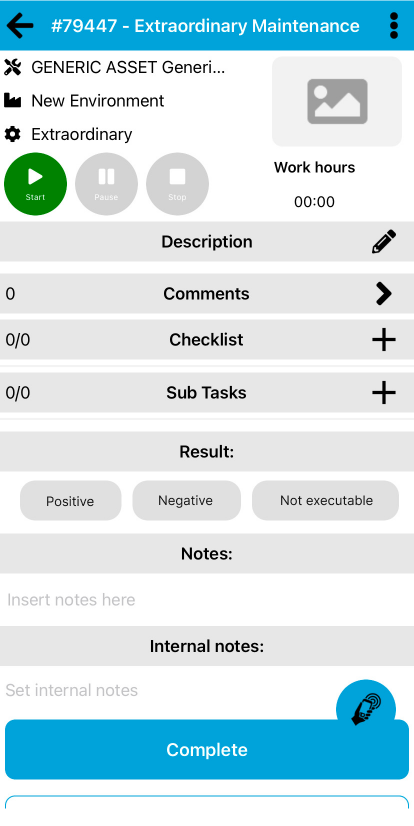
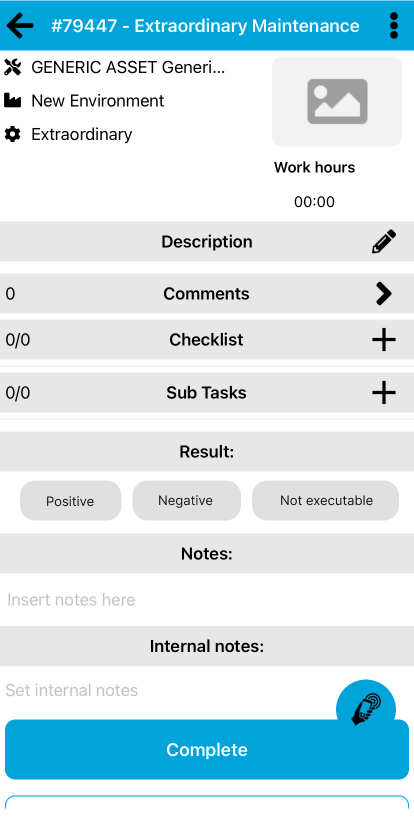
From now on, it will no longer be possible to view and manage one’s tasks in the ‘Detailed View’, but exclusively in the so-called ‘Simplified View’.
The important change for users will concern:
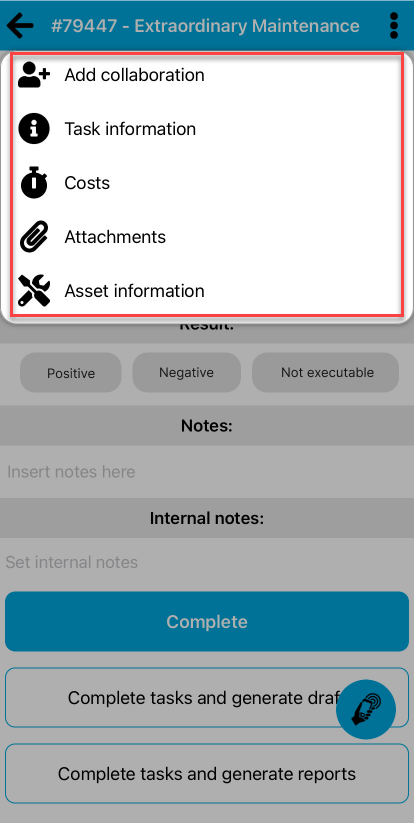
- Inserting costs/attachments into tasks –> This will now be done by accessing the context menu and heading to the dedicated page.
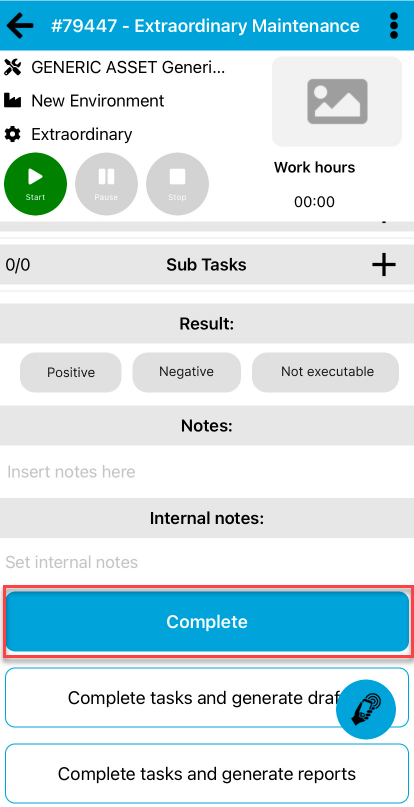
- Effective closure of the task –> After entering the outcome, closing the task will be simplified by simply clicking on the blue ‘Complete’ button at the bottom of the page.
Tasks – Deactivating ‘Start and Stop’ mode
Don’t you need to enter ‘Costs’? Or do you simply enter them manually? You can now deactivate the ‘Start and Stop’ section!
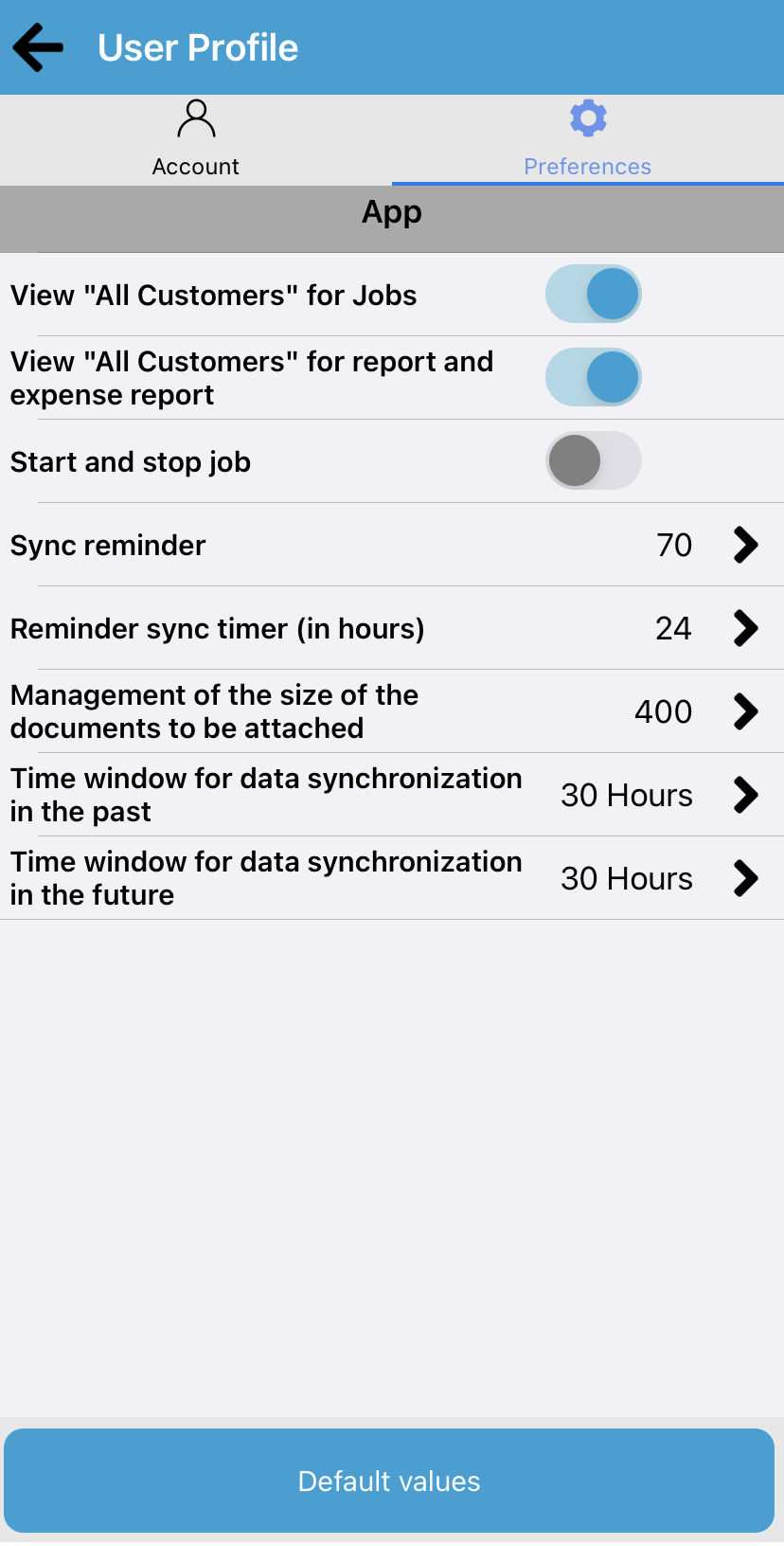
Another impressive new feature coming with the new version is in fact the possibility of activating/deactivating the ‘Start and Stop’ mode according to the needs of each operator.
In fact, just by going to the preferences area both on the web and on the app, there will be a selector that will allow you to control the display of the section dedicated to the automatic counting of hours in tasks (fig. 4.0)

Synchronisation – Confirmation in the notice
Does it ever happen that you perform a synchronisation, get distracted for a moment and are not sure whether you have actually performed the operation?
It is quite normal for this to happen in the hard and hectic day of an operator!
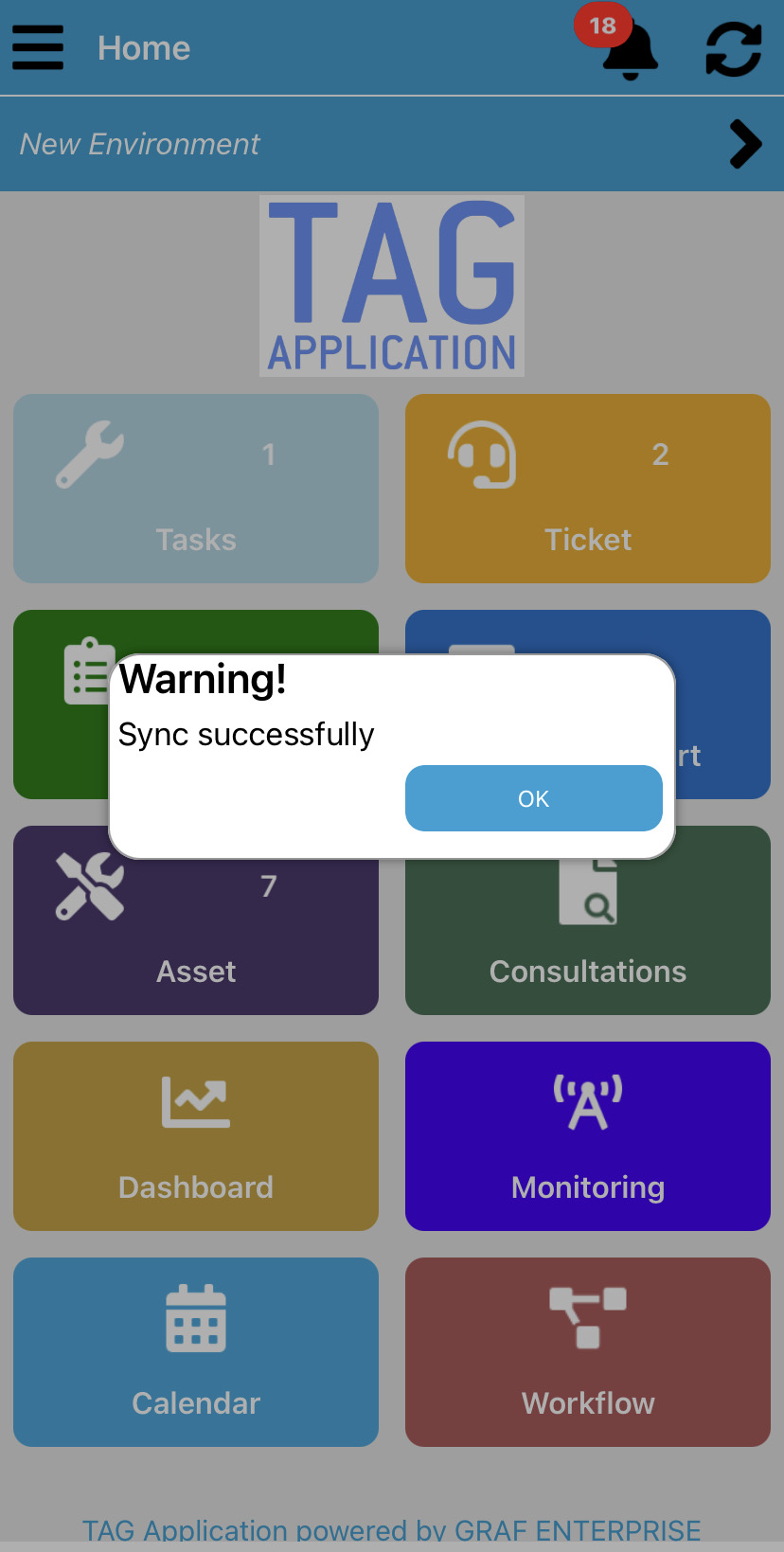
With the new update, this will be completely eliminated… no doubts, no wasting time. The introduction of a warning message including an ‘OK’ button will make the user aware of the actions performed at all times.
(fig 5.0)