Here are the new features in version 2.12.0
Web Updates [v. 2.12.0]

Do you need even more speed and flexibility to search all your data?
No worries! With the new update, AG-Grid is coming!
AG-Grid is the new library that will be used in all table views in TAG Application!
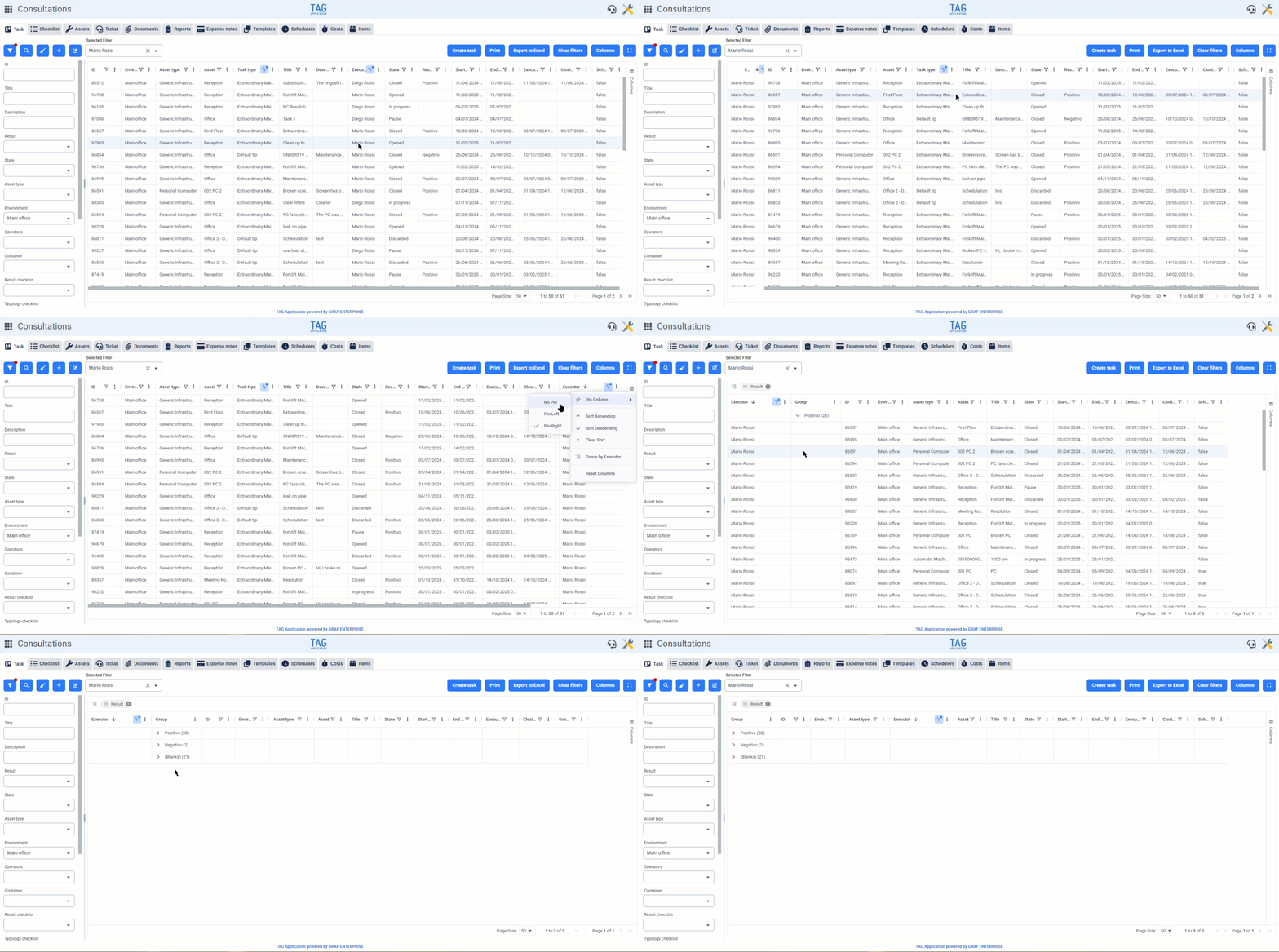
With this version, AG-Grid will be available for the Consultations, Items, and Calendar modules (Grid View).
The new implementation will allow users to enjoy faster and more responsive table views and will see the classic tables change design, with some functions rearranged compared to previous versions, positioned to ensure an enhanced user experience in an even more convenient and intuitive interface.
Specifically, after obtaining search results in table form, users will be able to filter via the classic funnel located in the column headers. Additionally, various functions can be accessed from the contextual menu next to the funnel. From here, users can:
Finally, it is now possible to group by column by opening the “Columns” side menu and dragging the columns to be grouped into the “Row Groupings” section.
The reordering of columns remains almost identical to previous versions, with the added benefit that reordering can now also be done from the “Columns” dropdown. Additionally, by dragging a column header over the table, the selected column will be hidden.

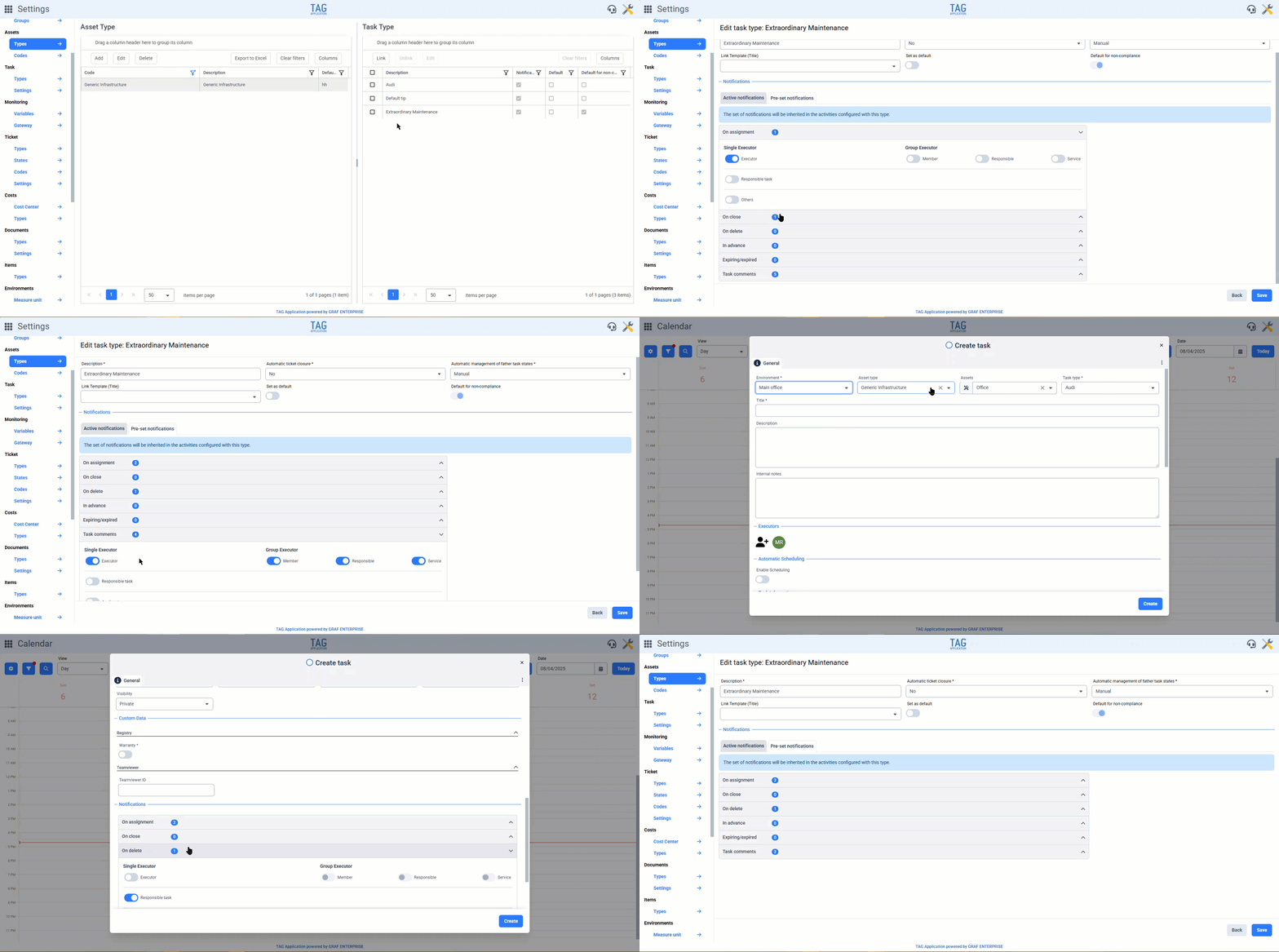
Tired of the usual defaults set by someone else? Well, we are sure that the new pre-set notifications feature will make you happy…
By accessing the section dedicated to task types in the Settings module, it is now possible to configure the default notification set for each task type.
What does that mean? Well, no more time wasted! From now on, once the notification set is configured for each task type, when creating a task, everything will be ready, and you will only need to make modifications to the notifications in case of exceptions to the rule…
Moreover, from this version onwards, for task types that have been specified to never receive notifications from the dedicated section of the Settings, the related notification switches will be turned off and deactivated, so anyone viewing or creating the task will immediately notice that those notifications have been forcefully deactivated in the Settings.
More flexibility and at the same time complete transparency… what more could you want?
The new notification pre-set is here!
Sure, it’s very useful to configure notifications with total flexibility… but what’s easier than a mention?
Mentioning someone is indeed the simplest and most direct way to bring a message to the attention of a user, and with the new version, it can also be done in TAG Application!
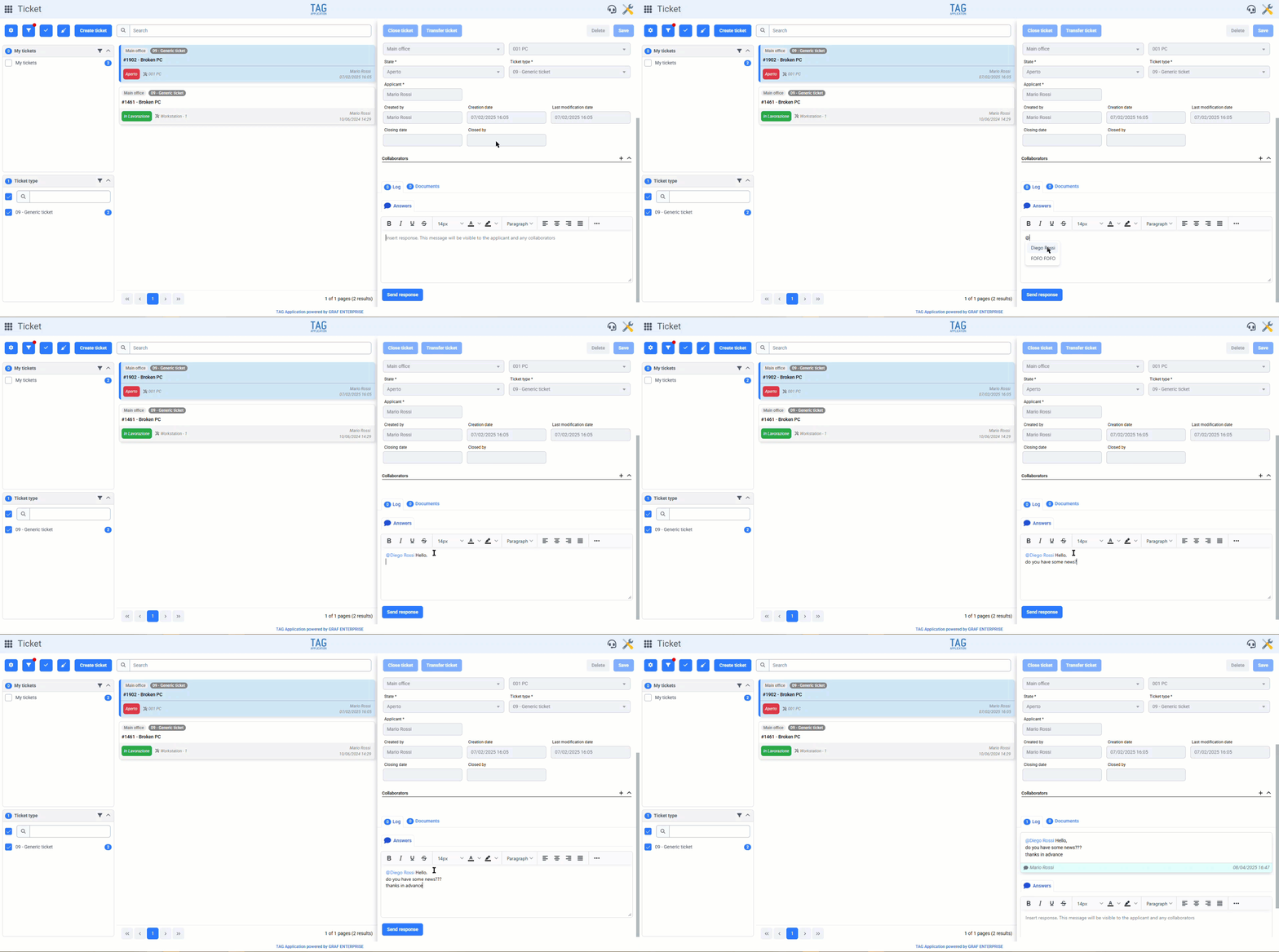
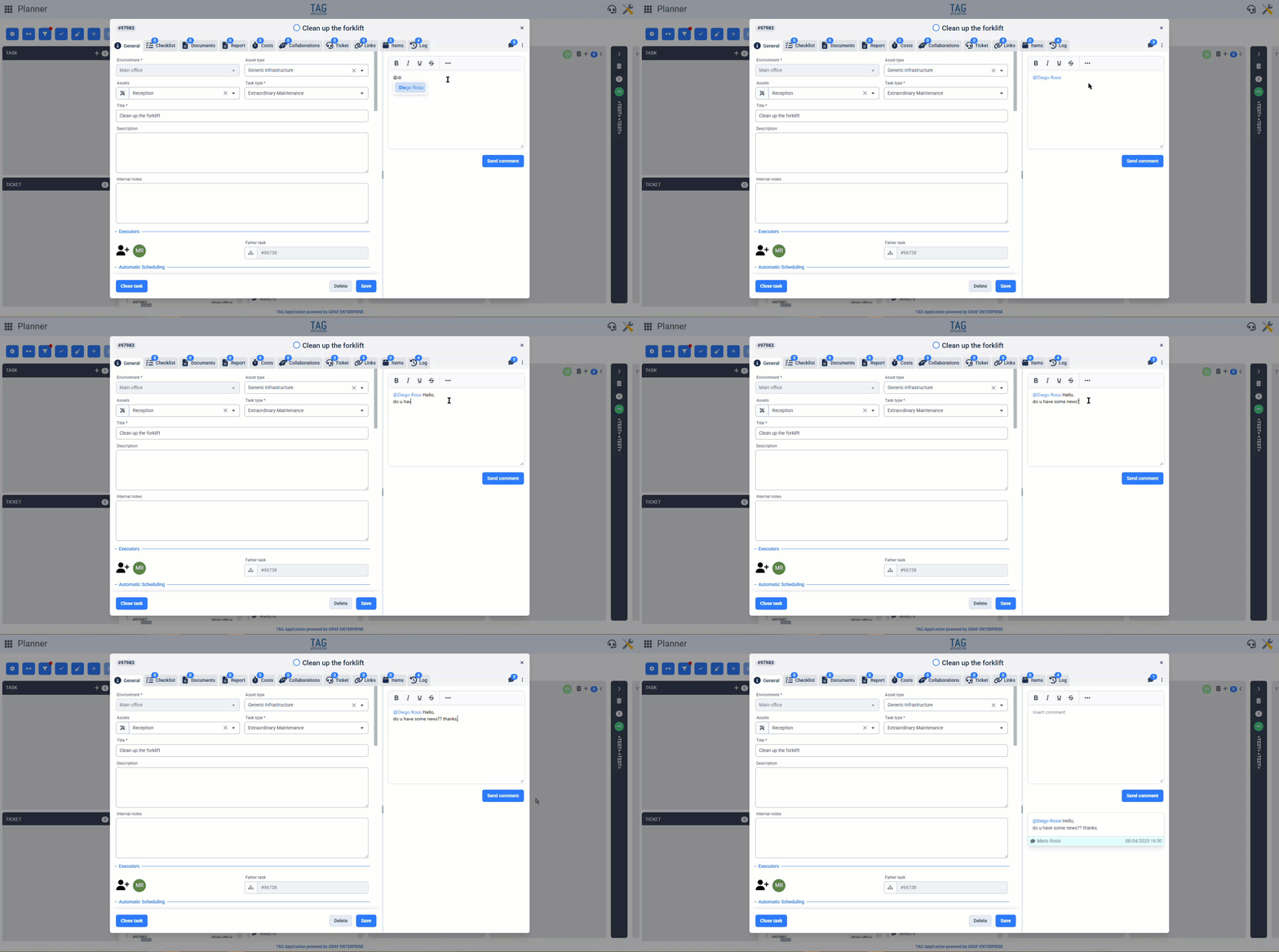
Mentions are now available in both tasks and tickets, for both comments and replies. By typing “@” in the dedicated text boxes, a list of all users who can view and access the task or ticket you are commenting or replying to will be displayed.
After selecting the user you want to bring the message to, confirming the send once you are finished writing, the user will receive a mention notification regardless of the settings on the task or ticket they are being mentioned in.
In this way, recipients of a specific message will be promptly notified based on the sender’s mentions and will always be highlighted in task comments or ticket comments/replies, identified by a blue color and underline.