Here are the news in version 2.8.0
Would you like to find out more about TAG Application and have more information?

Calendar – New Filter for Task Title and Description
Do you ever have to manage so many tasks that you risk losing complete control?
Well, it can happen… for some managers, the workload is so high that you may not remember if and when certain tasks were scheduled…
This loss of vision could cause significant time wastes… but then, how to do it?
Surely having a comfortable text search within the calendar could be very useful!
For this reason, for any view of the Calendar module, starting from this version, a new text search field will be available, allowing you to filter and find all tasks in an instant with a specific title or description.
Now every view of the Calendar module will have both the classic funnel icon to access the filters panel and the magnifying glass icon to perform a textual search.
Press this last icon, after entering the text related to the title/description of the task you want to find, and press send from the keyboard; all corresponding tasks will be shown instantly.
Through this new advanced filter, every user will have the possibility to find tasks that interest them in a moment, even simply by typing a keyword!
(fig 1.0)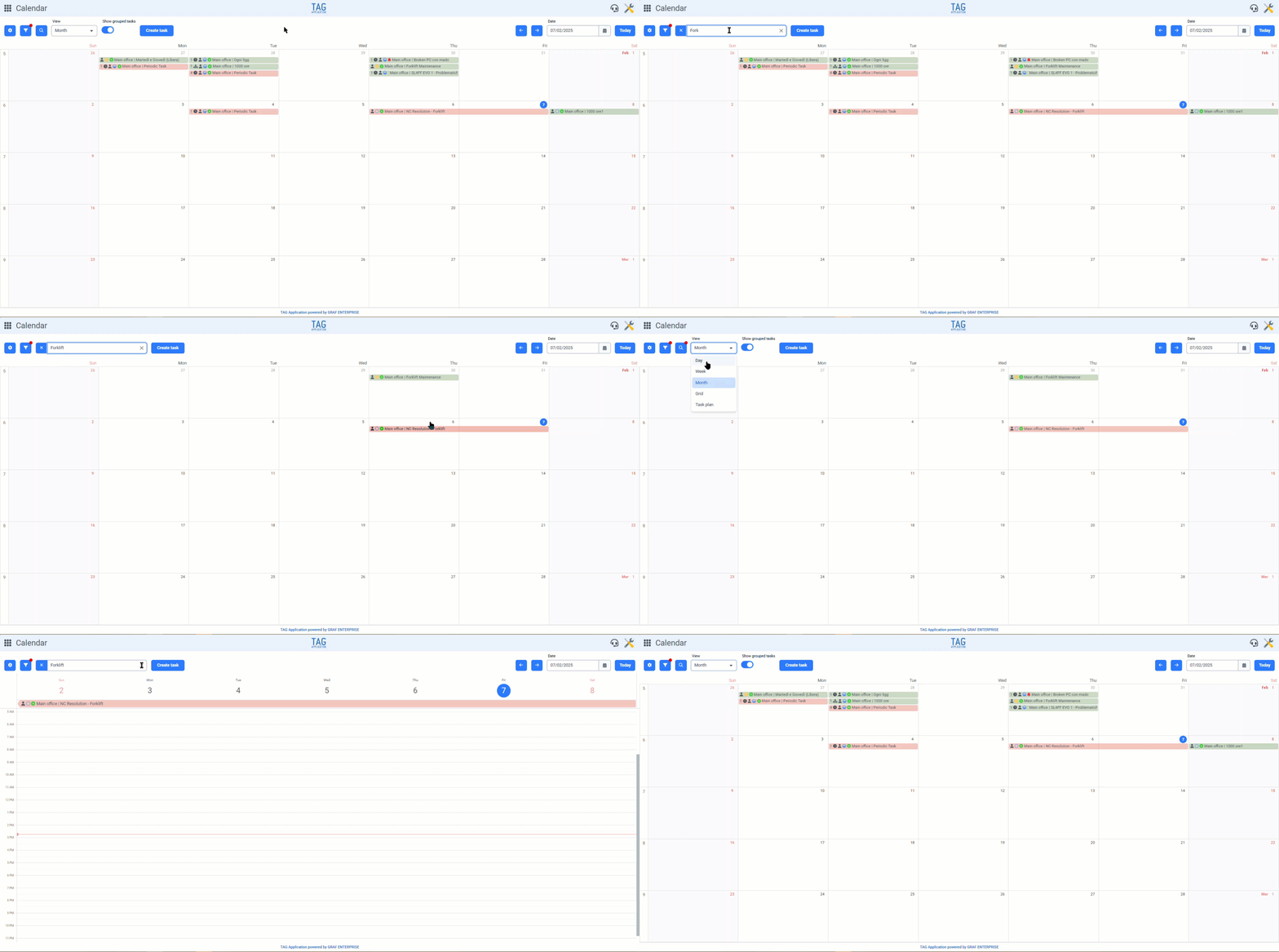
Calendar – Customization of Task Information on Tiles
Have a completely customizable calendar?
With the new version of TAG Application, you can choose exactly how to display the tasks in your preferred view!
Through the increasingly expanded preferences panel of the Calendar module, each user can now customize the content of the tiles related to the tasks displayed in the various views.
Under the new section “Task Tile”, using the drop-down menus “Row Content”, you can precisely select which information to display on each tile.
The wide range of information that can be displayed will allow each user to manage their calendar in the most convenient way based on their needs, enabling faster, more intuitive, and functional planning!
(fig 2.0)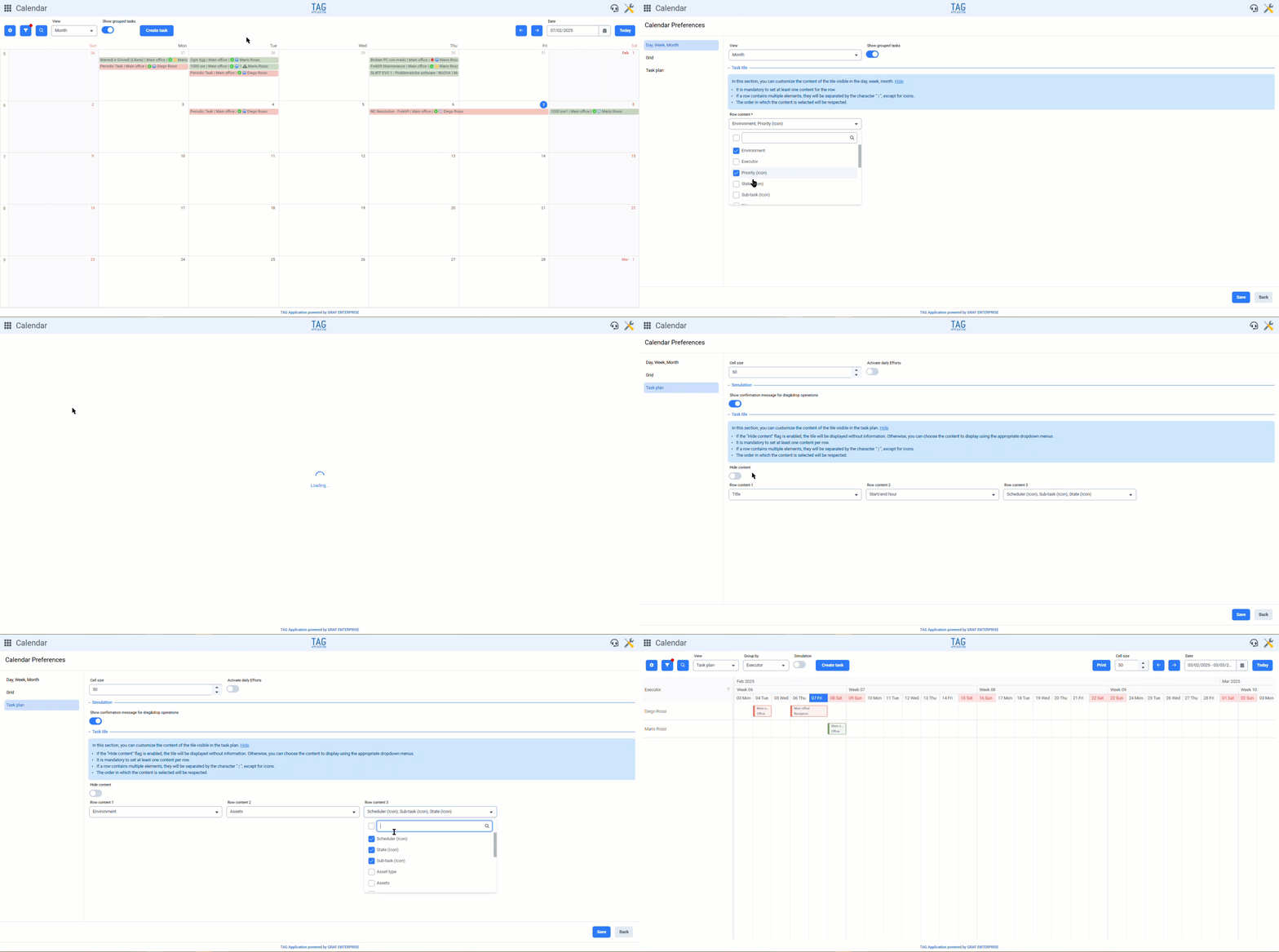

Ticket – New Creation Method Directly from Tasks
It’s convenient to create tasks from tickets… but can I do the reverse? Can I create tickets from a specific task?
With the new version, the answer to this question is yes! It is now possible to create requests/incidents directly from tasks.
From any task, you can now use the dedicated section to click “Create ticket”, fill in all the mandatory fields provided, and confirm the creation.
In this way, the reference task will be linked to the newly created ticket, automatically inheriting key characteristics such as environment and asset.
This function will be extremely useful for maintaining connections between tickets and their related tasks: speeding up the user’s work and allowing them to find all incidents gathered directly
(fig 3.0)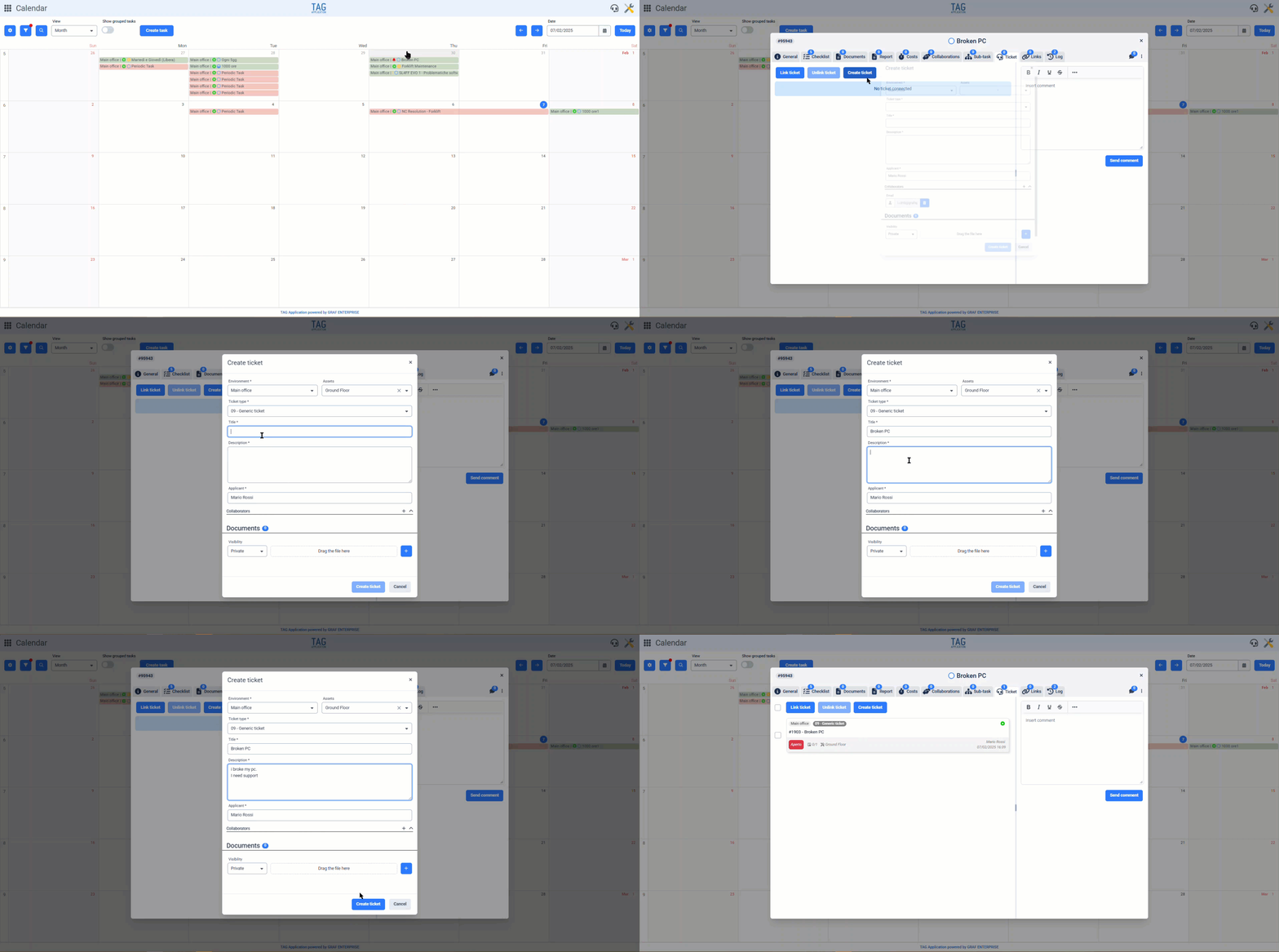

Tasks – Expanded Cost View
Consulting the costs of individual tasks and large projects is one of the greatest features of TAG Application…
For this reason, with the upcoming version, it will be possible to have an even more comprehensive cost view, allowing you to always easily access a complete summary of expenses.
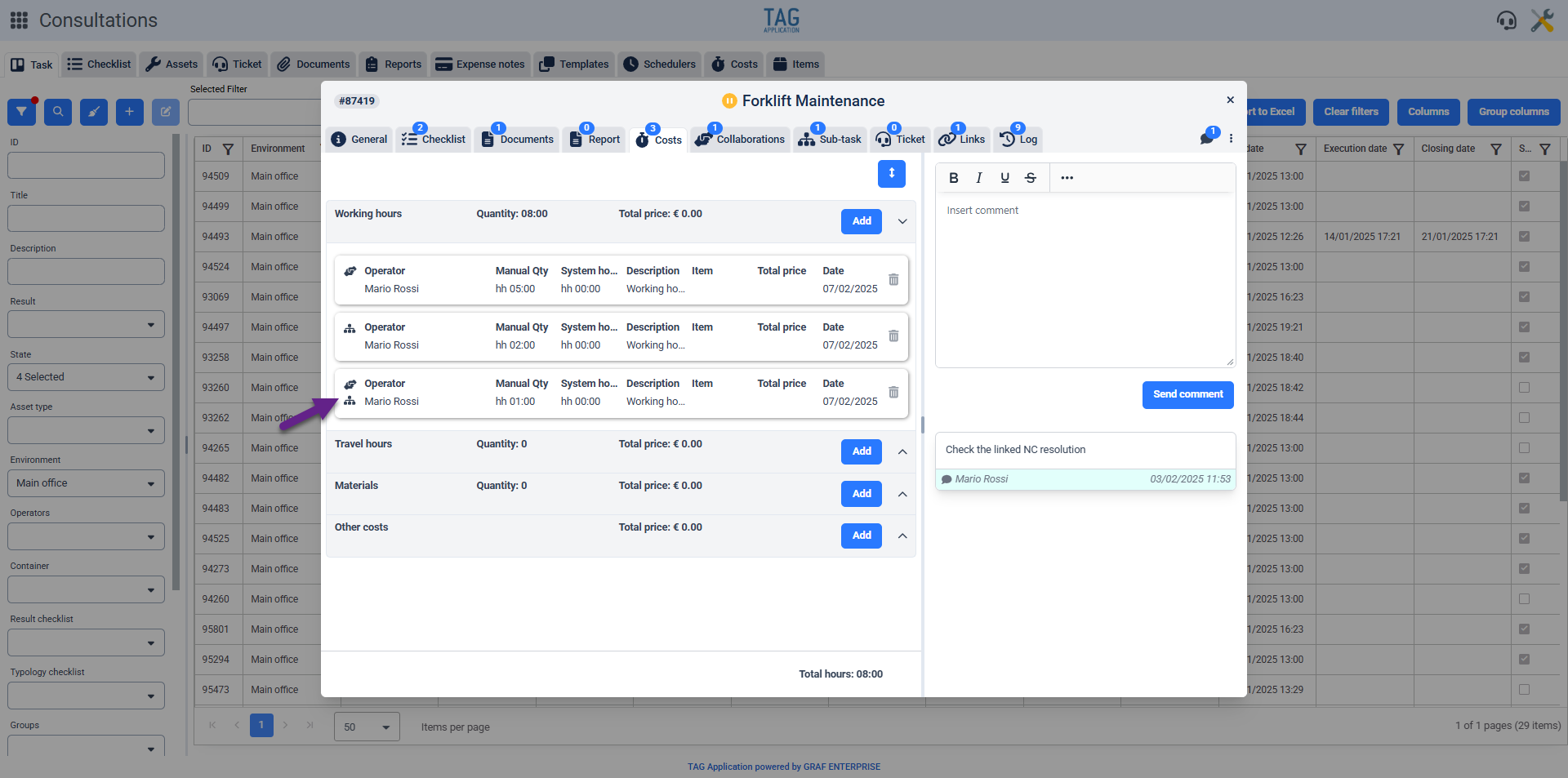
Now, when viewing a task with linked subtasks, in the dedicated “Costs” section, you will be able to see not only the costs directly related to the task and its subtasks but also those of the collaborations linked to the subtasks.
These costs will be distinguishable by a double icon placed above the corresponding tile, making it immediately clear which task they refer to.
(fig 4.0)