Here are the news in version 1.87.0
Would you like to find out more about TAG Application and have more information?

Consultations – Slider
This feature is born from the need of some users to…
I would like to see my data table with a wider view, how can I do?
The TAG Application team has always a solution for you!
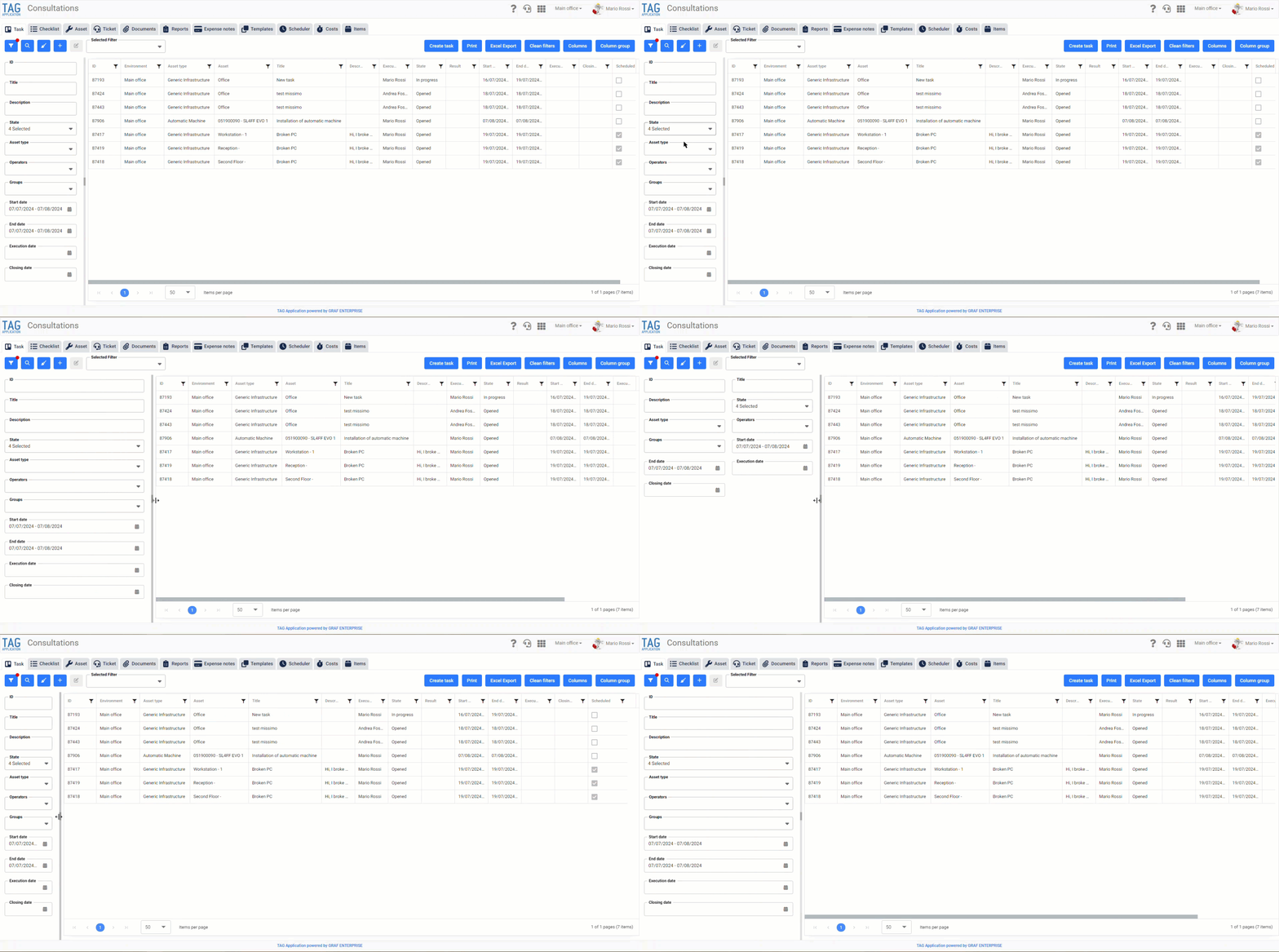
Use the new slider in all tabs of the consultations so you can expand or narrow the filter panel on the left… simple and intuitive!
(fig 1.0)

Tasks – Document management in checklist
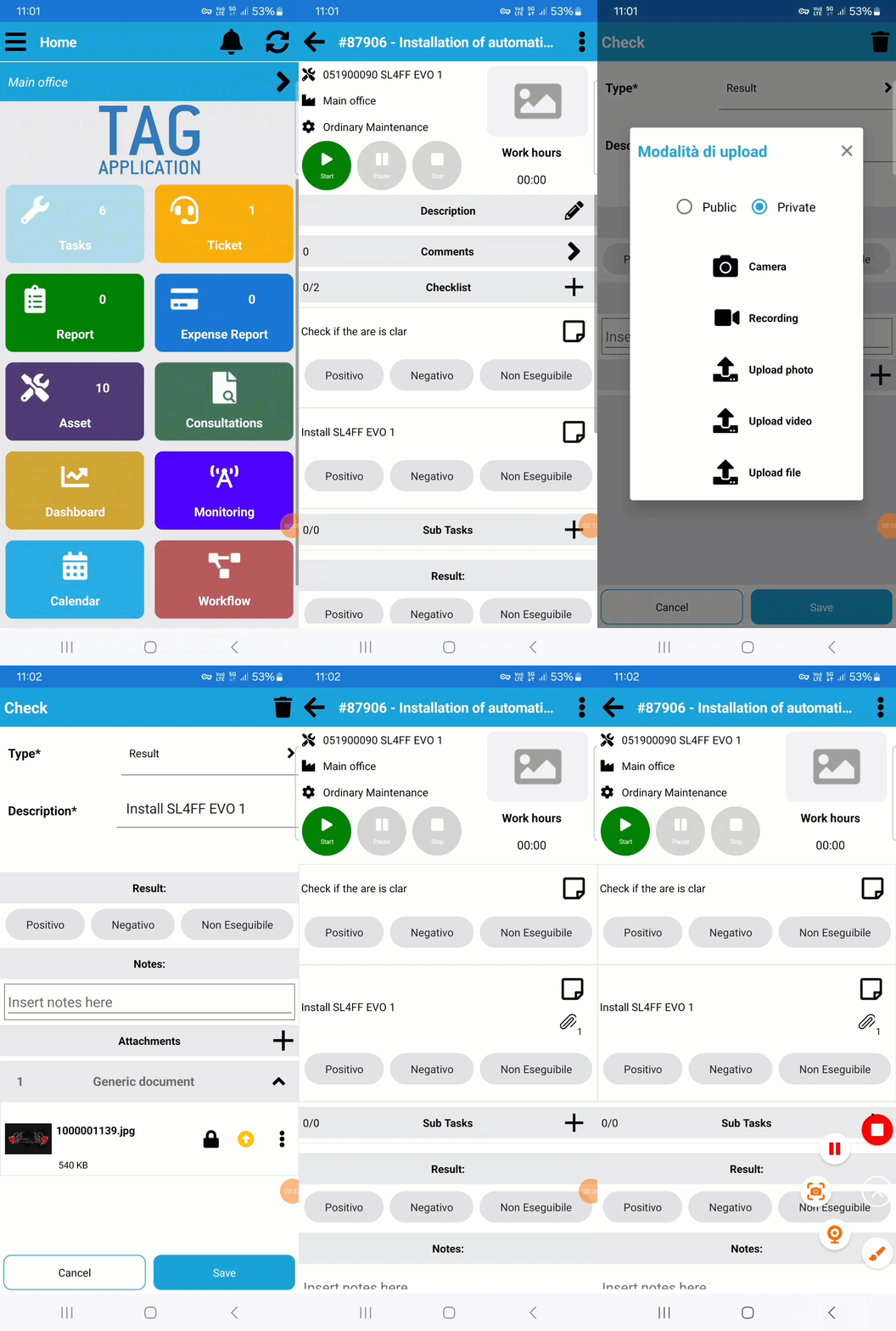
As with the web counterpart, the new update of the mobile application will make document management available in the checklists.
This development aims to improve the immediacy of reading, completeness and timeliness of information.
Main Features :
• Attach Files: By accessing the details of an activity and, in particular, the details of a checklist, you can attach any type of file. You can upload documents already present on your smartphone or take photos or videos directly from the app.
• Document Indicator: Once you have uploaded documents to the checklist, an icon will appear on the checklist tile with the count of files uploaded. This will allow you to understand immediately the amount of information to be consulted.
• Documents section: In the checklist, at the bottom, there will be a section dedicated to uploaded documents. Each document will have a preview on the left: for images a small preview will be visible, while for other types of files the corresponding icon will be shown.
• Document Management: Via a convenient context menu, you can edit or delete the uploaded documents.
Enriching the content of your checklists with any document is now a reality!
This new feature will not only make your work more precise, but facilitate also the collaboration with your colleagues.
(fig 2.0)