Here are the news in version 1.85.0
Would you like to find out more about TAG Application and have more information?

Planning – Complete module revision
Super simple, super fast and wonderfully effective.
If we had to describe in just three words the new planning module of TAG Application surely would use these…
With the new version, the planning mode changes completely:
thanks to the optimization of the dedicated module, you will have a fluid, fast and totally updated tool at your disposal, perfect to meet any planning need.
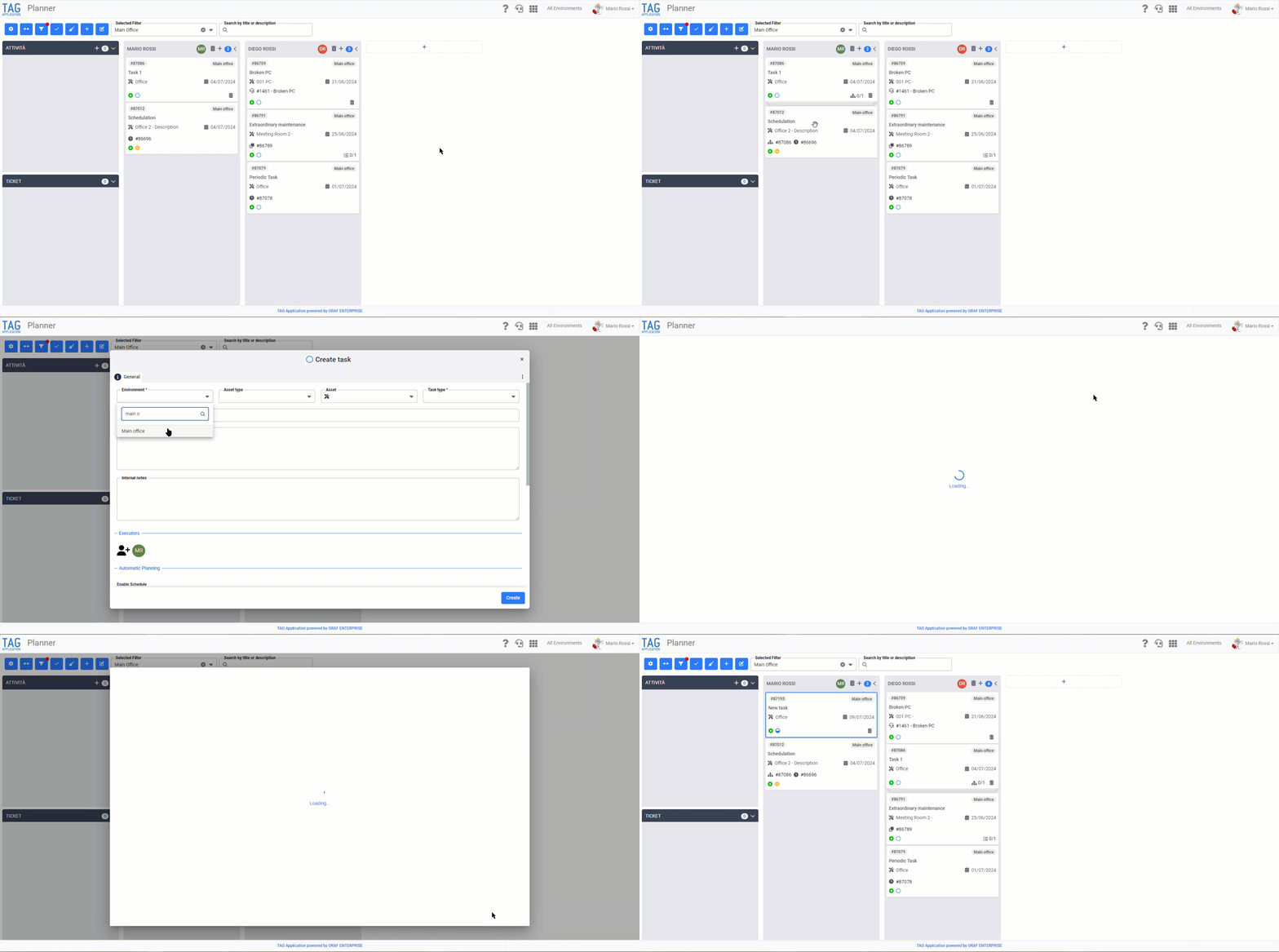
In addition to performance enhancement and an important graphic revision, The section entirely dedicated to business planning also evolves from a usability point of view:
will become possible to access the settings of the module, expand/collapse containers and control any filter directly from the blue buttons on the top left of the page.
Immediately next to it, you can also select a saved filter by the drop-down box and search for an activity in any container simply by typing a title or description.
Another significant change is that it will be reflected in creation of a new container :
With the new version, to do this, simply press the box marked by “+” at the bottom right of the page, fill in the fields and confirm the creation.
Managing 360-degree workloads by planning any task has never been easier!
(fig 1.0)

Asset – New creation mode
With the new version, the way of creating assets is also renewed!
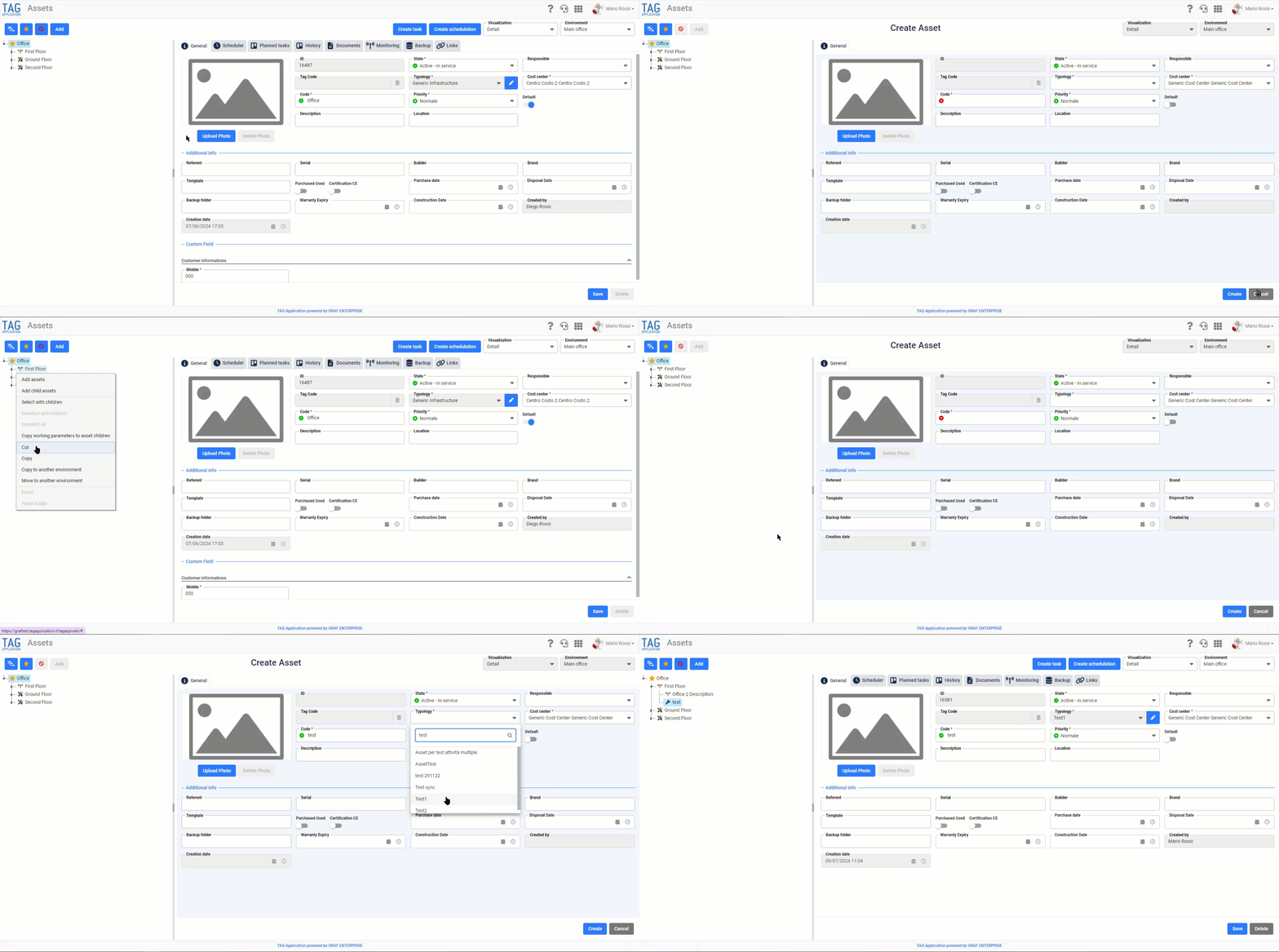
From now on, once you click the blue “Add” button in the dedicated module, the asset creation phase will be highlighted.
Specifically, the detail of the new infrastructure will be illuminated in blue, while at the top will appear the “Create asset” header.
These steps, useful to facilitate the life of the user who is creating new assets, will be accompanied by two new shortcuts “Add asset” and “Add child asset”, preparatory to the rapid construction of the asset tree.
Insert in the menu commands displayed by right-clicking on the asset tree, “Add assets” will allow a new infrastructure to be inserted at the same level as the selected node, while “Add child asset” will add the new infrastructure within the selected node, or, precisely, as son asset.
(fig 2.0)

Whole system – Management of disabled environments
As for the web, thanks to the new update, also the application will manage the deactivation of environments, with all the cases that follow.
Specifically, therefore, in order to simplify the work of the user, disabled environments will be hidden, unusable.
The only cases where disabled environments will still be visible are:
– The case where the environment has still ongoing activities with status other than completed and discarded.
– The case where the environment has still ticket in place with state other than closed.
– The case where the environment still has expense notes and/or draft reports in existence, or expenses notes and/or completed reports but not synchronized.
In the above scenarios, however, it will not be possible to create new entities, complete operations other than those already started and access the Asset module, any such attempt shall be prevented as appropriate.