Here are the news in version 1.84.0
Would you like to find out more about TAG Application and have more information?

Consultations – New checklist section
Quickly search for any checklist in a dedicated section?
Do you immediately consult every detail through a wide range of filters?
Making convenient exports when needed?
All this and much more becomes possible with the new version of TAG Application… checklists arrive in the Consultations module!
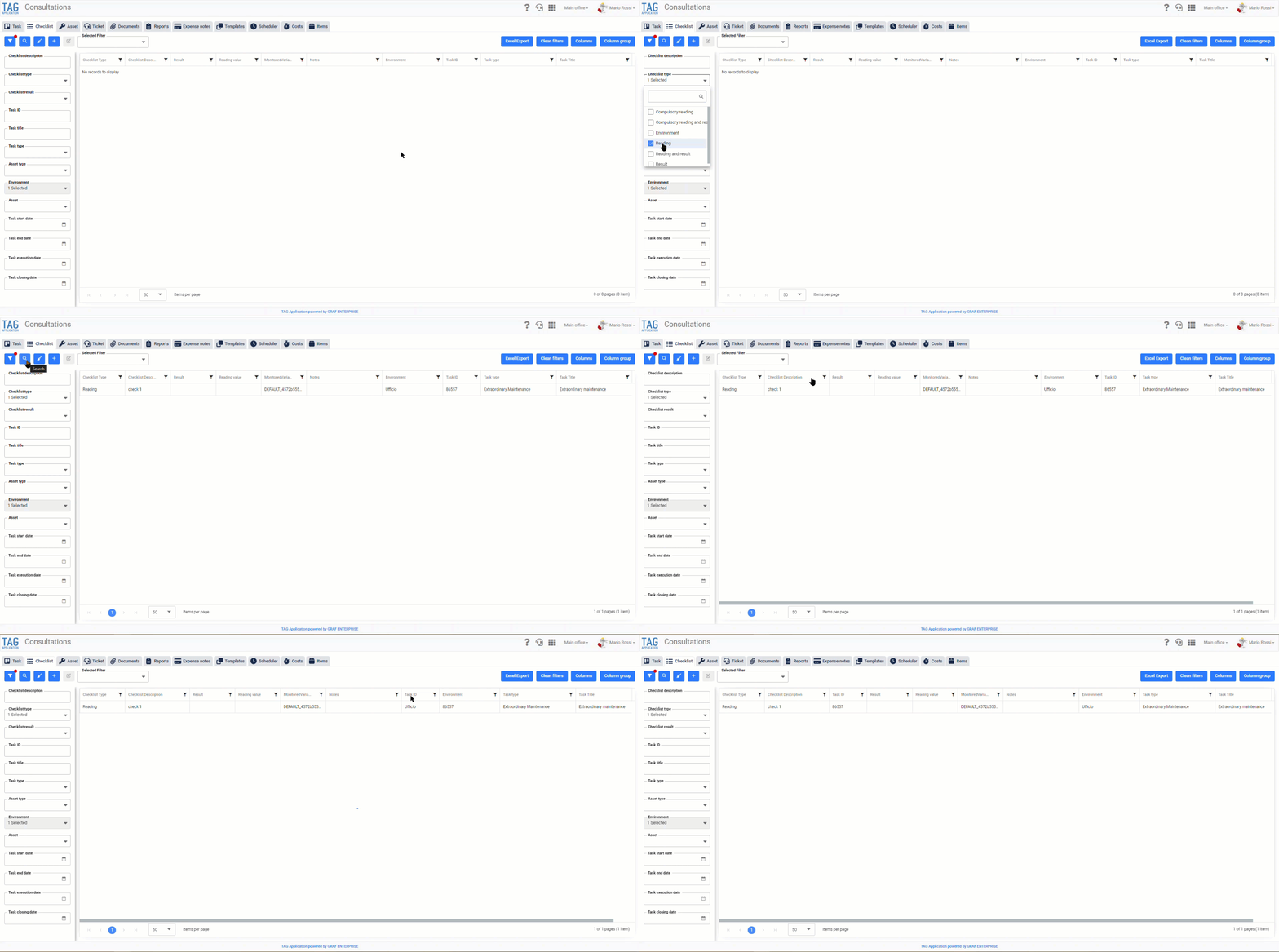
Going to the consultations you will immediately notice the new section “Checklist”, strategically positioned next to the one dedicated to activities.
From here you can search for any checklist in the activities you are allowed to view, complete with all the details.
On the left will be placed the classic panel of filters, through which it will be possible to quickly search for different parameters, both relative to the specific checklists (for example the type and the outcome) and related to the activities to which they are associated (for example ID, title and description).
On the right, however, you can see the result of the searches made, with the usual possibility to apply additional filters, drive the display of the columns and export conveniently in a dedicated Excel file, ready to be shared.
By clicking on a specific checklist shown in the table (independently of the column), the “Checklist” section will be directly opened within the task to which the selected checklist has been associated.
(fig 1.0)

Ticket – Title added to notification subject
It is now well known: in today’s chaotic world of work you have to be responsive, ready to receive in an instant the information you receive and to process it to respond in the most precise and punctual way possible.
From this need for TAG Application comes an opportunity… develop a simple functionality, but that can positively impact the working life of those who deal with requests and reports!
This will change the subject of each ticket notification to enhance communication in terms of understanding and immediacy, improving the user experience.
With the new version every notification about tickets (opening, closing, transfer, comments, answers…) will report in the object ID and Title of the ticket always in evidence, in order to receive on the fly the signallings and to work quickly accordingly.
(fig 2.0)


Task – Outcome highlighted in closure notifications
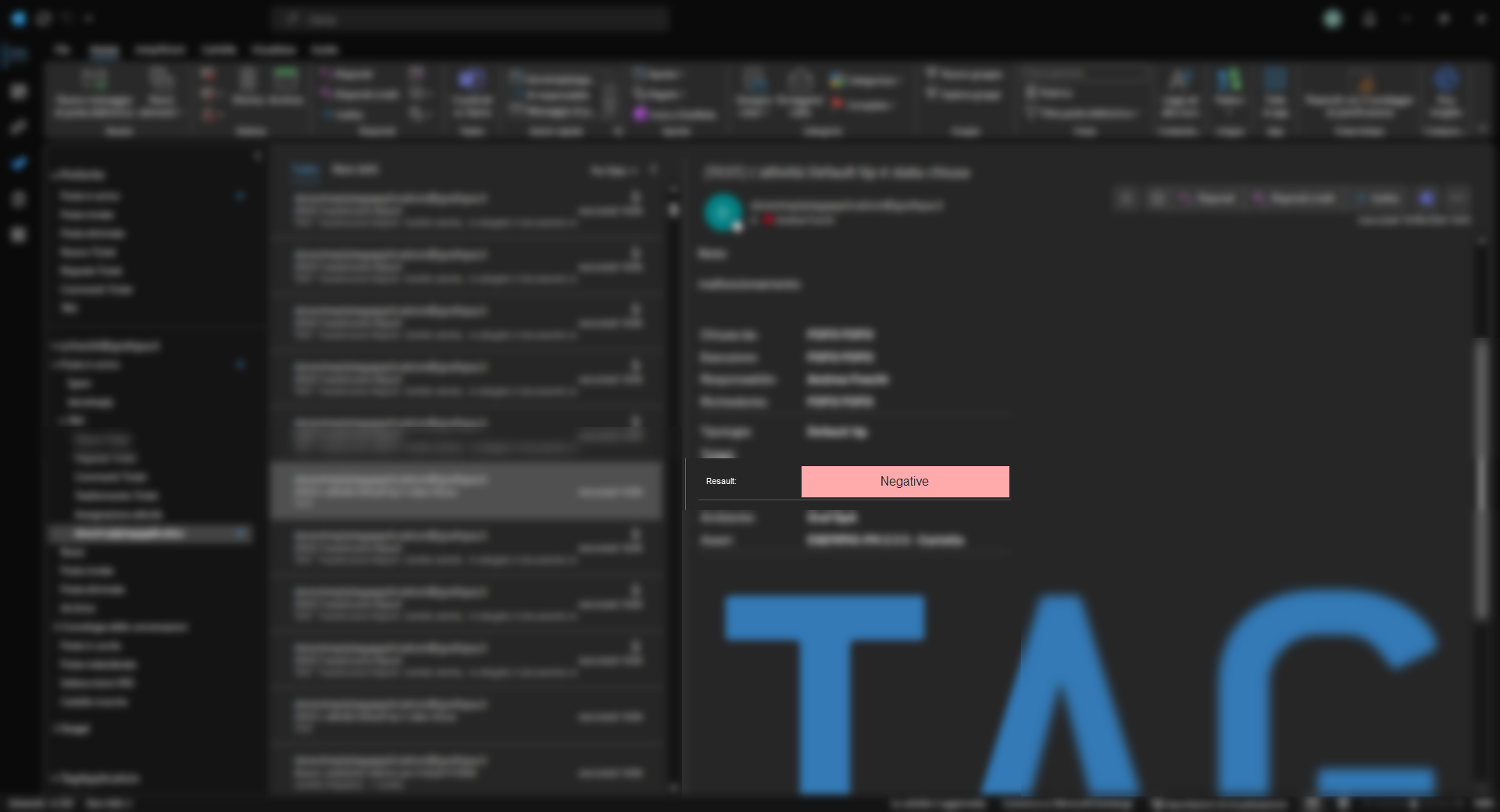
In parallel with the functionality related to the insertion of the title in the subject of the ticket notifications, goes that of the result highlighted in the task closure notifications.
With the upcoming version, in fact, will also be released new email notifications closing task enhanced, in which the outcome will be magnified and highlighted always for greater readability and immediacy.
Specifically, the result will be highlighted:
– Green in closed tasks with “Positive” result
– Red in closed tasks with “Negative” result
– Gray in closed tasks resulting in “Not Executable”
(fig 3.0)

Asset – New detailed opening
Following the new important feature “Open asset detail”, other needs immediately arose:
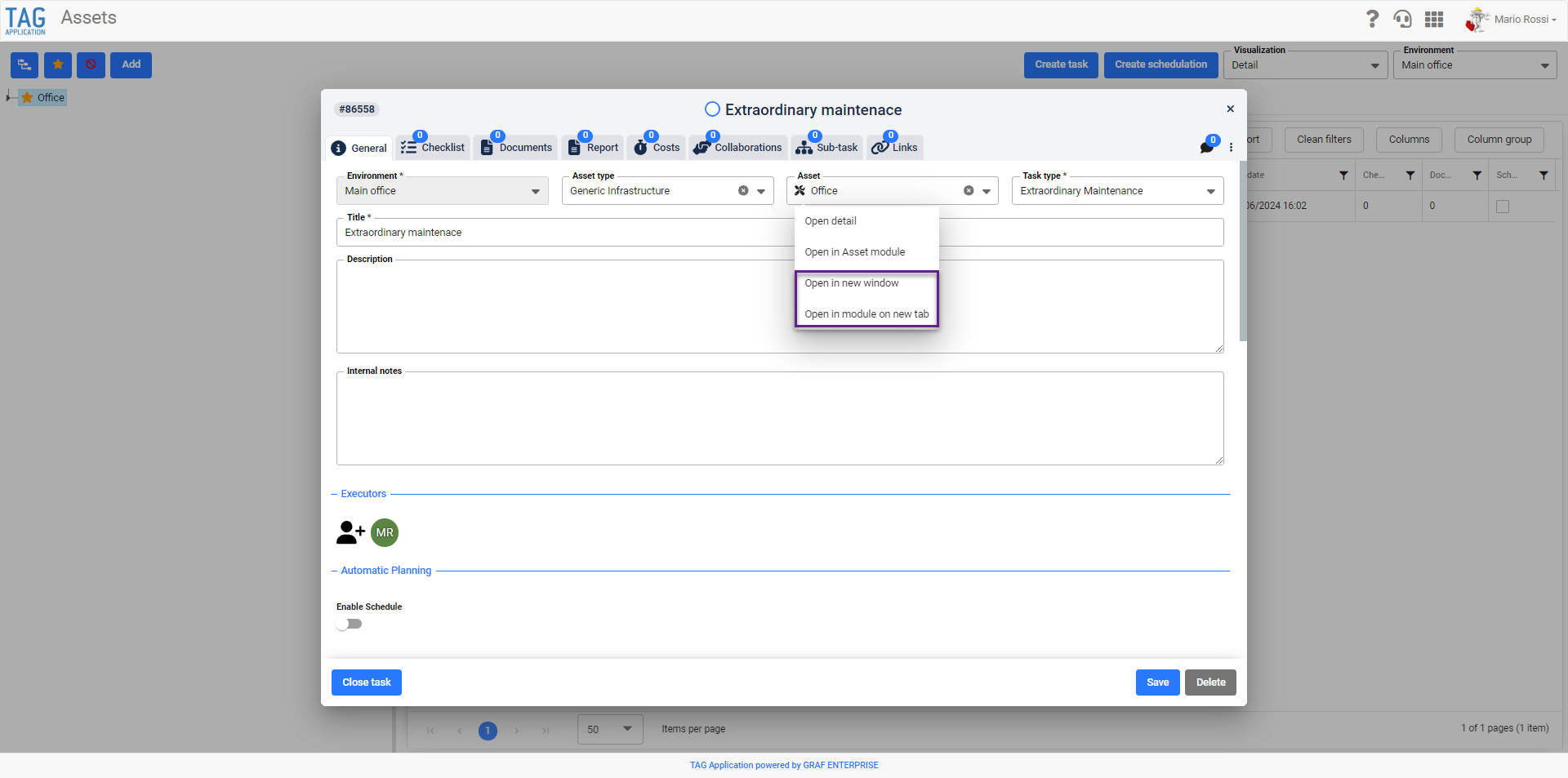
Can I open the detail of an asset in a separate browser window?
What if I wanted to open the asset within the dedicated module, but always in a new dedicated screen?
Just to meet these new needs with the new version are coming the new features “Open in a new window” and “Open in the module in a new tab”.
As for the shortcut “Open detail”, also the incoming ones are preparatory to access the detail of an asset (in creation/consultation activity or from the appropriate section “Asset” of the module Consultations) without having to abandon what was being done.
Obviously, working on different tabs of different browsers, updating an asset from a screen, the other tabs/ windows will be updated dynamically automatically, allowing a multi-tasking working mode useful in managing assets and activities.
(fig 4.0)
Tasks – Enhanced control in creation from templates with checklist readings
In addition to the real features, TAG Application is periodically enhanced in all its automatisms, becoming increasingly “intelligent”, to minimize the margins of human error.
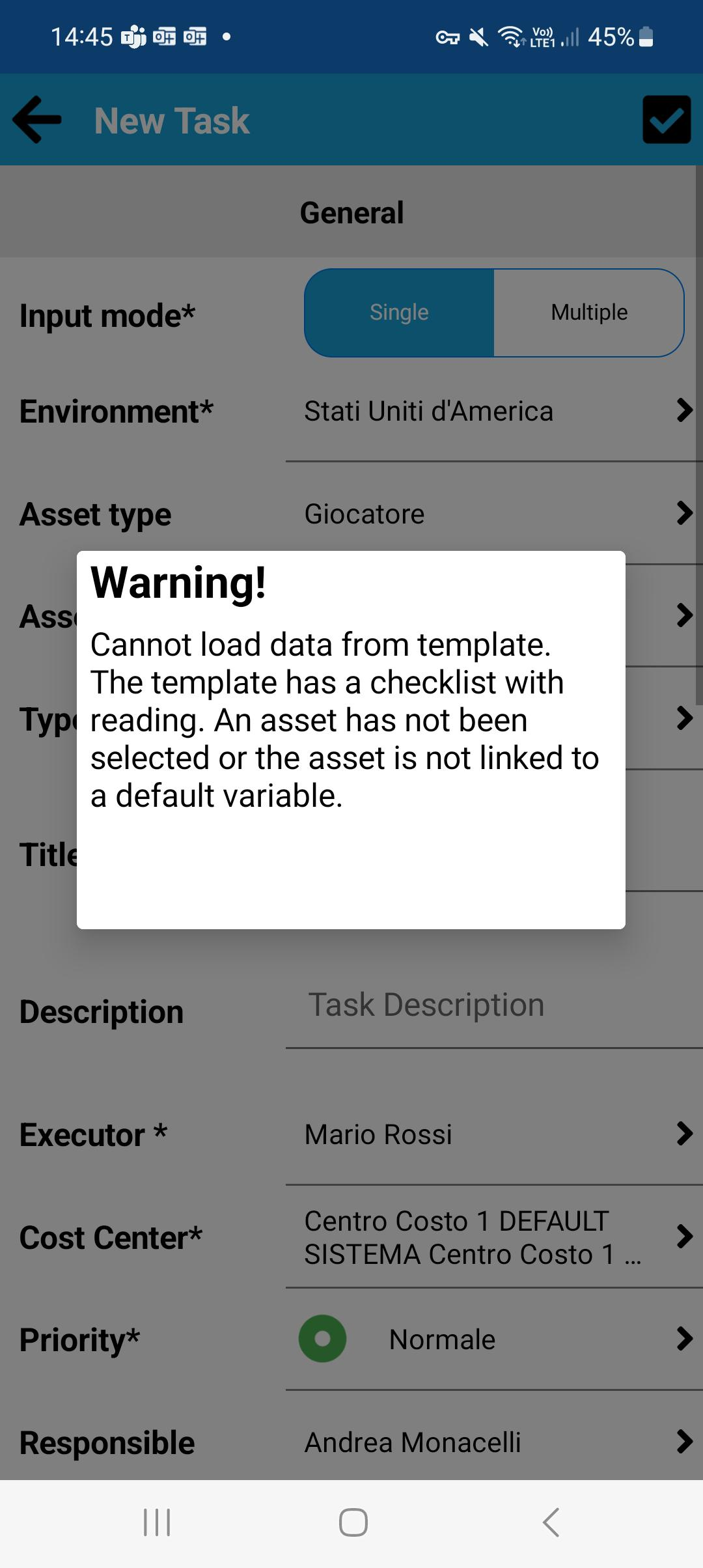
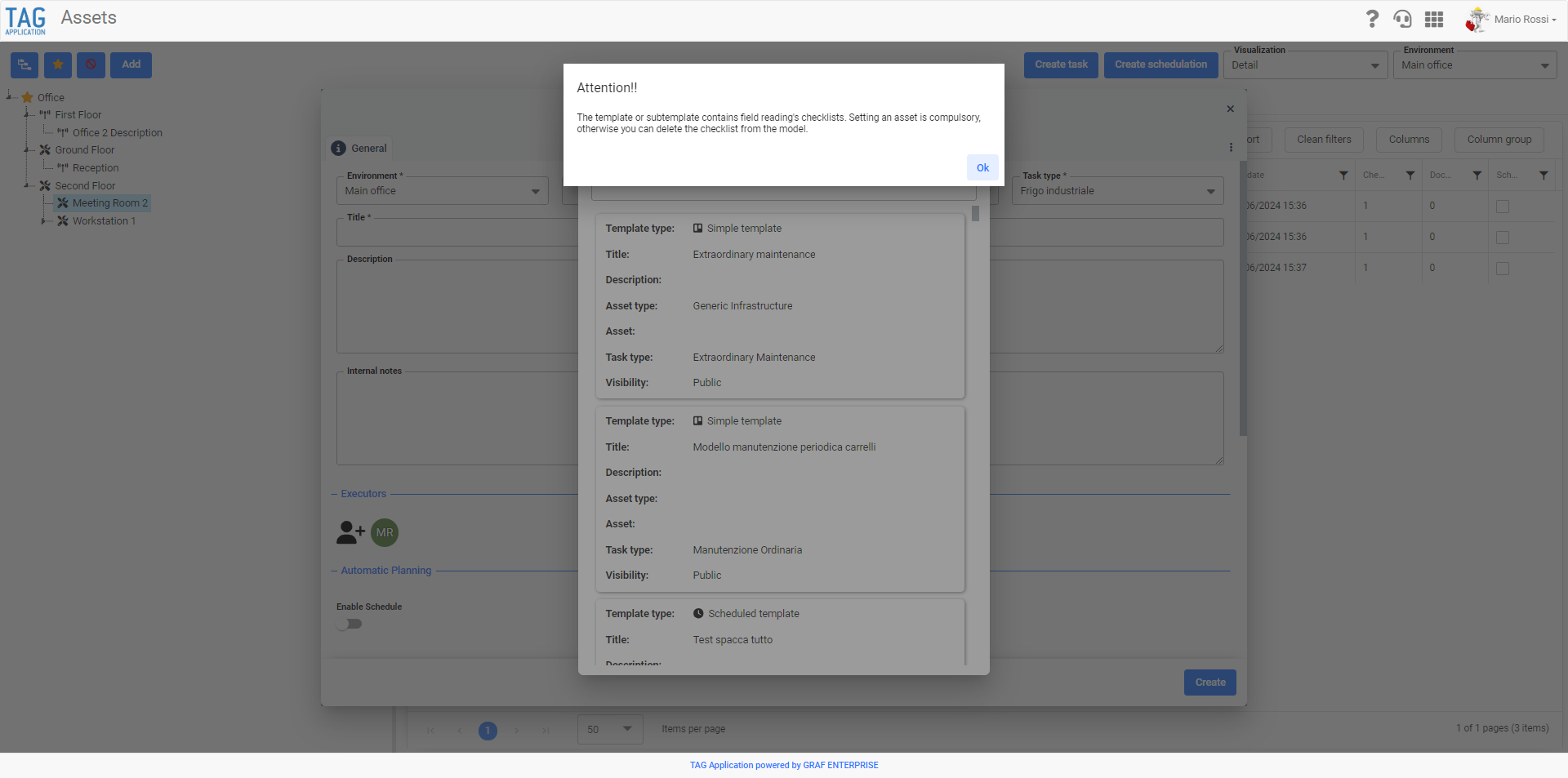
For this purpose, a fully automatic control will be made available that will prevent you from creating tasks from templates with “read” checklists if you have not set any assets before.
This automatic check will prevent tasks with read checklists without associated variables from being created, warning the user and always guiding them to the correct choice, to avoid errors and conflicts.
(fig 5.0)
Attività – Controllo potenziato in creazione da modelli con checklist letture
Come per il corrispettivo web, anche l’app verrà adeguata per limitare al minimo gli errori umani e indirizzare l’utente a compiere sempre la scelta corretta: con il nuovo aggiornamento anche su mobile verrà potenziato il controllo in fase di creazione attività da modello.
Nel caso in cui durante la creazione di un’attività non venisse scelto alcun asset o ne venisse scelto uno senza variabile di default associata, infatti, selezionando una tipologia di attività con uno specifico modello con checklist di tipo lettura associato, verrà impedito di procedere con l’eredità dei dati.
Anche sull’applicazione il controllo automatico impedirà dunque che vengano create attività con checklist di tipo lettura senza variabili associate, avvisando l’utente e guidandolo sempre nella scelta corretta, per evitare errori e conflitti.
(fig 6.0)