Here are the news in version 1.80.0
Would you like to find out more about TAG Application and have more information?

Task – New creation sub-task
Simplifying and Speeding up the procedures that users are required to perform is one of the fundamental objectives of TAG Application.
Create task even complex, articulate and with sub-task, it must turn outcomfortable and intuitive.
For this reason with the new update is coming the new mode of subtask creation: a simplified creation mode, which allows you to inherit in a moment the details of the parent activity.
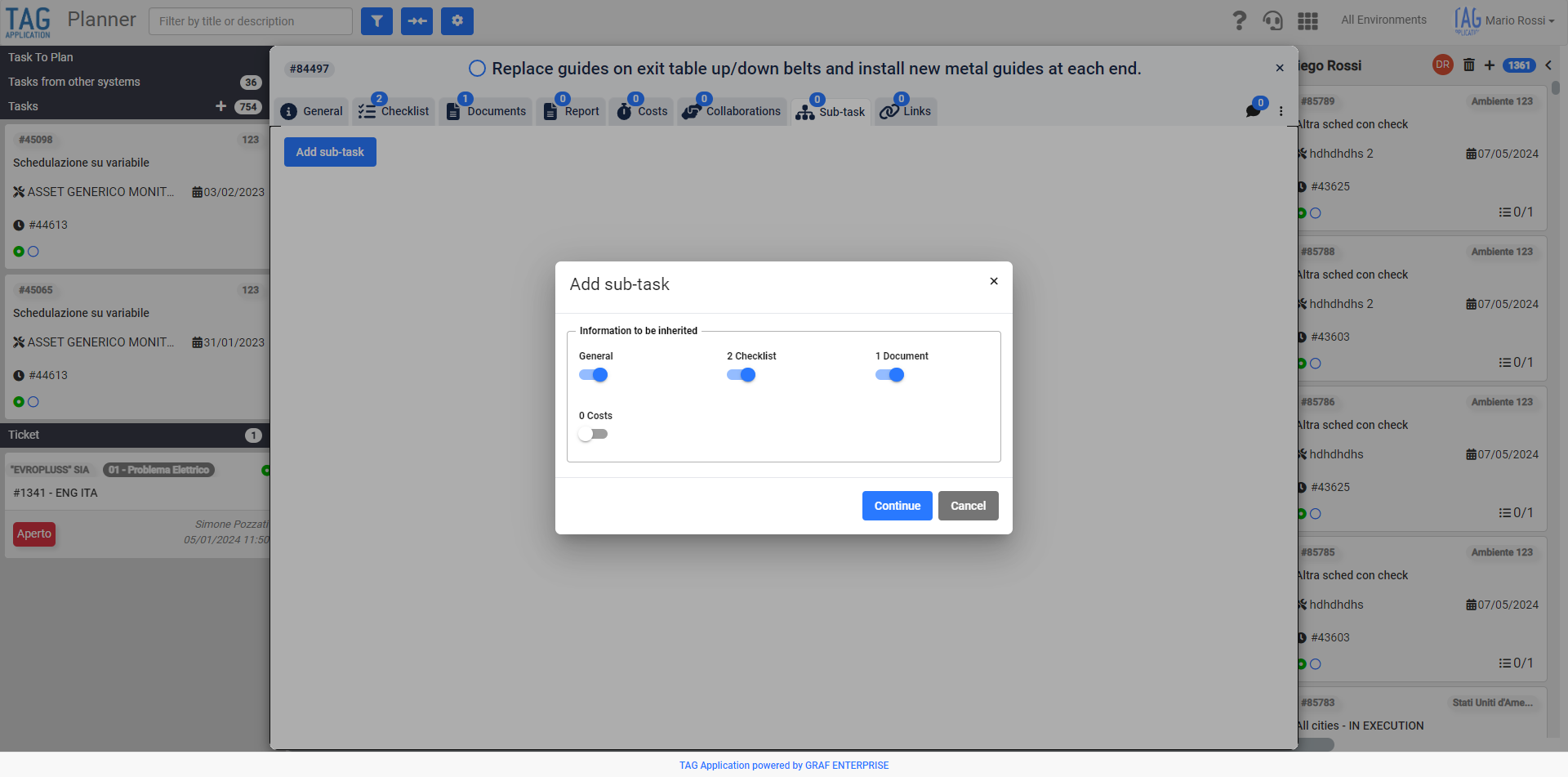
Once you have identified the activity that will contain the daughter activities, after being placed within the tab “Under activity”, clicking on the button “Add under activity” will propose a completely new popup.
From this window you can choose to inherit in the sub task that you are creating all the information you need from the selected task.
Specifically, in the explanatory box “Information to inherit”, there will be the following selectors:
– General: allows you to inherit in the sub-activity that you are creating all the details of the parent activity contained in the tab “General”
– Checklist: Allows you to inherit in the subtask you are creating all the checklists of the parent task
– Documents: allows you to inherit in the sub-activity you are creating all the documents of the parent activity
– Costs: Allows you to inherit in the sub-activity that is creating all the costs of the parent activity
Activated the selectors related to the information you want to inherit and pressed “Continue”, will be proposed the classic detail for creating tasks with pre-compiled inherited fields.
In this way it will be possible to control and eventually modify the inherited data, confirming the creation through the classic “Create” button.
(fig 1.0)
Task – Enriched printing of personalized data
The ability to get comfortable printable PDFs of the tasks performed or scheduled is one of the great advantages of TAG Application.
Having a print layout is important, getting it with all the information you want is even more important.
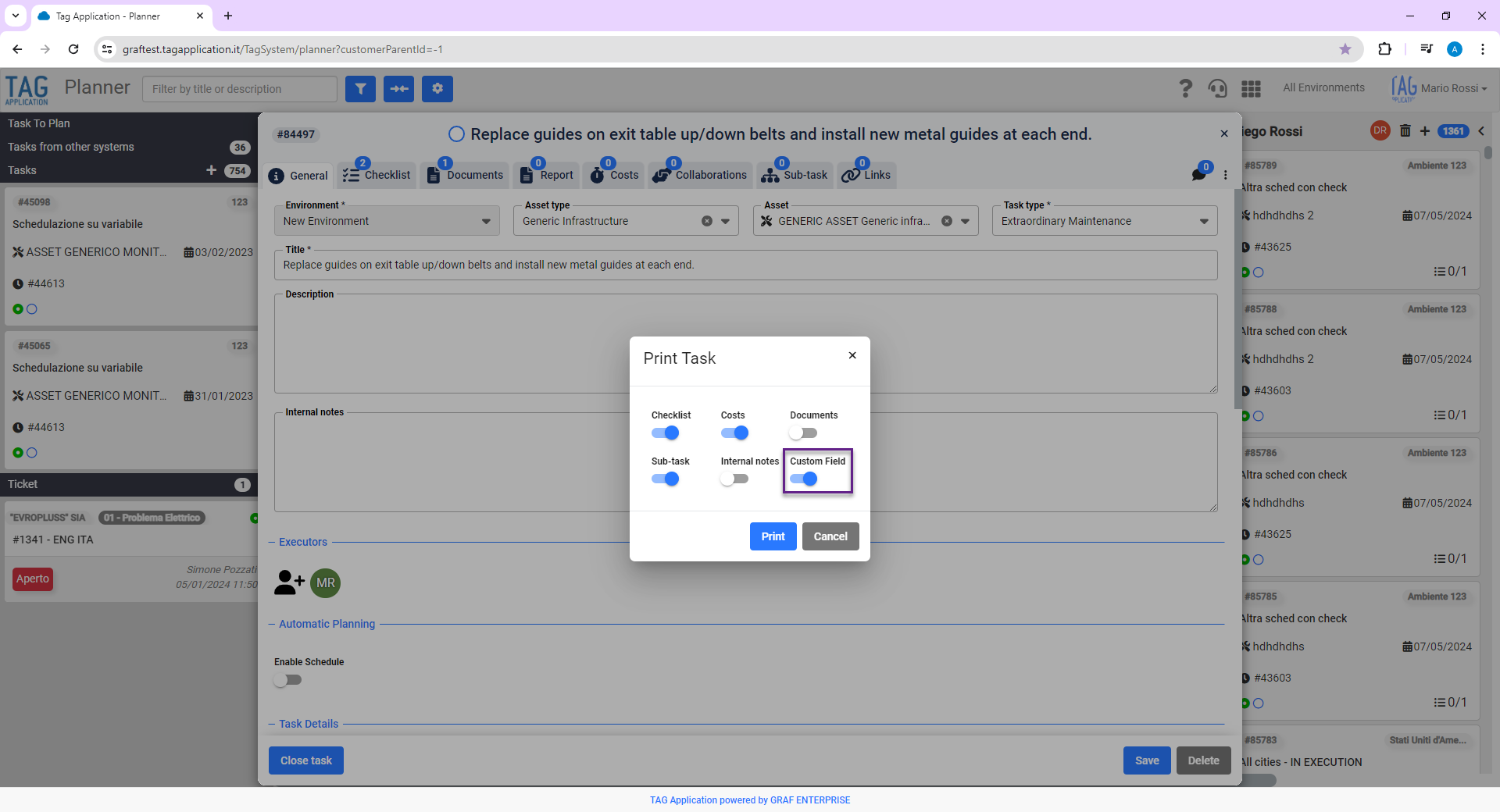
In this regard, in order to provide the user with a product that is always , useful, complete and customized, the activity prints have been enriched with custom data.
By activating the new selector “Custom data“, in fact, once the print is confirmed, the file PDF will be generated of all the selected information, including the personalized data on the task.
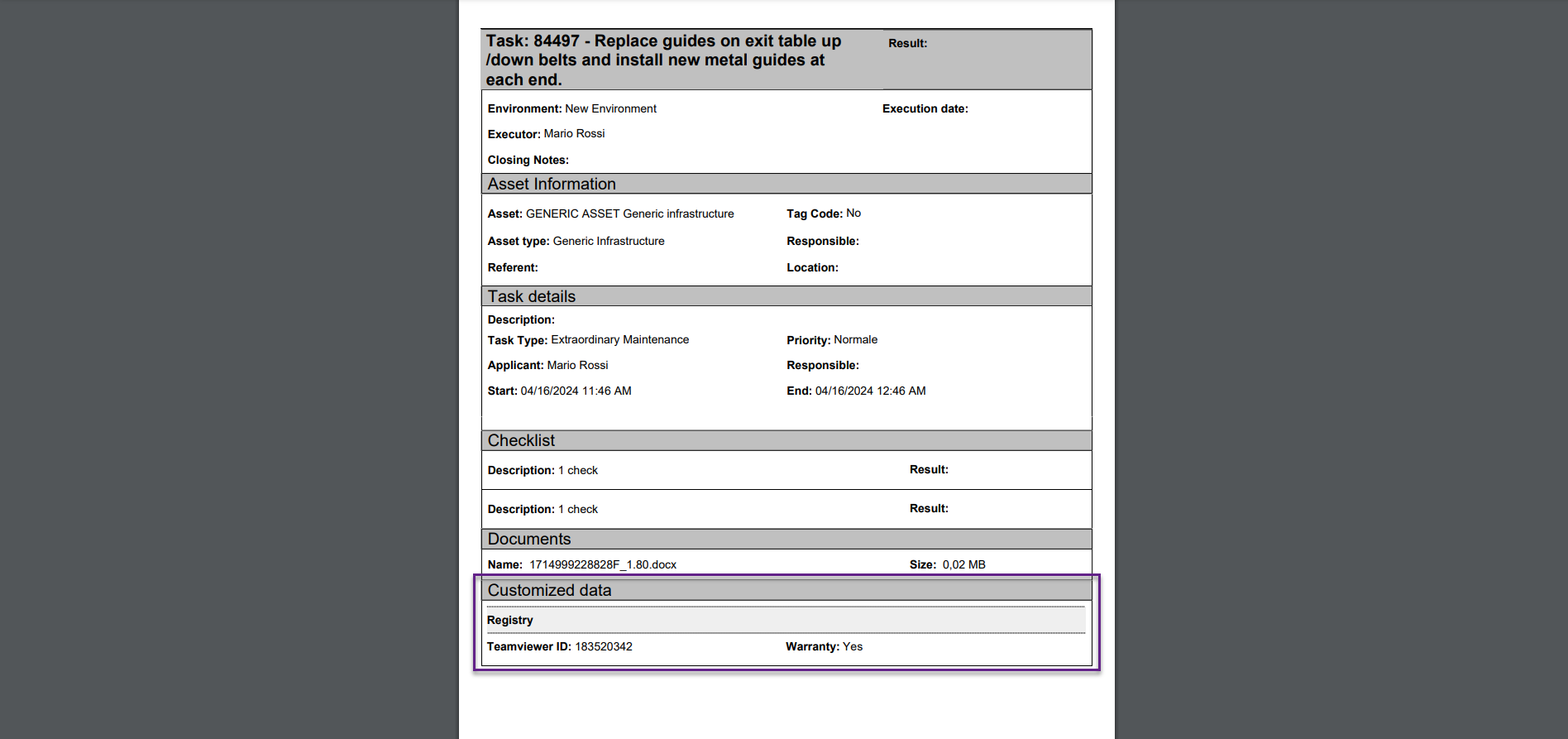
In this way you will get an enhanced print and complete; containing also all custom data specially compiled and grouped.
(fig 2.0)
Finally, if there are any, the subsections related to the “Groups” of custom data (with the light gray header) and, of course, inside each one, custom data ordered and filled exactly as reported on the printed task.
(fig 2.1)

Dashboard – New “Select all” in filters
Getting a quick overview of the information contained in the system is the purpose of the Dashboard module, which is periodically upgraded to provide users with the best usability possible.
The ability to make quick selections, also of groups, is fundamental to get the desired data; to search for specific information by applying filters must be fast, easy and effective.
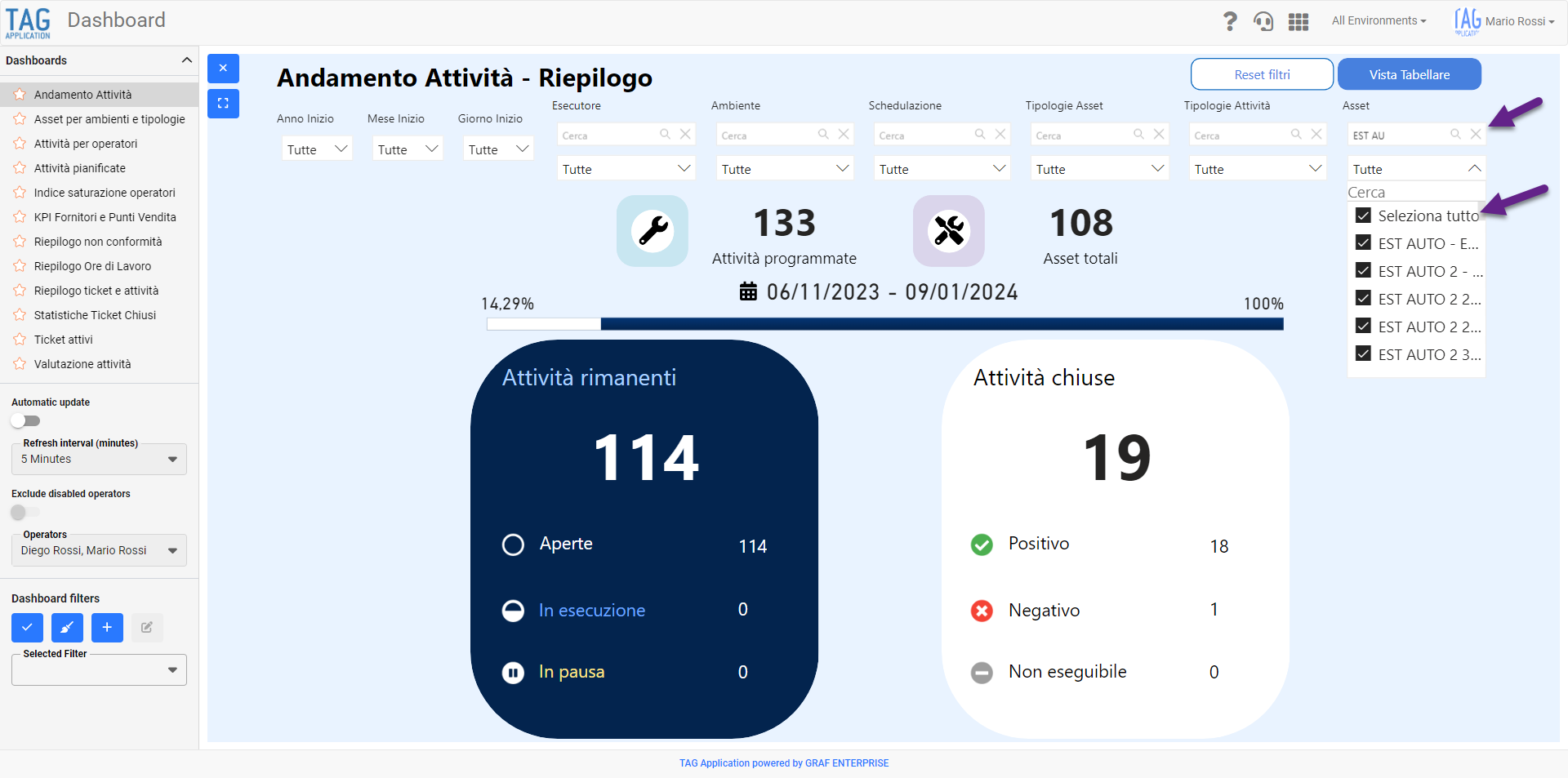
To this end, the dropdown filters of all Dashboards have been revisited, allowing you to select multiple items via the appropriate ” Select All” selector, even after typing text.
This feature, particularly useful to search for fields with the same prefix or suffix, will allow you to make specific selections in a much easier way, so as to obtain the desired results in very short time.
(fig 3.0)
Costs – Strengthening cost overlap control
Starting from this version you can enjoy a control about the overlap of the costs of the same operator in a specific time range completely enhanced.
In order to avoid potential conflicts, in fact, in addition to the already existing controls, a further verification will be carried out during the closure phase.
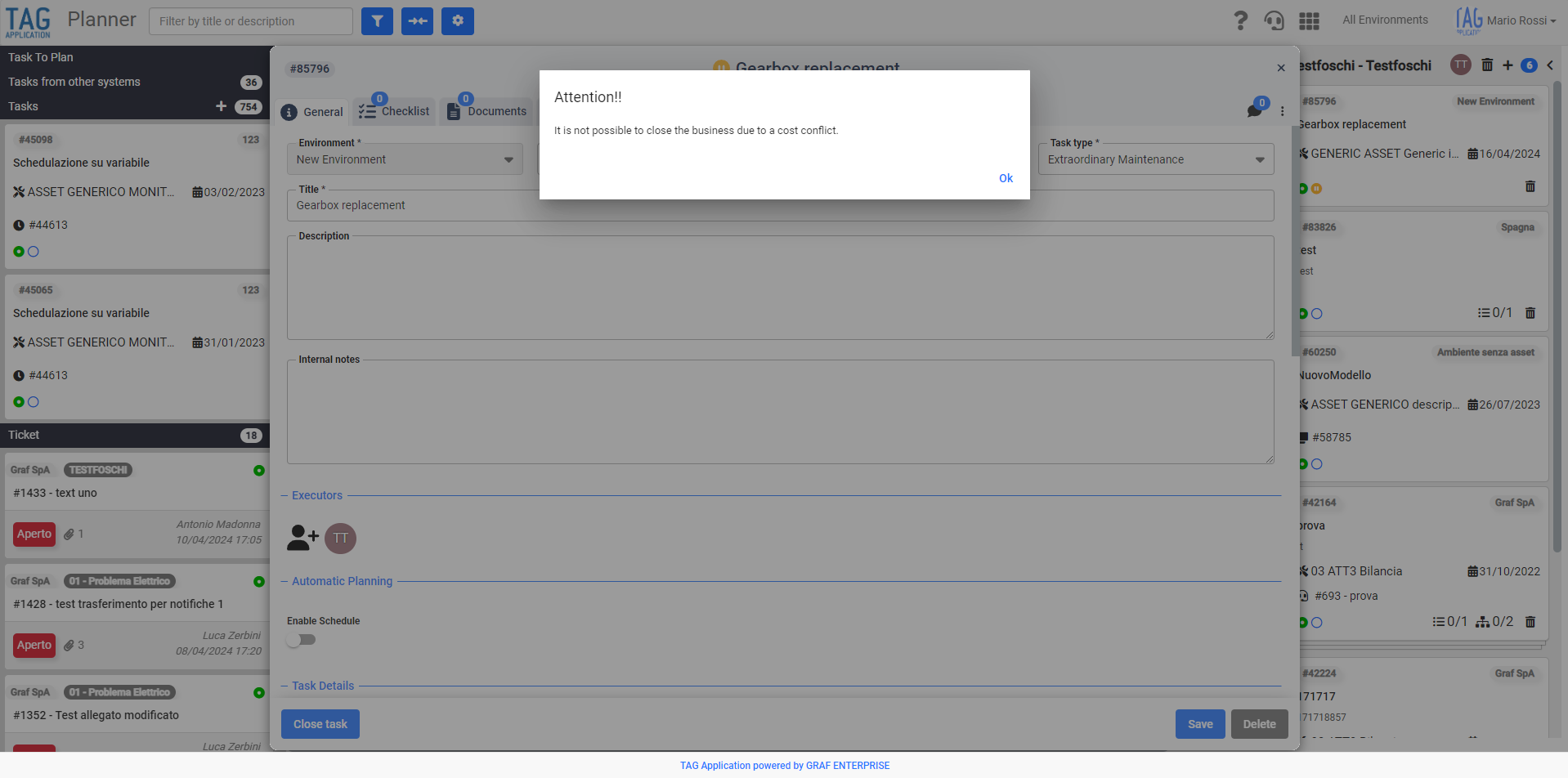
In the event that during this verification conflicts were found regarding the overlap of hourly ranges, the system will prevent the user from closing the task and will signal the conflict through a timely dedicated message.
In this way the user will take awareness of the existing conflict, will be obliged to fix it and only later can proceed with the actual closure of the task.
(fig 4.0)
Costs – Strengthening cost overlap control
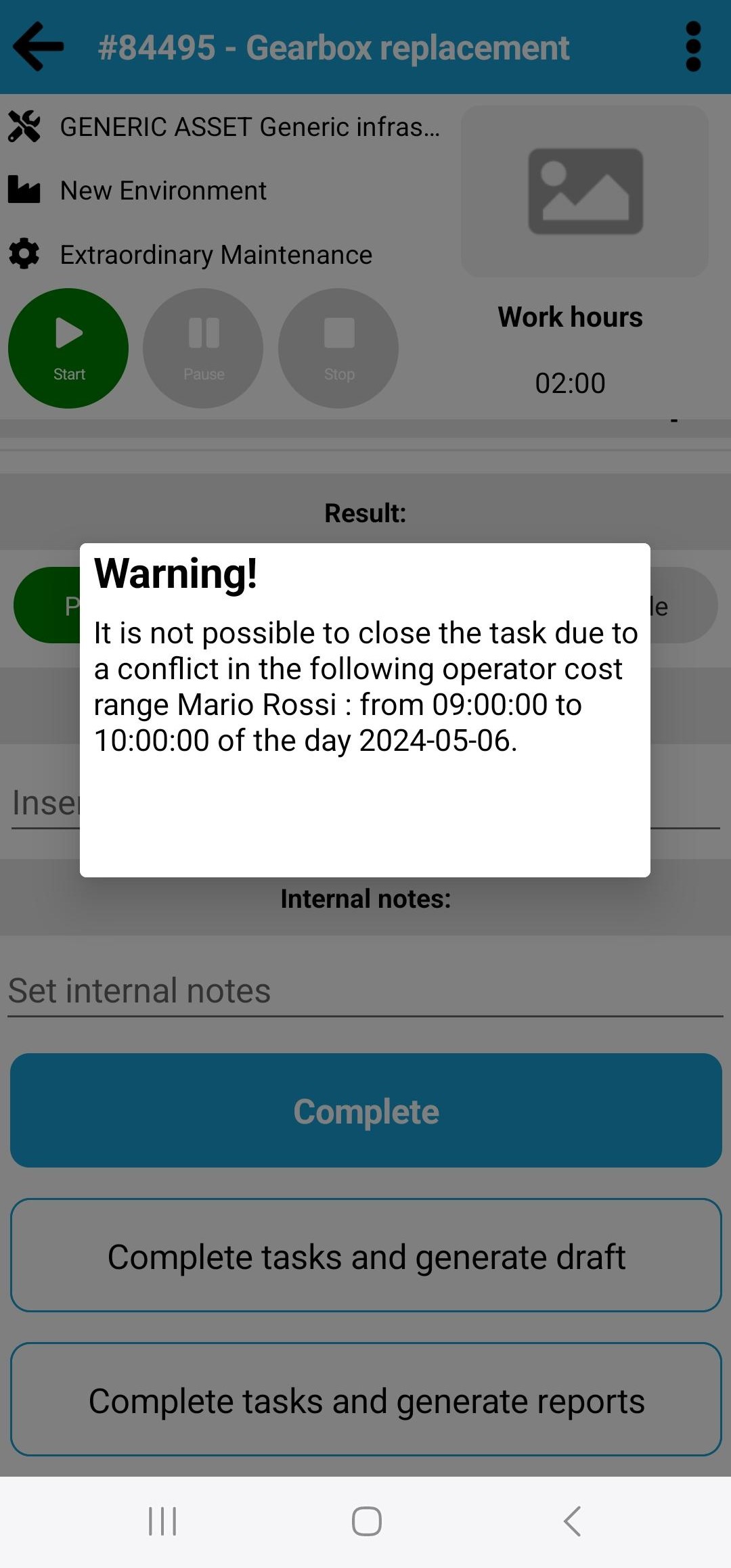
As for the web equivalent, with the new update is coming the enhancement of control about the overlap of the costs of the same operator in a specific time range also on the application.
Again, in addition to the already existing controls, a additional verification will be applied during the task closure.
At this stage, if conflicts result, the operator will be unable to close the task and will receive a message complete with operator and time range that prevent the closure.
This feature, useful especially on the application when using the “start&stop”, will allow the user to become aware of the existing conflict, will force him to fix it and only then can proceed with the actual closure of the activity.
(fig 5.0)