Here are the news in version 1.77.0
Would you like to find out more about TAG Application and have more information?

Settings – UM icons
Software nowadays, especially CMMS like TAG Application, are becoming more and more complex: the information is really a lot and it can be difficult to identify the ones that really interest us.
Sometimes it takes very little to distinguish one line from another: maybe a representative graphic data… something that can make an entity recognizable at a glance.
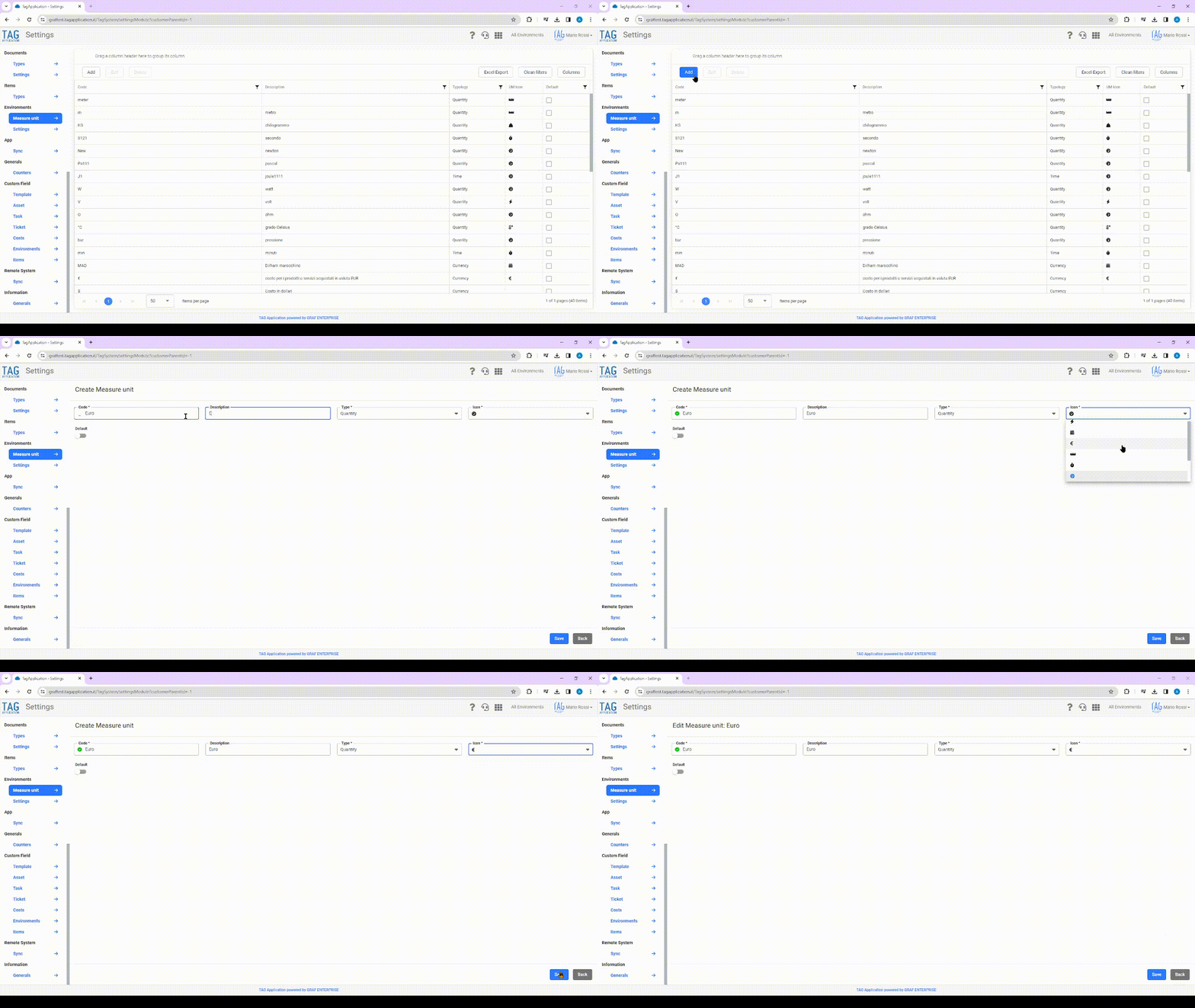
Just from the need to simplify the visualization and the recognition of particular entities, in TAG Application is coming the possibility to associate to each unit of measure a specific representative icon:
in this way each variable, in which the reference unit of measurement has been indicated, will inherit the selected icon and will be simply recognizable through the same.
Once you have accessed the dedicated section in the Settings module, creating or modifying a specific unit of measurement, you can choose an identification icon from the appropriate drop-down menu.
Choosing the icon from the dedicated set, creating, modifying or consulting a variable that has as UM (Unit of Measurement) the one previously configured, in the appropriate column “Icon UM” in the table will display the icon representative of the variable to which you are referring.
(fig 1.0)

Costs – Inherit custom data
Tired of entering the same data repeatedly? Would you need an automatism able to enter the common information automatically?
Speeding up the compilation of unnecessary fields saving time and resources has always been one of the primary intent of the main software applications…
Speed up and save without sacrificing the freedom of customization of its customers has always been one of the primary objectives of TAG Application!
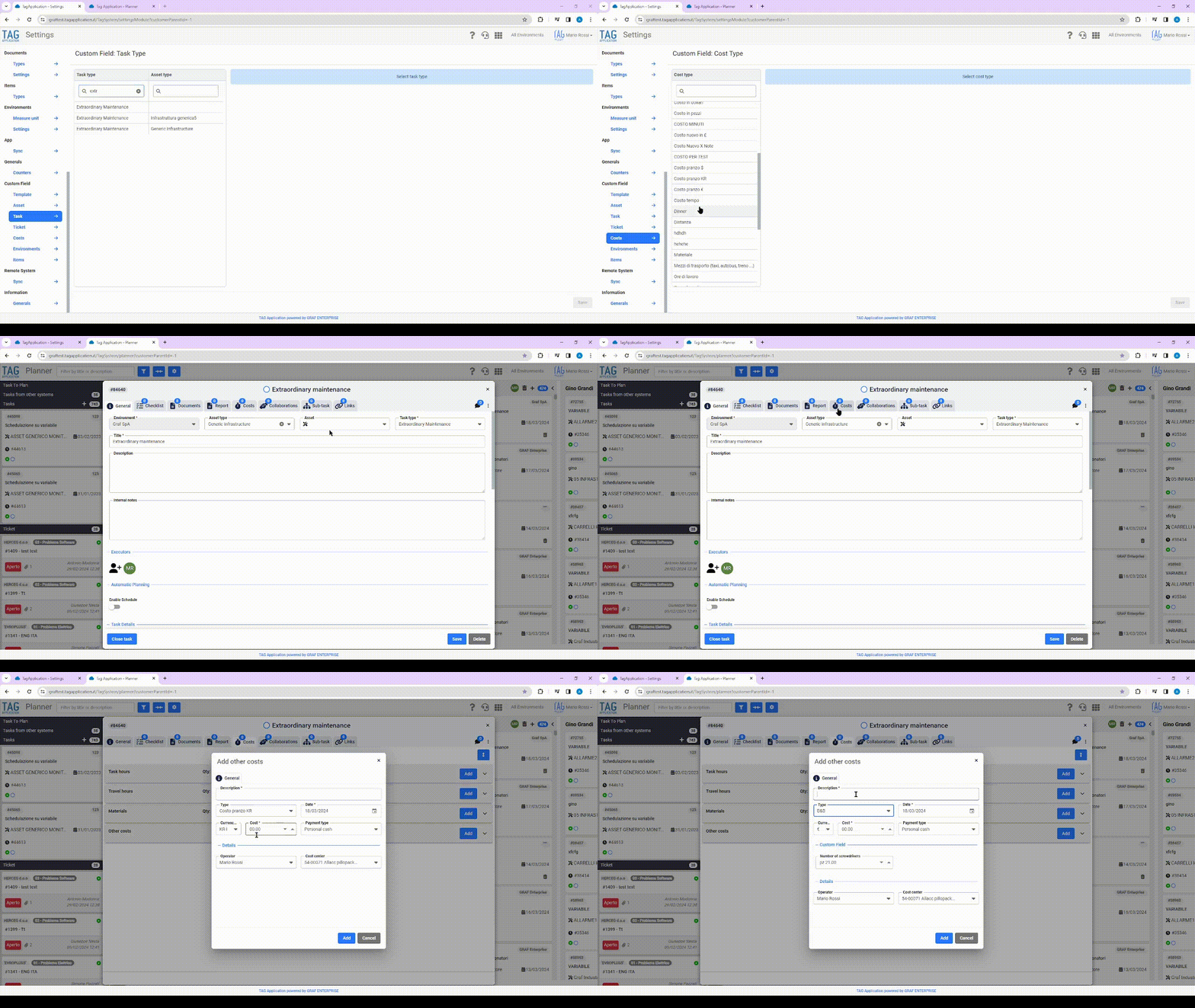
Precisely to combine speed and customization, the possibility of inheriting personalized data on particular entities of the system is born.
With the new version, in fact, if on a specific type of activity customized data are configured in common with respect to a type of cost, at the time of entering costs of that specific type,
Custom data will be automatically pre-compiled with the previously entered activity information.
(fig 2.0)
Settings – Default visibility of system entities
Making sure that the entities of the system are viewable only by those in charge is often an important responsibility: today more than ever involuntarily grant viewing of something private can prove to be very dangerous.
Just to help users not make mistakes, with the new update the settings have been enriched with a new section dedicated to the visibility of the most “delicate” entities of the system: tasks and documents.
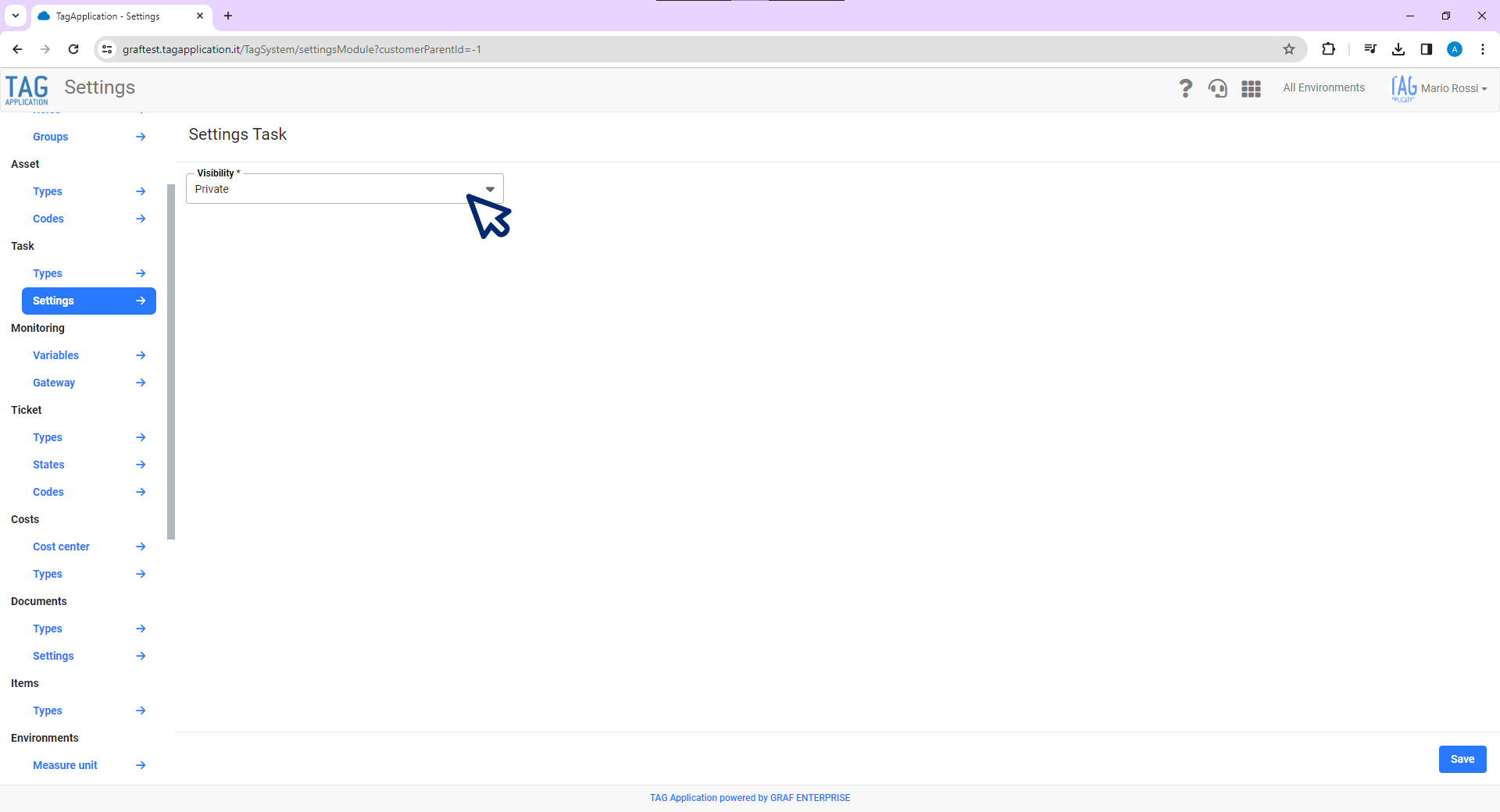
Therefore, from the “Tasks/Documents – Settings” section of the dedicated module, it is possible to specify a “Default” visibility for the entities concerned.
This means that by specifying “Private” in the “Visibility” dropdown and saving, every time a user will create that particular entity for which the configuration was made, the visibility of the same will be set by default as private.
Conversely, if in the drop-down you specify “Public”, the entities will be created by default with public visibility.
Obviously the default set is only a preset that avoids the user to be careful every time to have created the entity with the correct visibility, this is always easily modifiable through dedicated tendina is in phase of creation that in phase of modification of the interested entity.
Attention! The preference configured in the Settings module is global, that is valid for each user of the system. Logically this setting, if it has been configured as private, applies only to users who have permission to view and manage private entities.
(fig 3.0)

App – Send push notifications in case of error in report generation
TAG App allows you to work in mobility generating reports and expense notes wherever you are… but unexpected events can always happen!
There are rare cases where sudden lack of connection during a synchronization or other conflicts on the device can lead to failure to generate reports or expense reports…
in these situations it is important to be aware of what is happening and to intervene promptly!
It is precisely from this need that the new push notification notices about the lack of document generation are born.
As of the new update, in the event that reports and/or expense reports are not correctly generated, notifications will be sent to the user.
More specifically, if the report/ expense note was not generated for lack of documents, after a few minutes will be delivered the following notification that invites the user to perform a new synchronization.
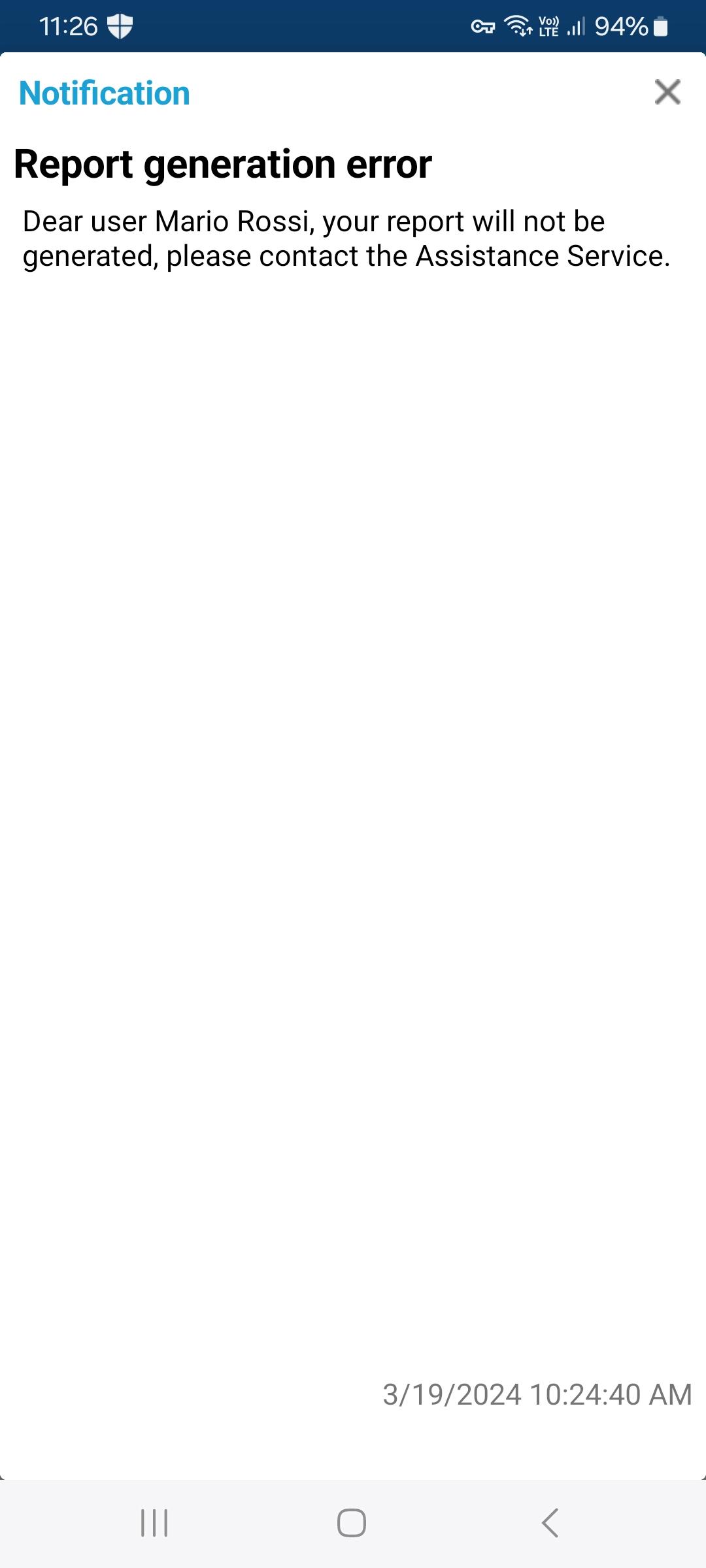
If, on the other hand, the report/expense report has not been generated due to the lack of irrecoverable documents, the following notification will be sent immediately inviting the user to contact the service.

Report – Performance Improvement
Operators work hard and hard during the day… The application must always be quick and quick to keep the rhythm of its users!
Precisely for this reason, research and development of new technologies to achieve perfection is always a goal!
The application is enhanced with each update and this time are coming important news: specifically, the report module has been revised and made even more fluid to ensure operators the best possible experience in reporting activities and costs.
(fig 7.0)
APP – Default visibility on system entities
As for the web fee also on the application is coming the preference of visibility for tasks and documents.
In this case it will not be possible to make changes to the configurations, but you will “suffer” the consequences of the same:
this means that, based on the preferred visibility specified in the settings, the entities will be created by public or private default.

APP – Costs – Inherit custom data
Saving time and resources is critical on any device…
As for the web equivalent, also on the application has been developed the automatism that allows to inherit the personalized data on particular entities.
With the new version, in fact, if on a specific type of activity they are configured personalized data in common regarding a typology of cost, in phase of insertion costs of that determined typology,
Custom data will be automatically pre-compiled with the previously entered activity information.