Here are the new features in version 1.74.0

Tasks – Lock task
Do we need to block a task so that no unauthorized person can make changes once certain agreements and specifications have been established?
Do we need notifications as soon as this action is taken?
With the new update all this becomes possible!
The new feature “Lock task”, in fact, allows you to inhibit the modification of most fields of a task, preventing unauthorized operators to alter the content.
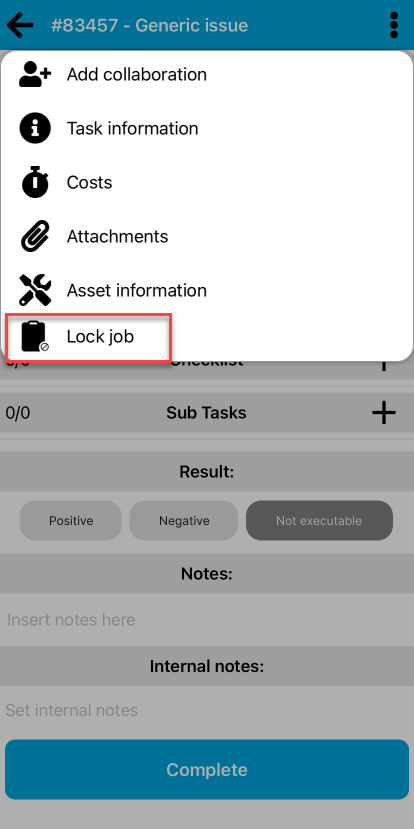
By accessing the context menu of any task, provided that the manager is filled in and the logged in operator is marked as the applicant and/or responsible for the same, you can lock the task by clicking on the “Lock task” item.(fig 1.0)
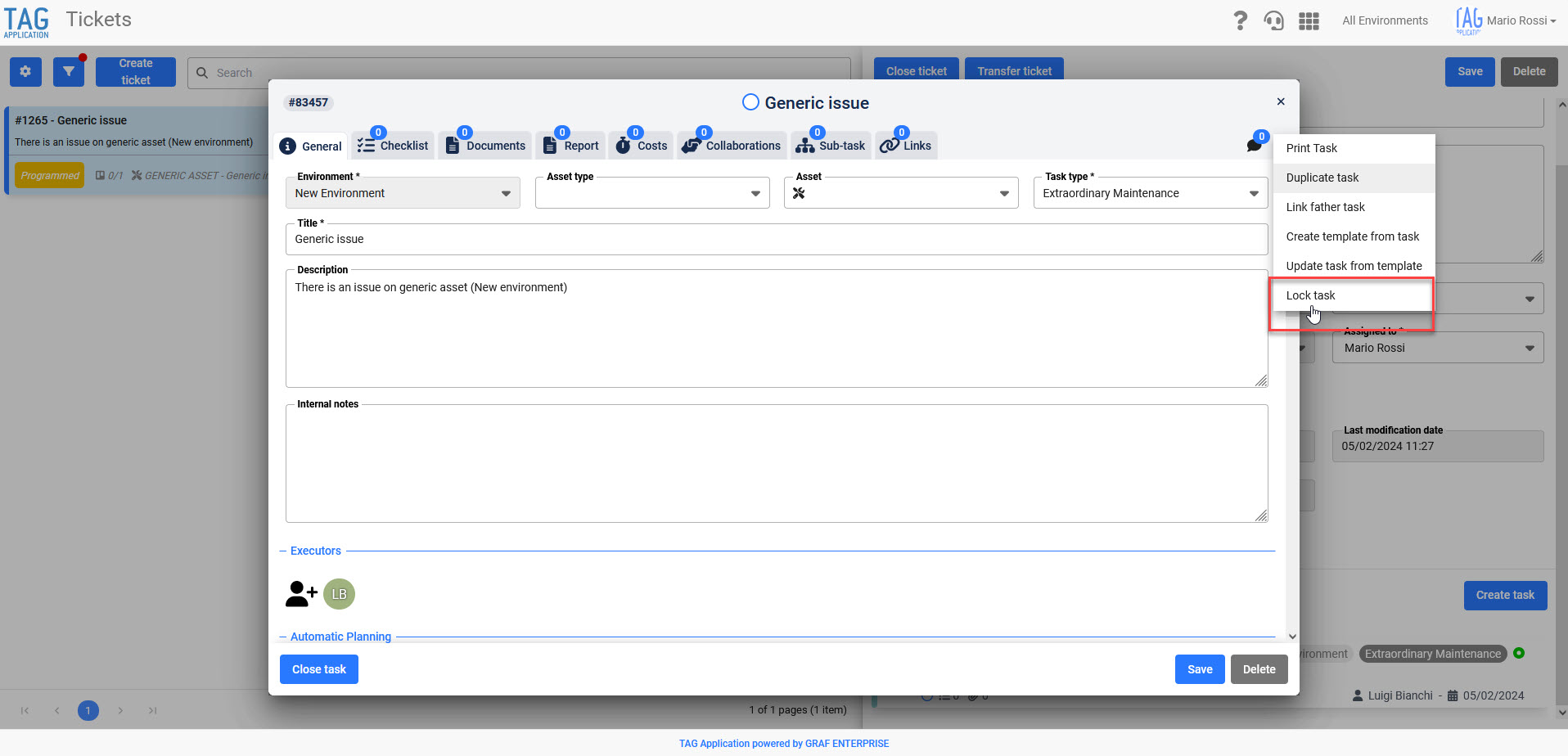
In this way, after popup of warning and confirmation of the user, a notification will be automatically sent to the performer to inform him that the task has been locked and, in addition, most of the fields will be fixed.
The only changes/actions allowed will be:
- Internal notes
- Closing notes
- Result
- State
- Checklist notes and results
- Documents
- Costs
- Closing/Reopening
- Comments
- Add collaborations (collaborations added will be unlocked)
- Duplicate task (tasks duplicated will be unlocked)
- Print task
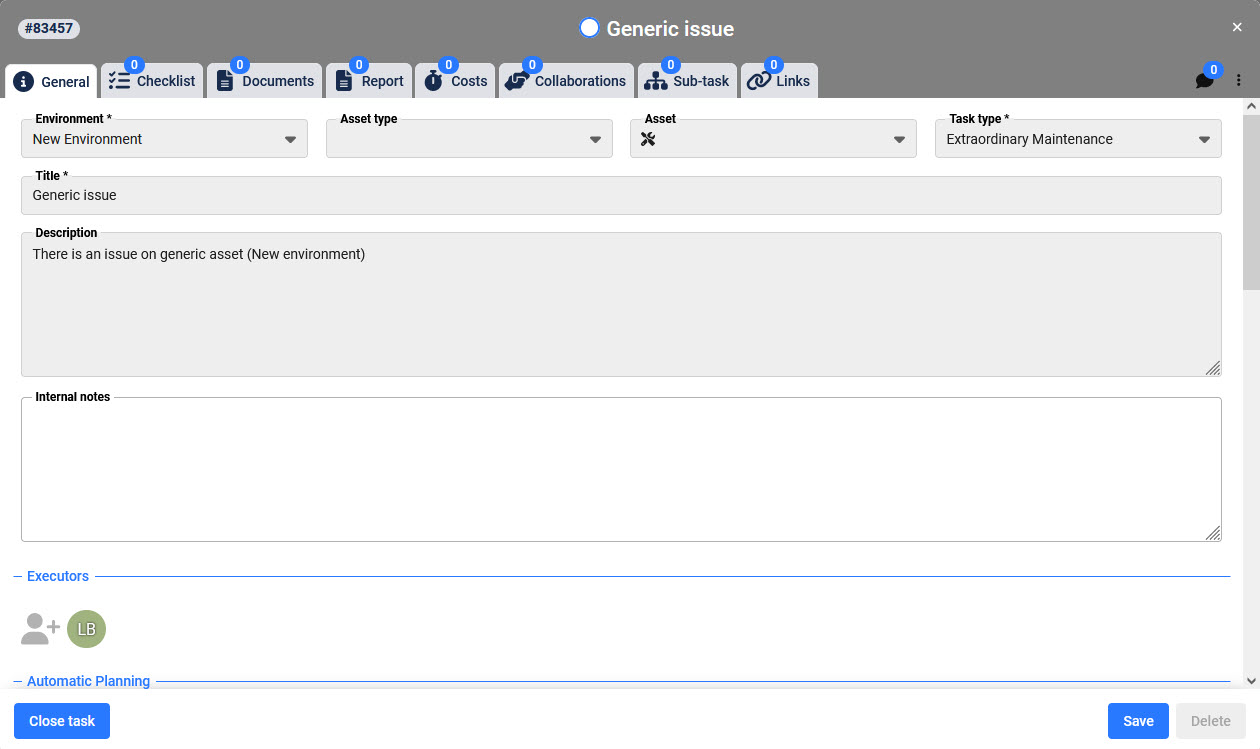
Locked tasks will be characterized by the gray header and only the manager can unlock them through a special item “Unlock activity” always from the context menu of the same.
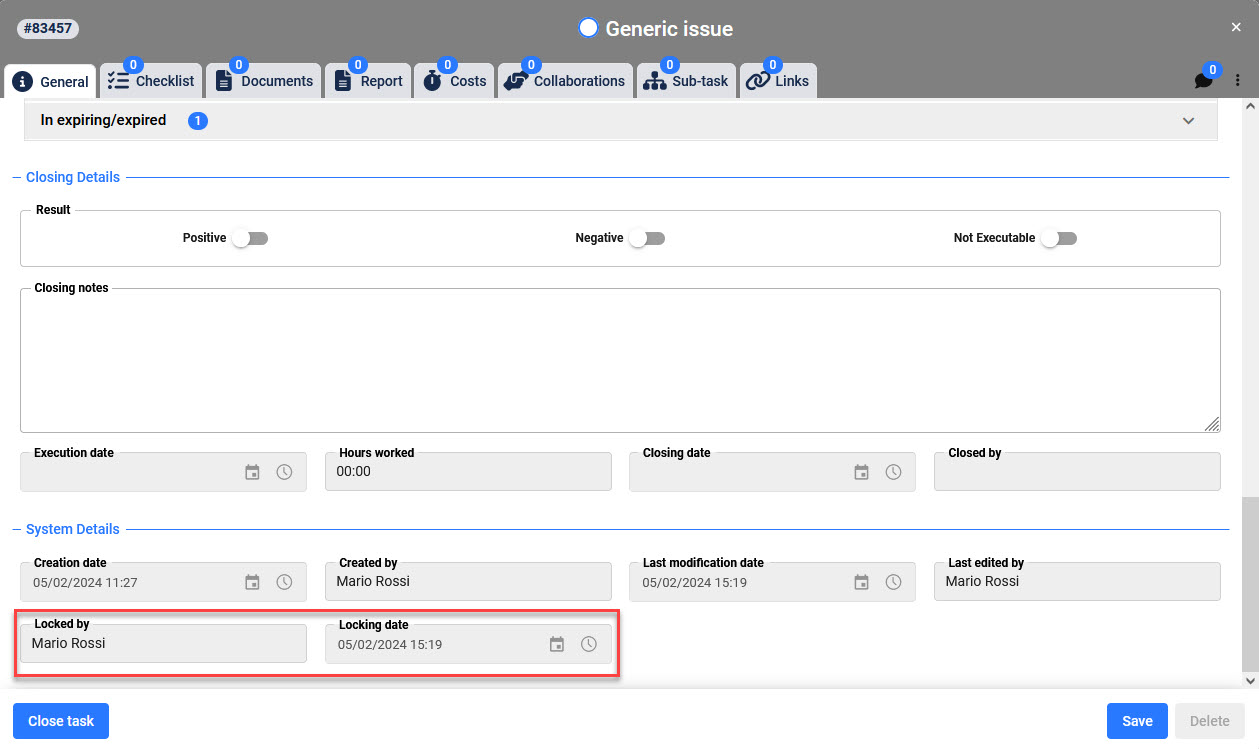
When a user marks the tasks as “Locked” the system will always keep track of who has done this and when it was done: on the task will be filled in the fields “Locked by” and “Lock date” (these data will always be available and extractable also in the appropriate sections of the Consultations and Asset modules).
If the responsible removes the locke, the fields will still remain filled in. If the task is locked again, these fields will be updated and overwritten.(fig 1.2)
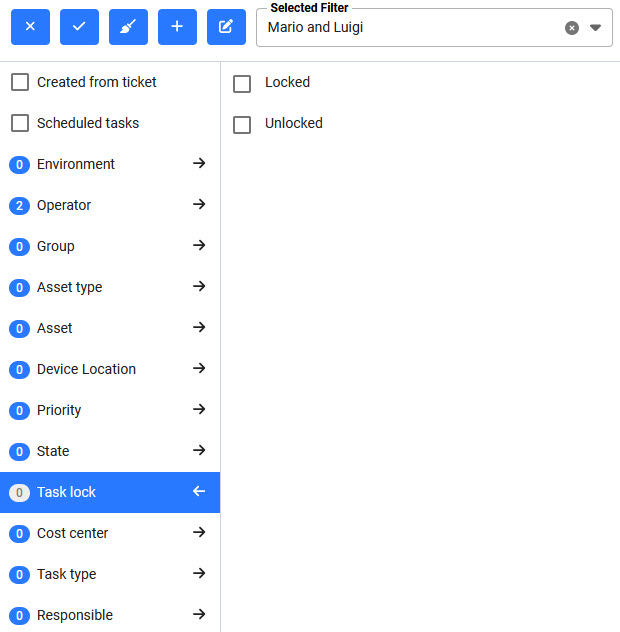
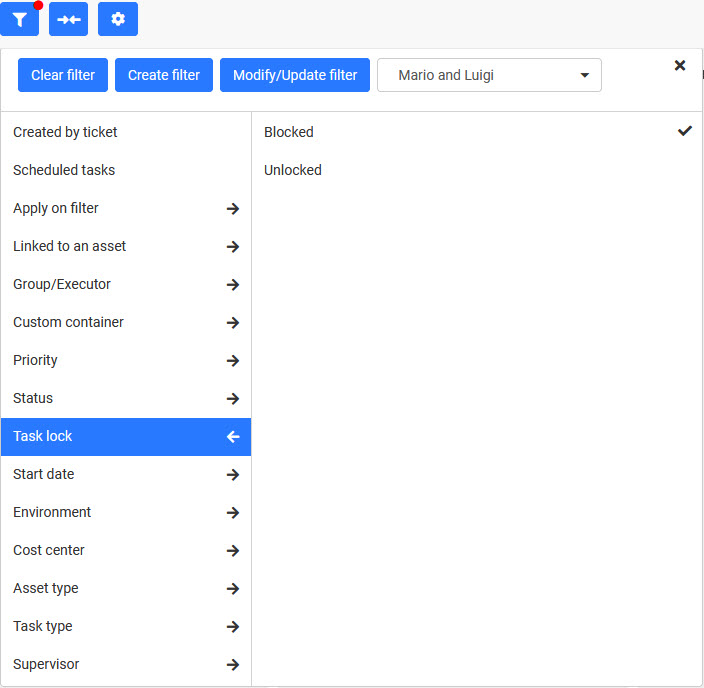
Locked tasks will be filtered anywhere in the system, either from the dedicated panel in the Calendar module or from the appropriate section of filters in the Planner module. Moreover, obviously, for these activities all the operations of “Drag & Drop” will be inhibited.(fig 1.3 – 1.4)
Finally, locked tasks will also impact the tasks propagation/deletion from templates and schedules:
The latter, in fact, will not be considered neither during updates nor in the phase of massive deletions.
The only case in which a locked task can be eliminated is if the locked task is a subtask of a task generated by an unlocked template/schedule, and a delete operation is launched from this entity.

Settings – Module revision and optimization
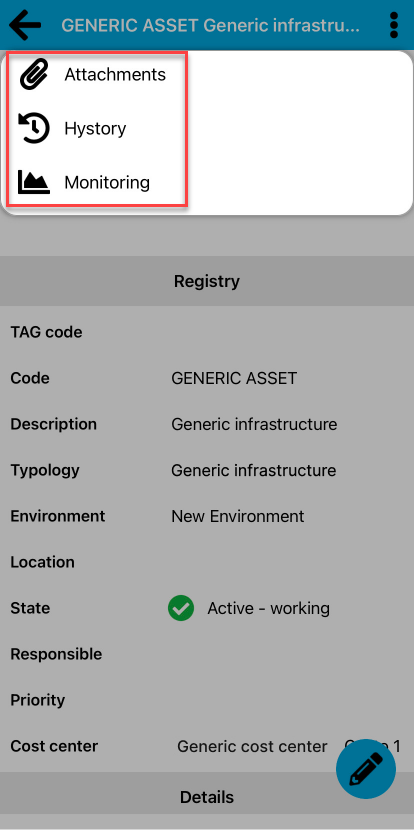
In order to optimize and modernize the entire system, the upgrade has been carried out which will impact different sections of the settings through the use of new technologies. The interested sections, graphically revised and now faster and more intuitive, are:
- Environments – Measure unit
- Environments – Settings