Notifications – Location based on user preferences

Here are the new features in version 1.73.0

Web Updates [v. 1.73.0]

Notifications – Location based on user preferences


From this version a major enhancement regarding the translation of notifications will be available.
The latter, in fact, will no longer be received by all users in the same language, but will be translated according to the preferences specified in the appropriate section of “My Profile”.
(fig 1.0)
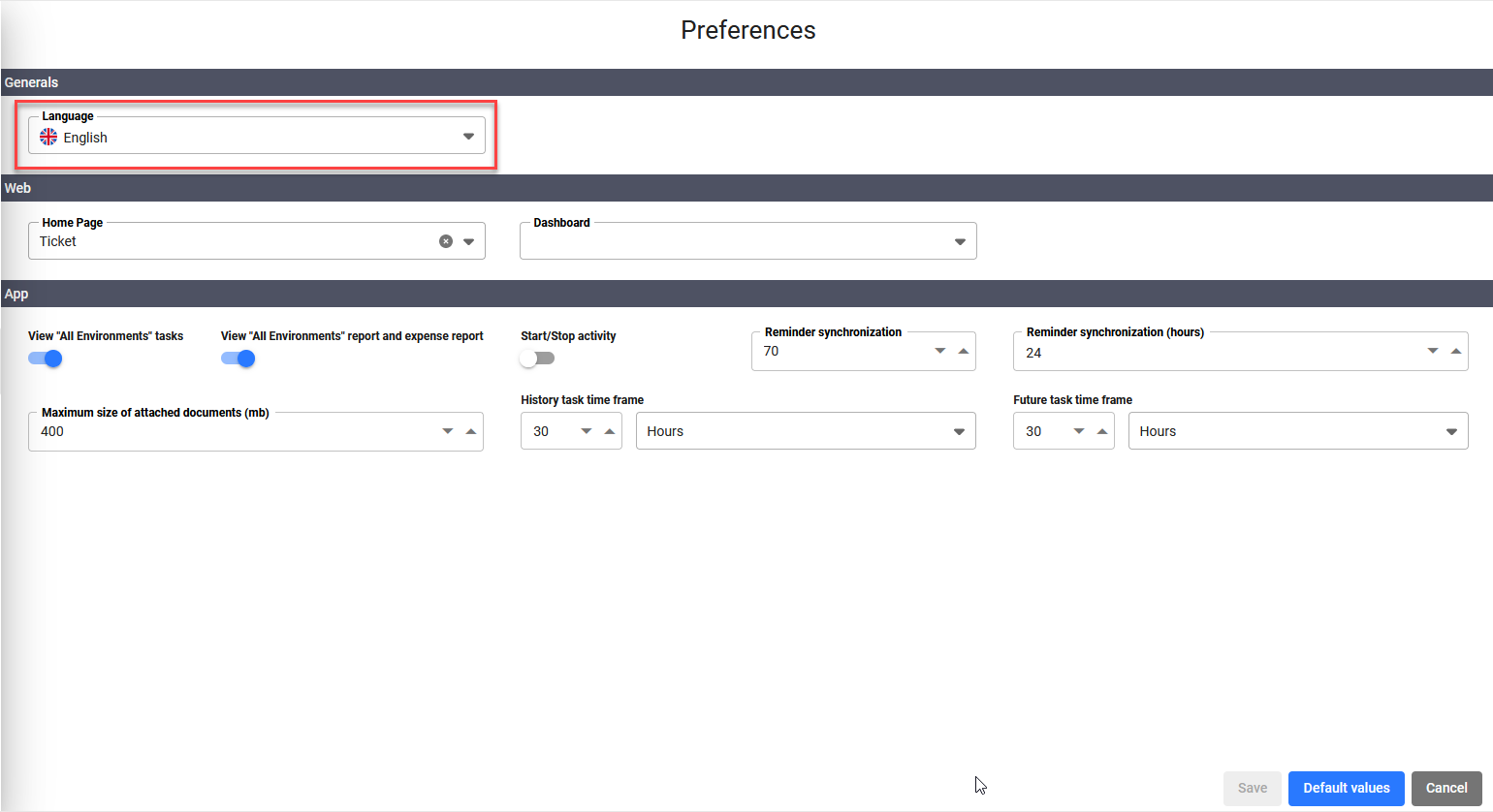
(fig. 1.0)

Ticket – New fields “Closing date” and “Closed by”


Do I need to know who has closed a specific ticket and when?
Do I need to get this information about a series of reports in order to easily export from the Consultations form?
With the new update all this will become possible!

In fact, the fields “Closing date” and “Closed by” will be added, always visible on each ticket and, moreover, will be viewable as columns from the dedicated section of the Consultations module.
(fig 2.0 – 2.1)
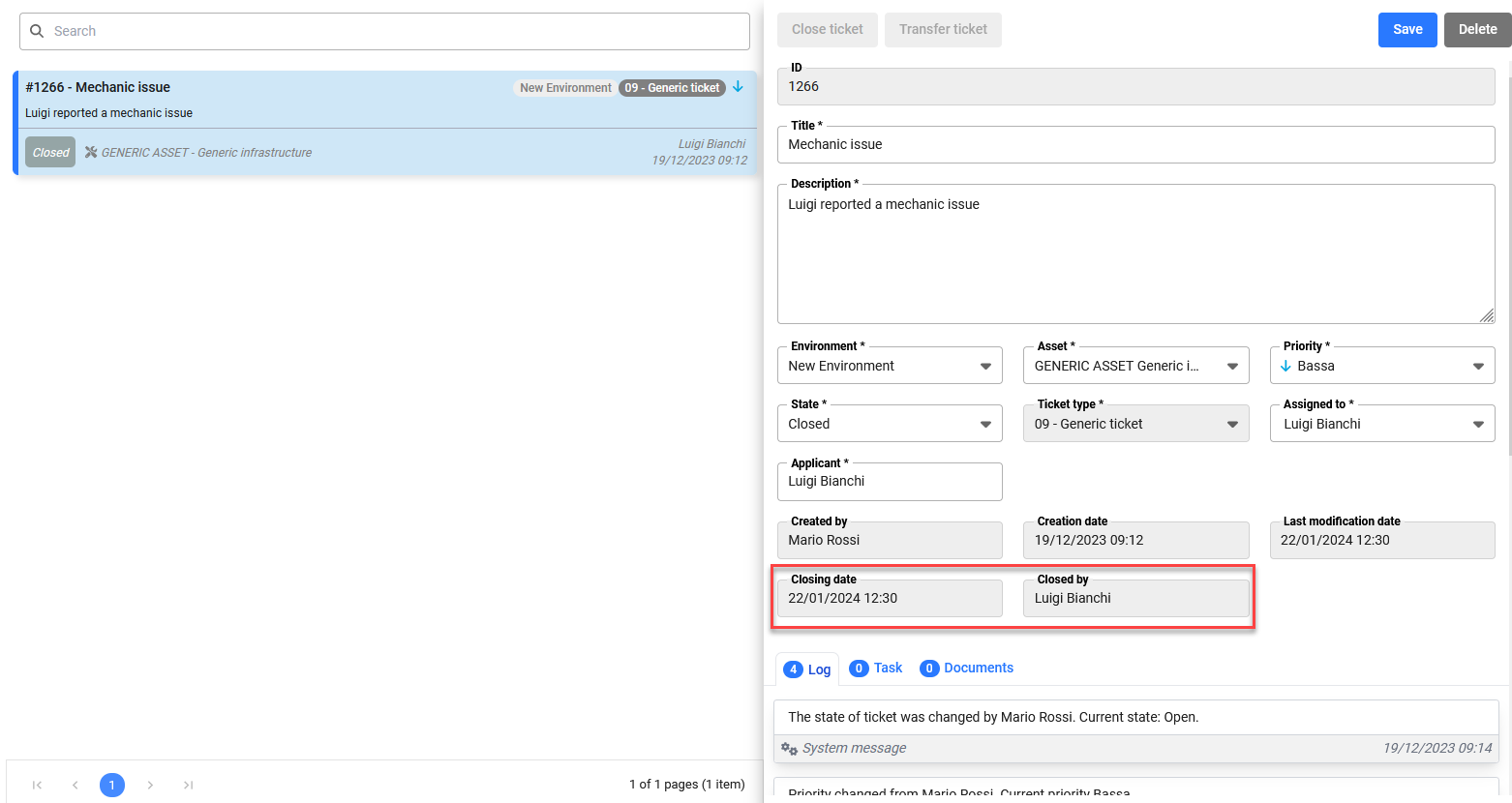
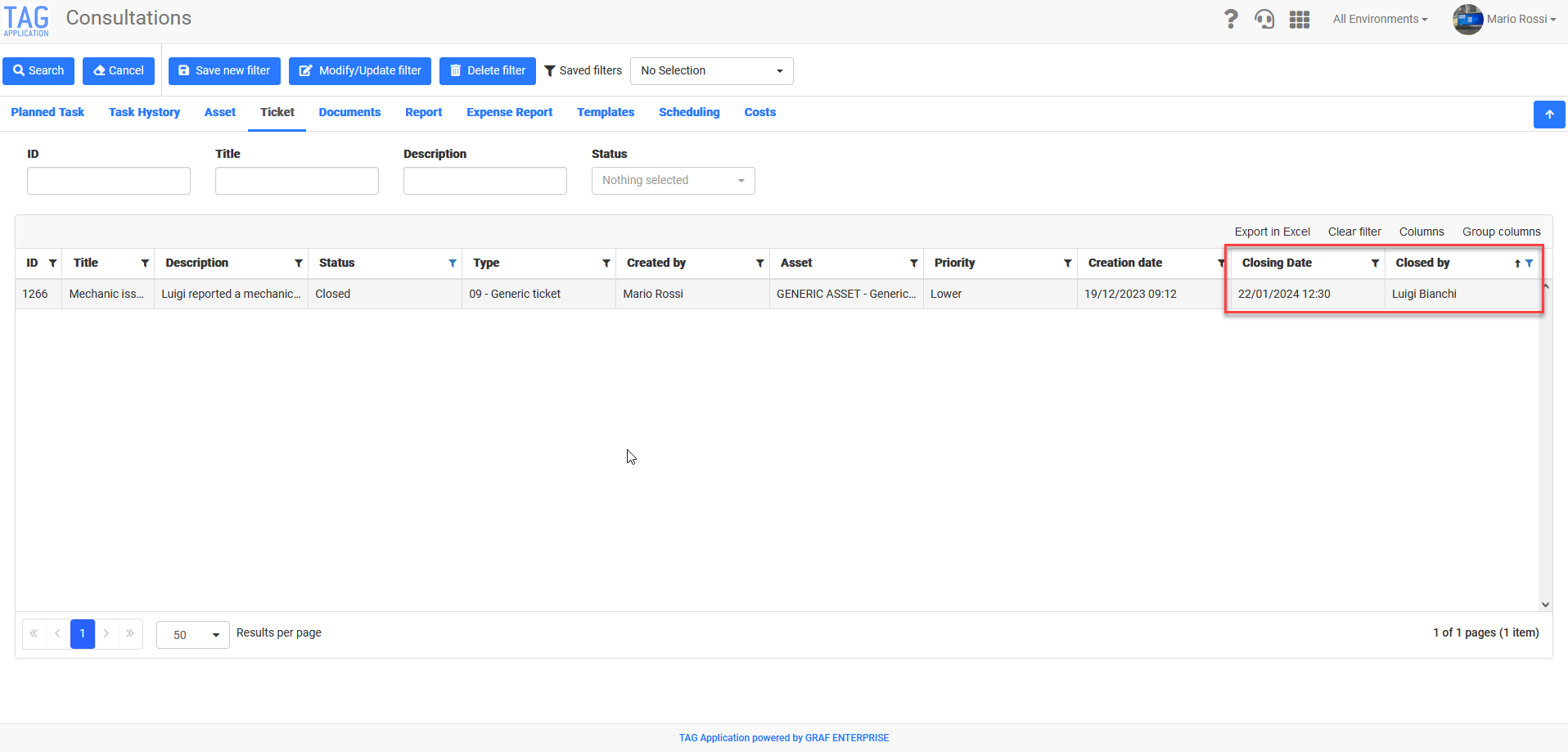
(fig. 2.0)
(fig. 2.1)

Settings – Module revision and optimization


In order to optimise and modernise the whole system, several sections of the settings have been upgraded using new technologies. The interested sections, graphically revised and now faster and more intuitive, are:

  • User list
  • User Group
  • Ticket status
  • Ticket codes
  • Cost center
  • Cost types


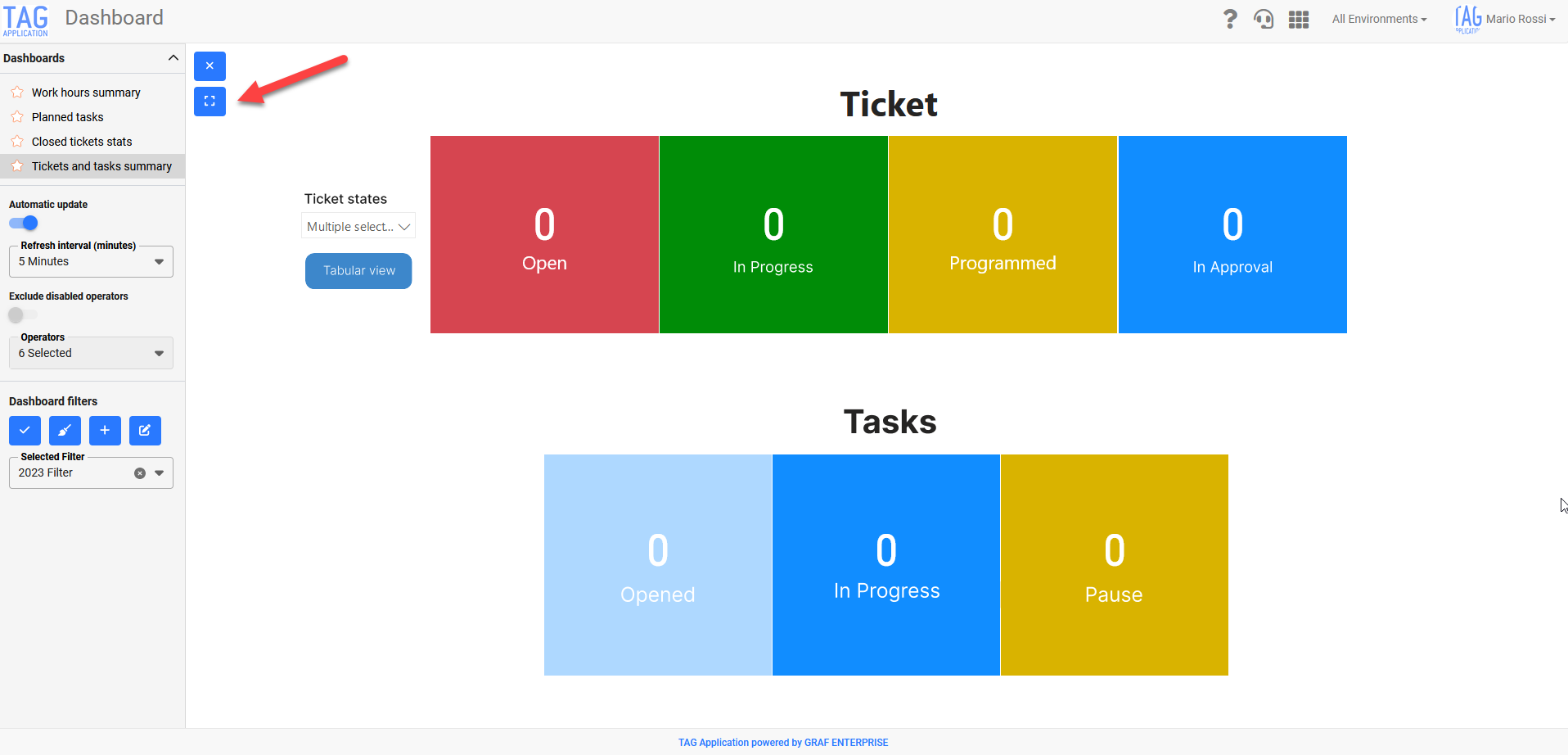
Dashboard – New full screen view


Do you always want to keep track of the trend of open tickets in the company? Production of your machines? Or tasks completed in a specific period of time?
The Dashboard module of TAG Application allows you to do it live and graphically!

From this version, moreover, it will be possible to take advantage of a new useful feature to keep under control the graphical information:
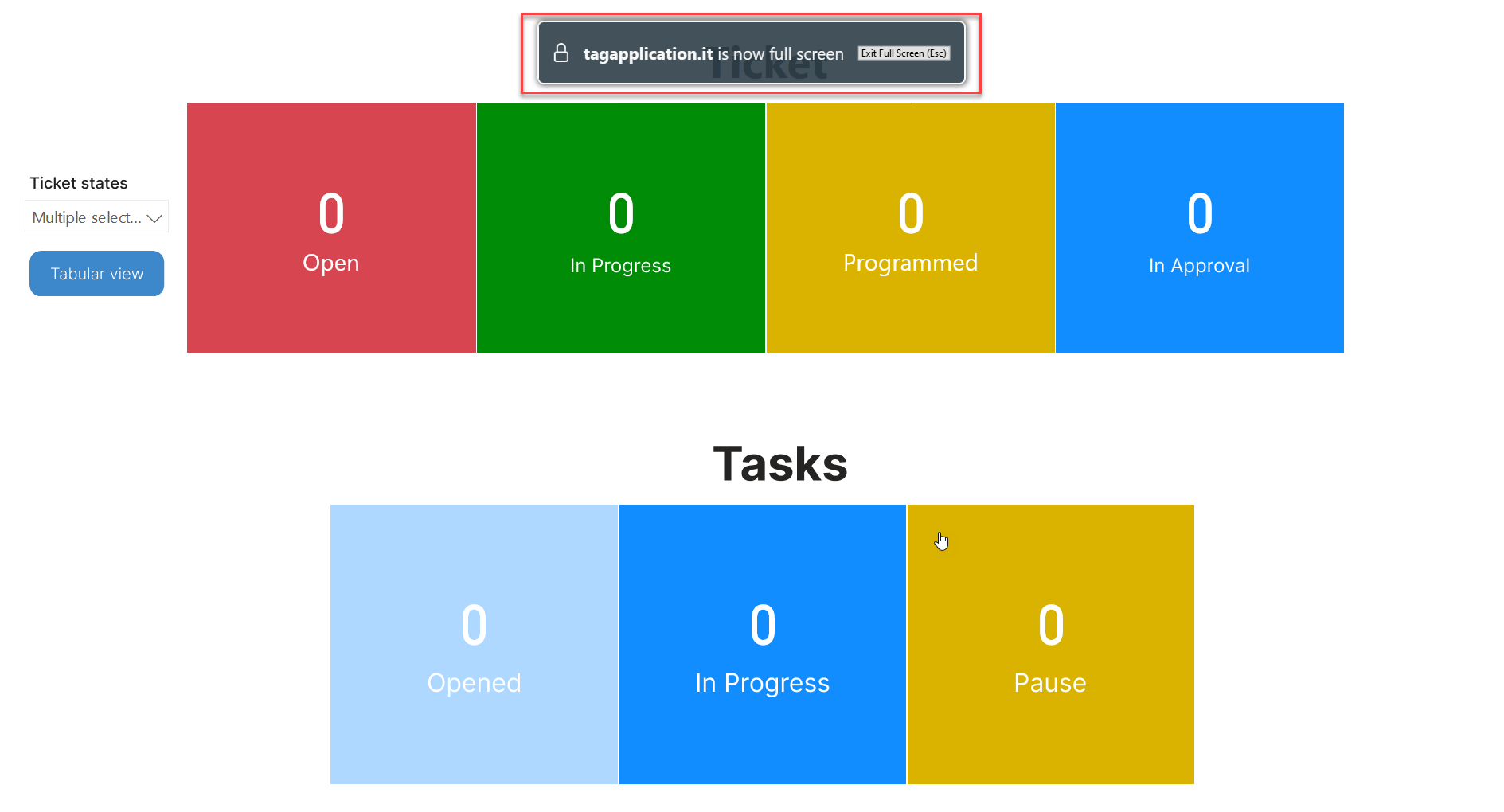
the new “Full screen” display will allow you to enter a fully immersive mode and in which the screen will show only the contents of the dashboard.
No obstruction, no misleading information or inconsistent with the graphite content… With the new update focus only on fundamental data will be just a click away!
(fig 3.0 – 3.1)

(fig. 3.0)
(fig. 3.1)

App Updates [v. 1.89.0]

Notifications – Location based on user preferences

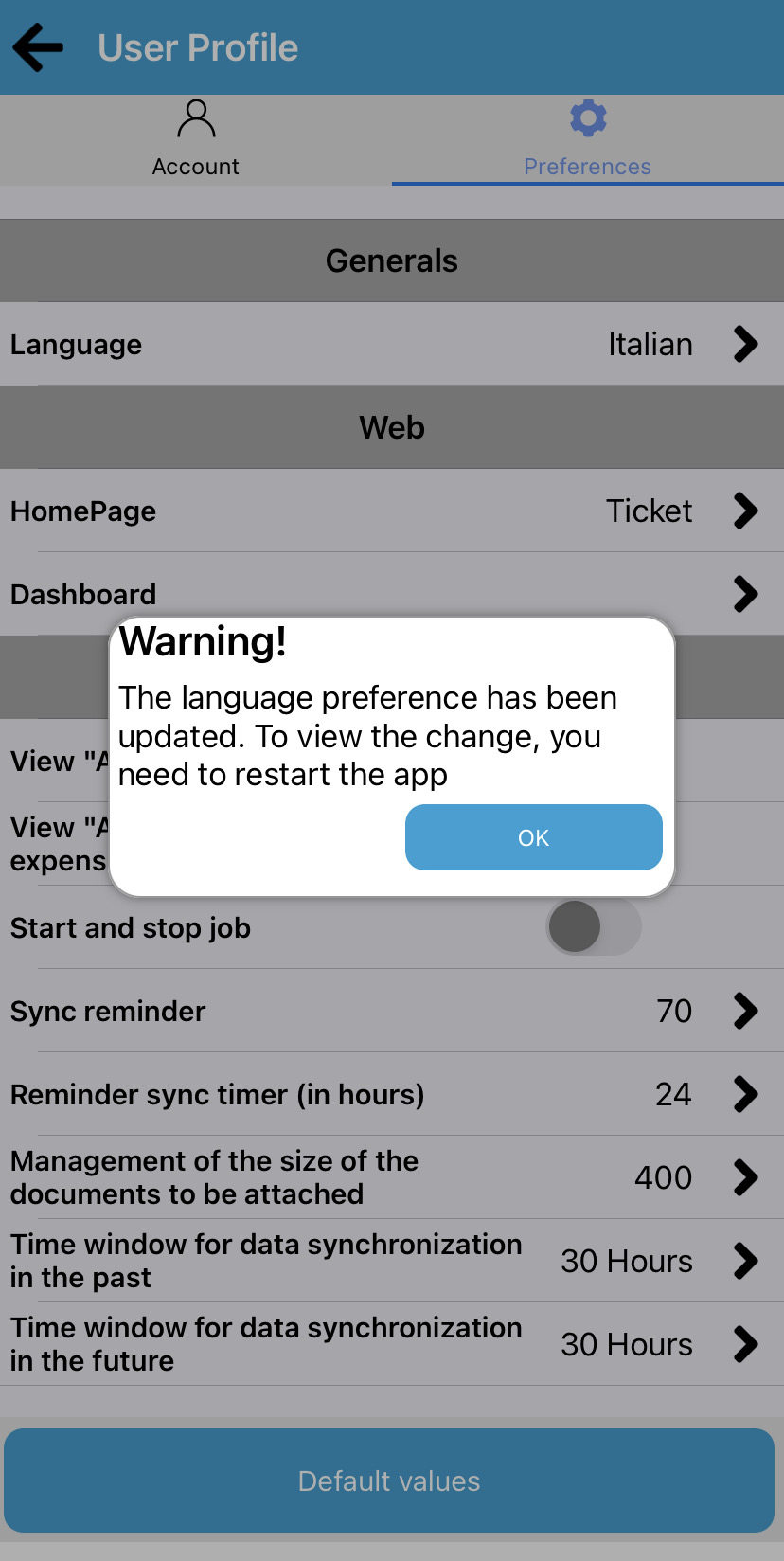
As for the web equivalent, also on the app push notifications will be received and translated according to the language chosen in the preferences of each user.
In addition, whatever language is configured by the settings of the device used, the entire application will always be translated according to the one chosen in the preferences.
Once you have changed the preferred language, simply restart the application to see and benefit from the desired translations. (fig. 4.0)

(fig. 4.0)
planner

Ticket – New fields “Closing date” and “Closed by”

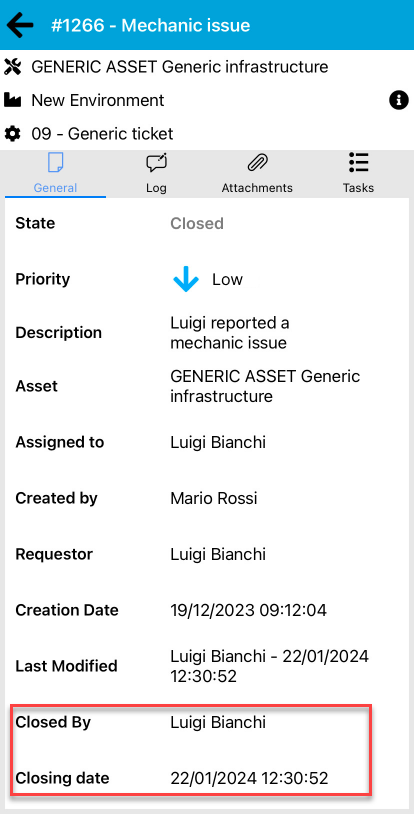
Also in the case of the new fields “Creation date” and “Created by”, the users of the application will benefit from the functionality introduced. By consulting any closed ticket, in fact, you can always see who closed it and on what date.
(fig. 5.0)

(fig. 5.0)