Here are the new features in version 1.72.0

Dashboard – new personal filters salvageable
Anyone who needs to consult graphite information must be able to do so in a “smart” way… Quickly apply different selections to search and see displayed specific data is crucial!
Among the many, also for this need with the new version there are new customizable filters that can be saved in the Dashboard module!
Starting from now, by selecting any dashboard from the homonymous module, it will be possible to manage much more effectively and efficiently the graphical information.
In the lower left area of the screen, in fact, will be inserted the section “Dashboard filters” from which, similar to what is already possible in the other modules, you can manage the filters (up to a maximum of 3).
(fig 1.0)
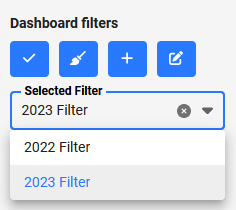
Each user can finally choose to apply their personal filters saved through the “Filter selected” and, through the usual four blue buttons, you can apply, clean, create and modify/update all the selections you want.

Asset – New fields “Created by” and “Creation date”
Do I need to know when an asset was actually created and recorded? Maybe it would also be useful to know the user who created that specific asset?
With the new update you can do it!
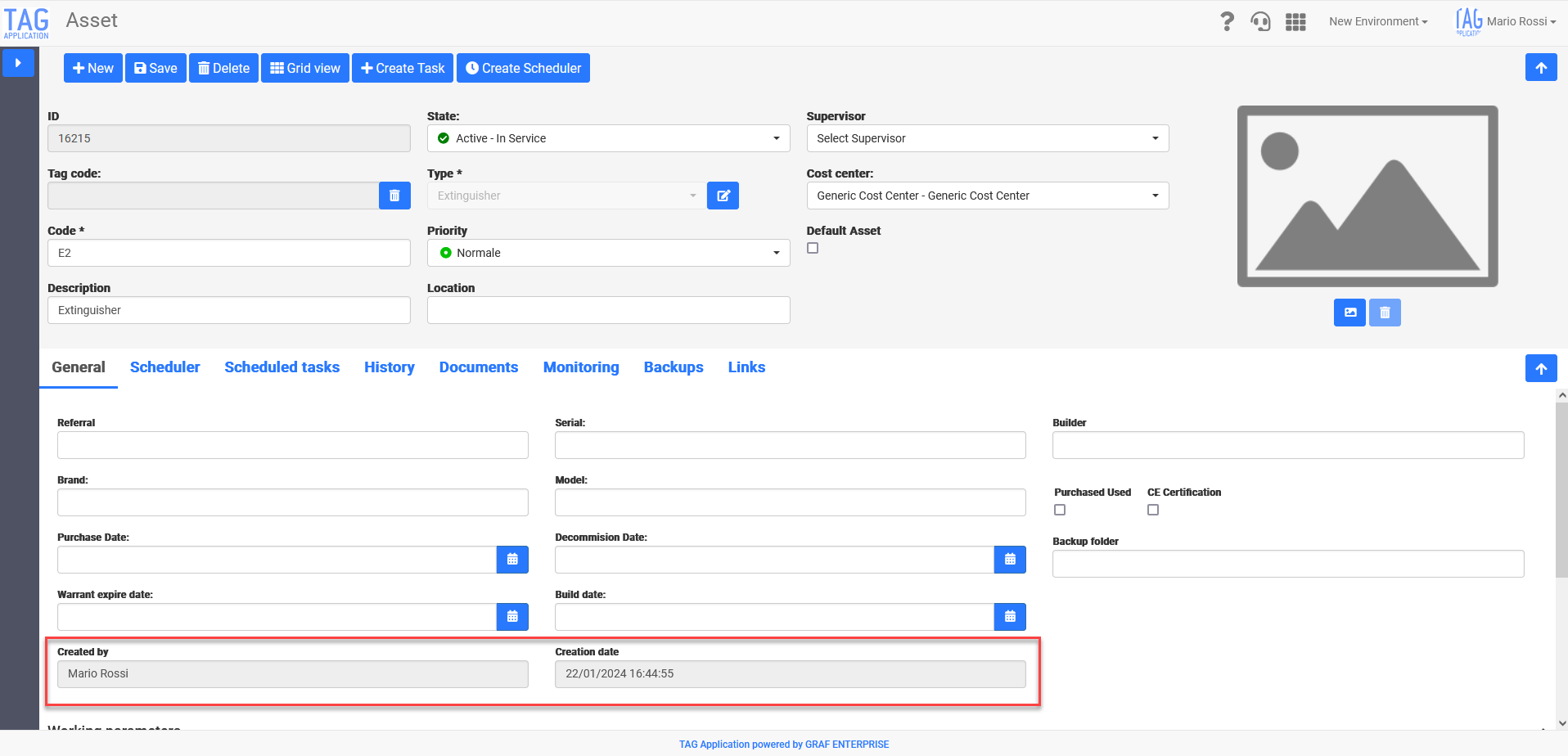
By going to the specific asset for which you want to know the date of creation and creator, in fact, from now there will be two fields (obviously readable but not editable) correctly filled with information about it.
(fig 2.0)
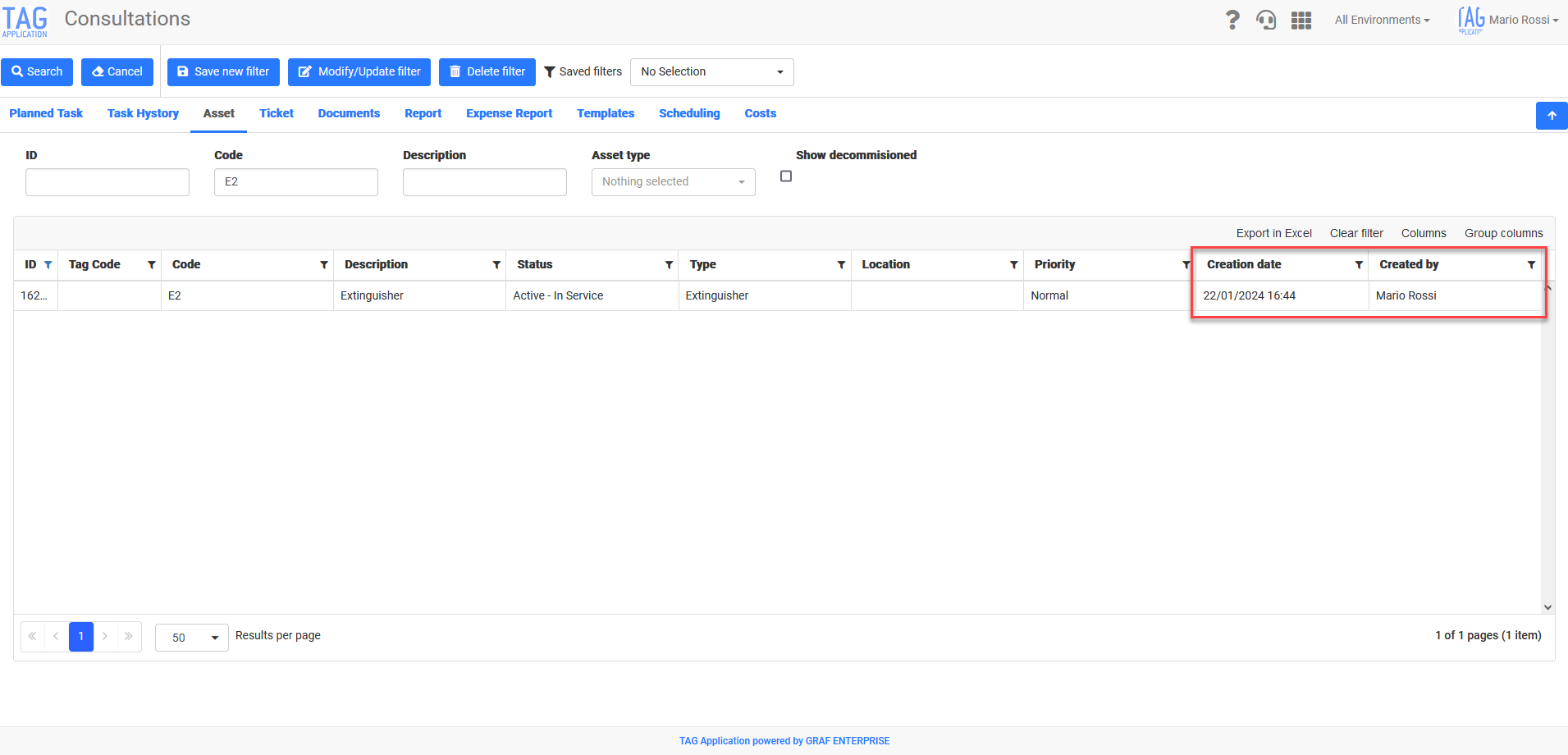
This data, being an integral part of the asset’s data, will always be available, and possibly extractable, also in the various grid views of the system (always from the Asset module or from the Consultations). (fig 2.1)
Asset – New fields “Created by” and “Creation date”
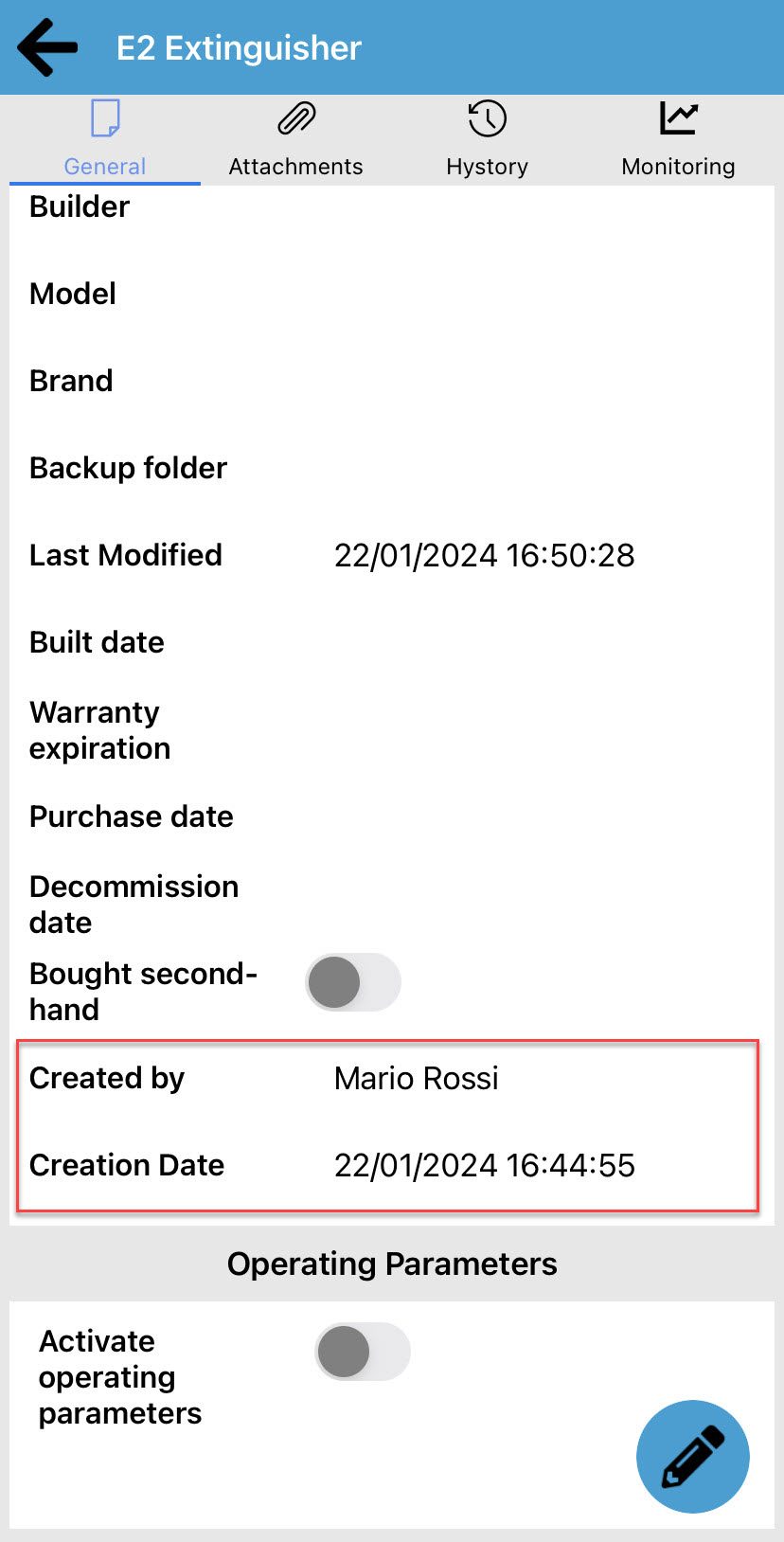
As for the web equivalent, the fields “Created by” and “Creation date” will be visible on the application, within the Asset module’s personal data specifications.
(fig. 3.0)