Here’s what’s new in version 2.21.0.
Would you like to learn more about TAG Application and get additional information?

Documents – New Multi-Upload Mode
How convenient is it to upload documents in TAG Application©?
Assets, tasks, tickets… everywhere you can attach handy documents that are always accessible, shareable and complete with all the necessary information.
This centralization of information has always been one of the software’s strengths… but who said a strong point can’t be improved even further?
Certainly not anyone from the TAG Application© team!
With the upcoming release, attaching files becomes even faster thanks to the new multi-upload mode!
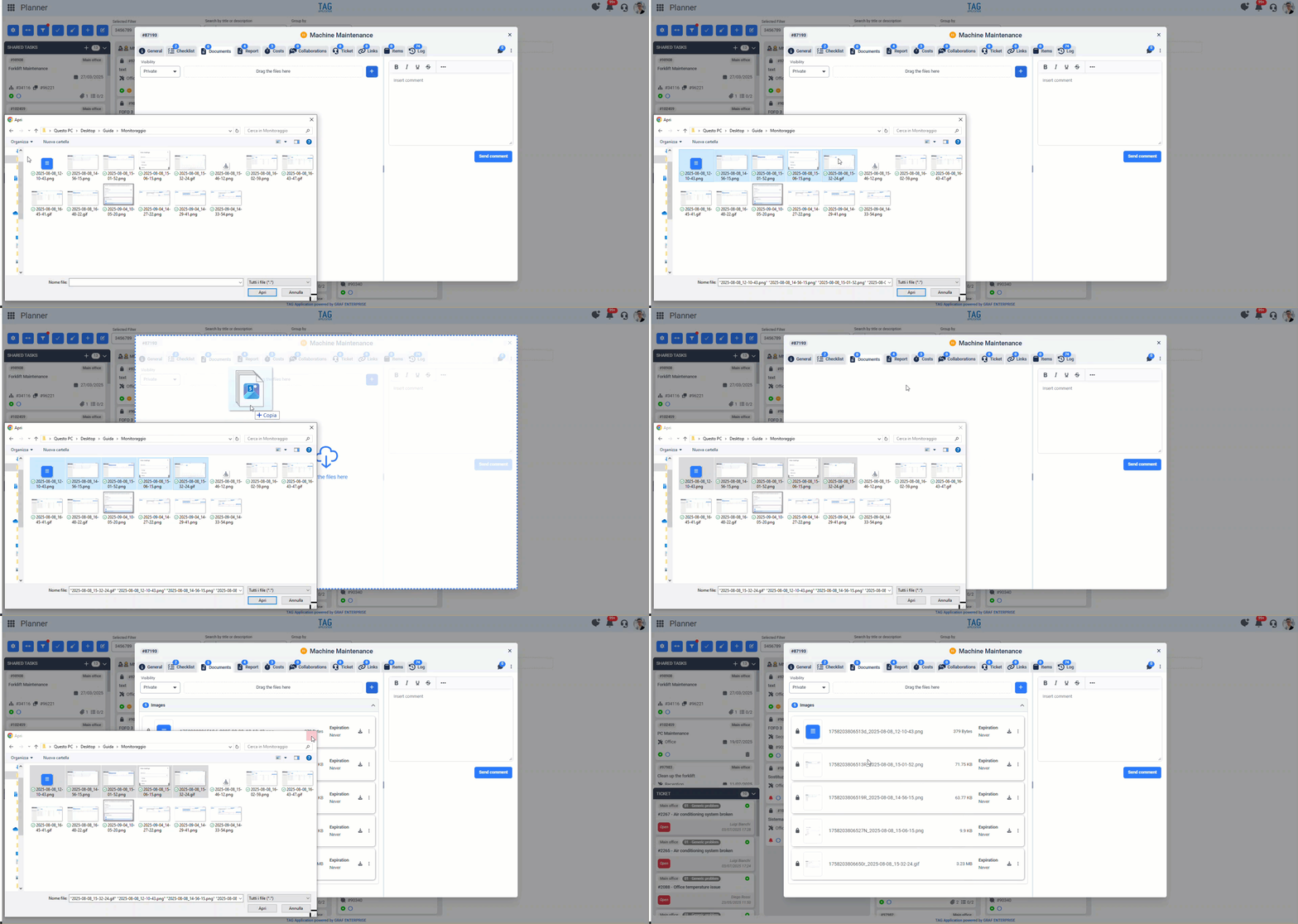
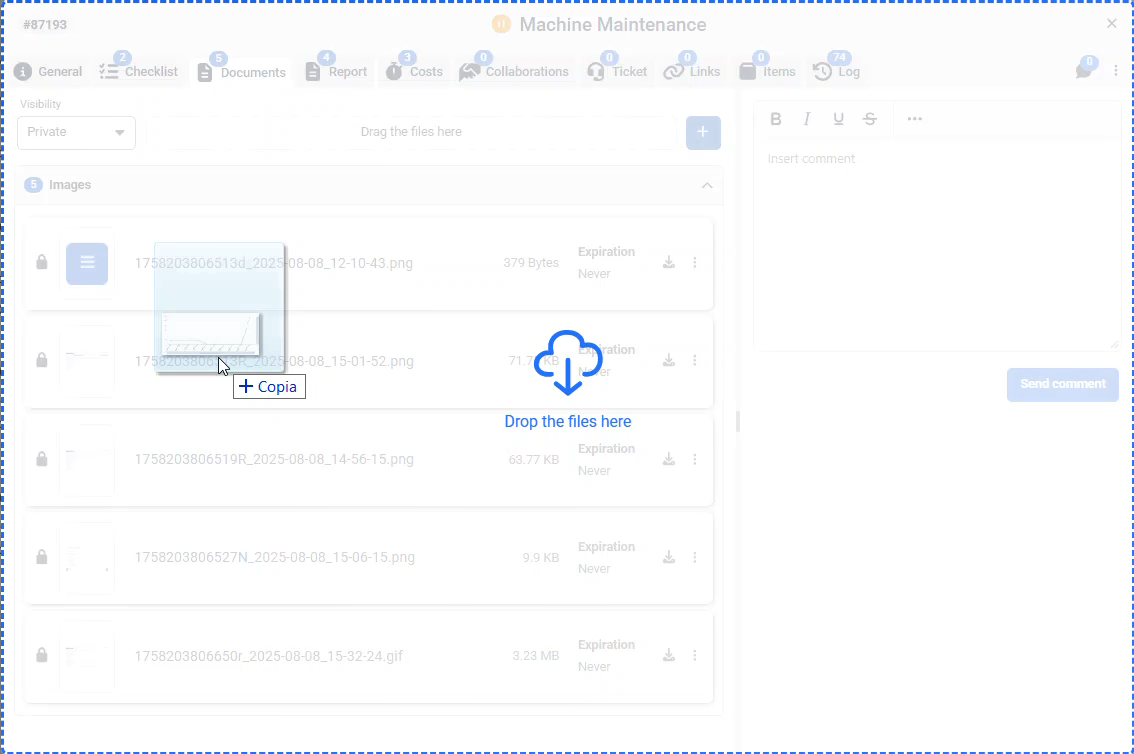
From now on, simply go to the document section of the entity where you want to upload files, make a multi-selection of documents from your PC, and drag & drop them into the dedicated area.
This way, documents will upload instantly, all together, without any extra steps… an easy, fast, and functional action: in true TAG style!
(fig 1.0)
Documents – Extended Upload Area
More documents? Yes indeed, another enhancement is coming with this release.
To further improve the user experience, the upload area has been extended. This means that instead of having only a small, limited space, users can now drag and drop documents anywhere within the entire section, speeding up and simplifying this process even further.
(fig 2.0)
Imports – Bulk Upload of Business Partners
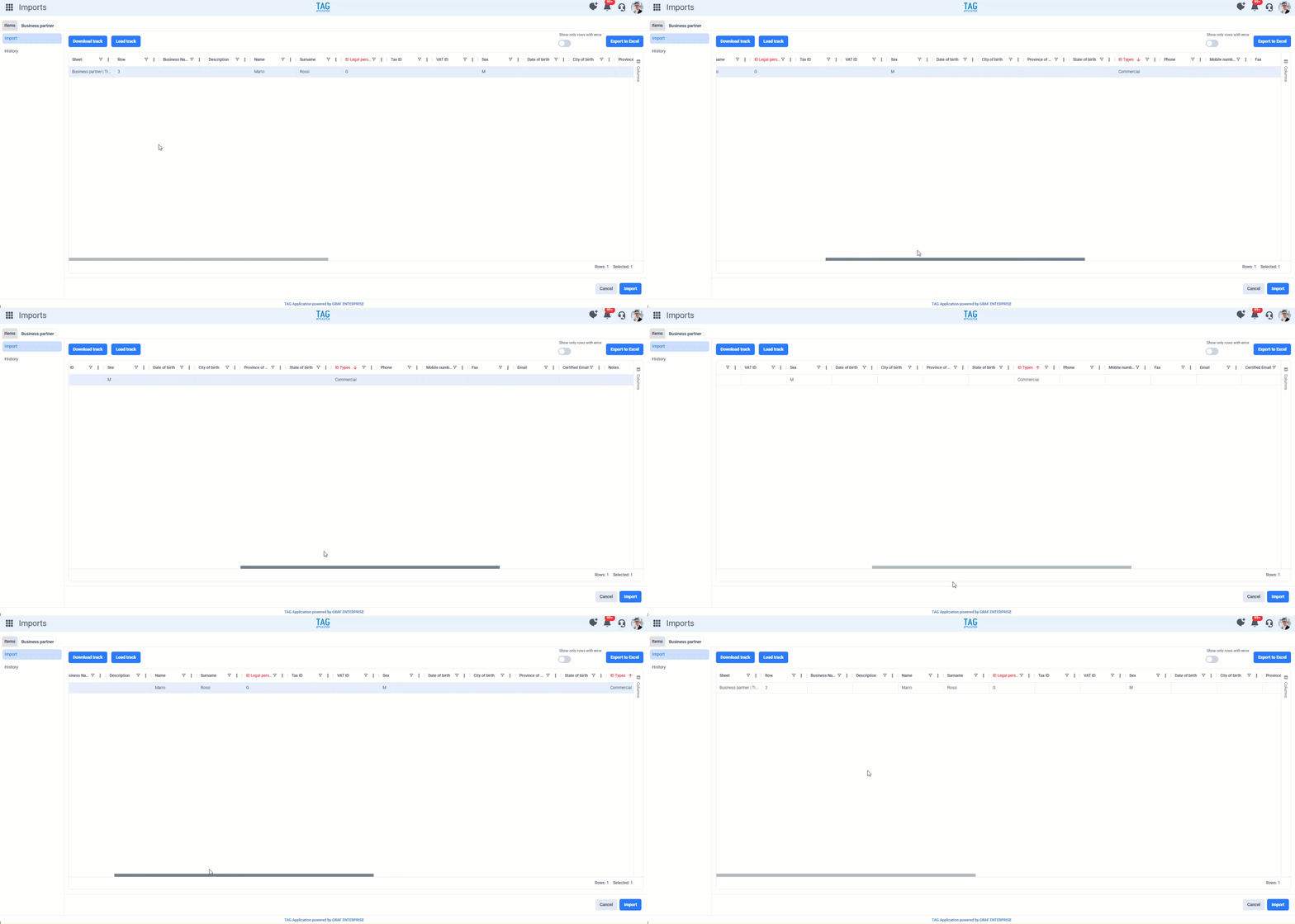
With the introduction of business partners in previous versions, it is now possible to bulk upload them through the Imports module.
Inside this module, you will find the new “Business Partner” section, where you can download an Excel template, fill it out, and upload it back to perform a bulk upload into the system.
This new section, similar to the one already available for items, greatly speeds up the entry of master data that would otherwise take much more time, providing users with a convenient guided interface and other useful features such as the import history.
(fig 3.0)

Tasks – New Asset Field on Tiles
Enriching the system with valuable information is always important.
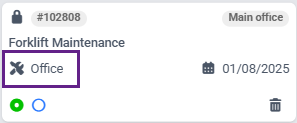
With this new version, all task tiles will now include the asset field. This allows users to instantly see which infrastructure the tasks are scheduled on or completed for, without opening the details.
An apparently small improvement, but one that provides great usefulness.
(fig 4.0)