Here are the new features in version 2.13.0
Web Updates [v. 2.13.0]

The ability to propagate and inherit data already entered in the system means saving time, resources, and related stress.
For this reason, with the upcoming version, it will be possible to transfer specific data from one task to another linked task with just a few clicks.
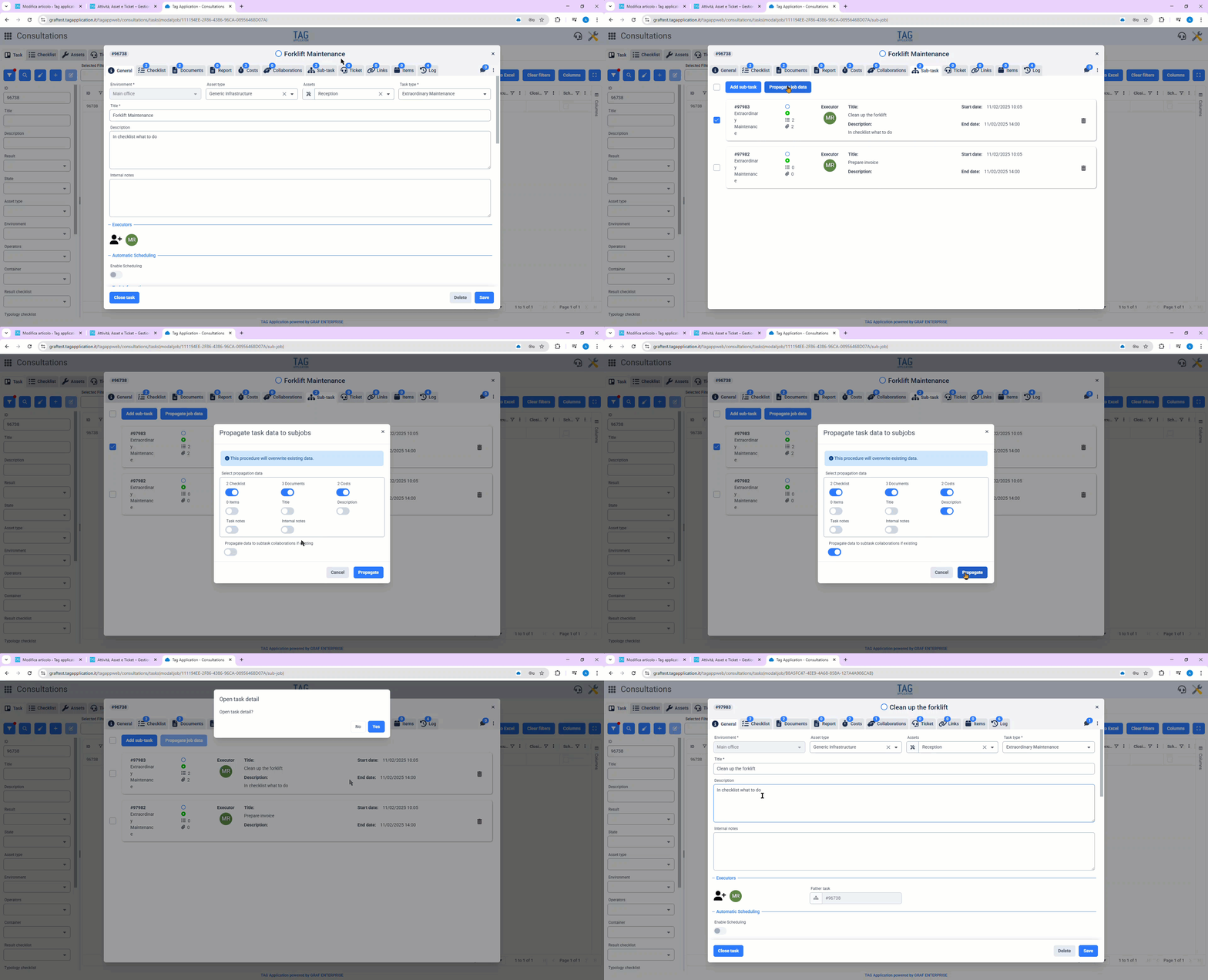
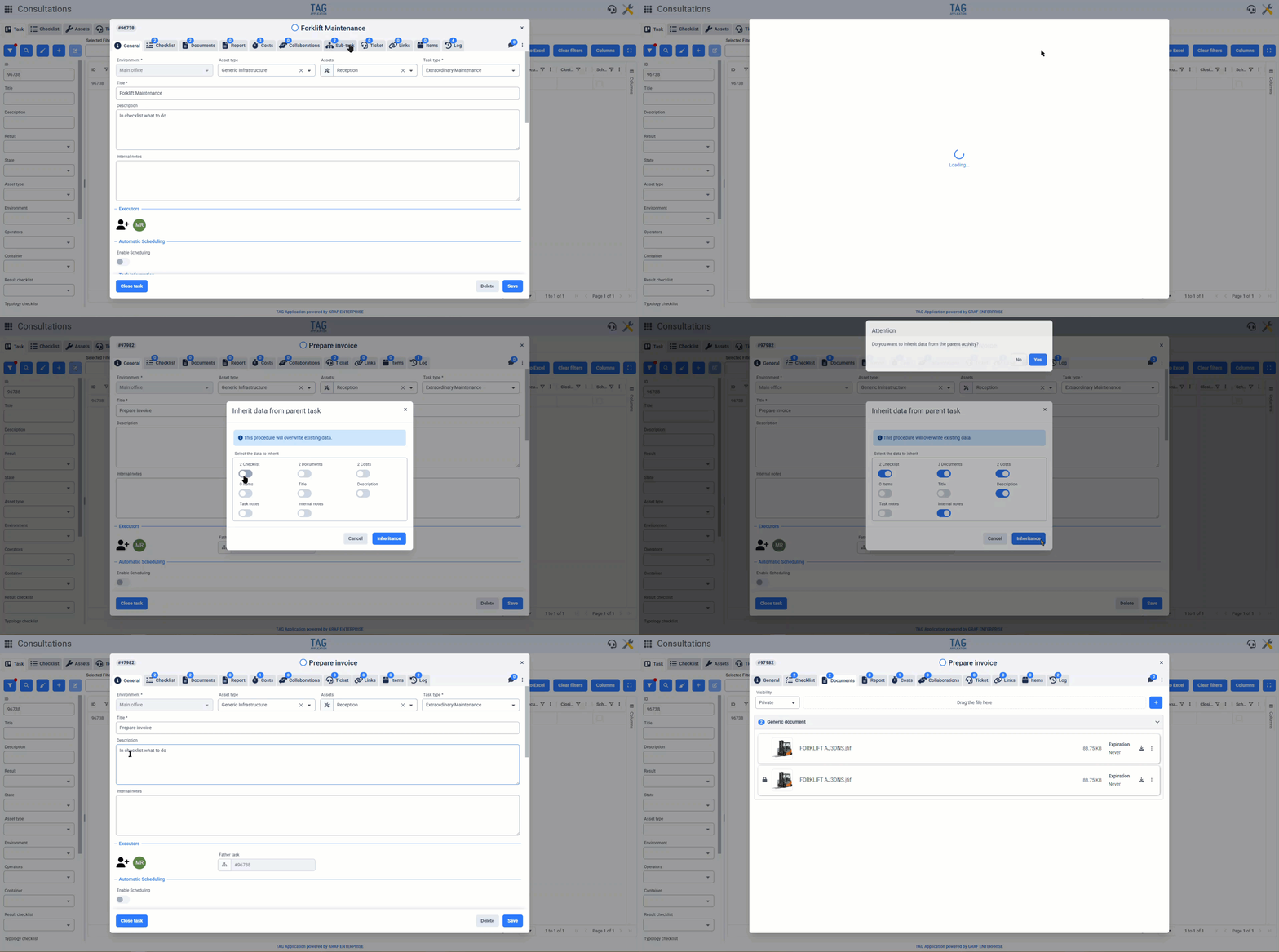
Specifically, by consulting any task that has collaborations and/or sub-tasks, going to the “Collaborations” and “Sub-tasks” sections, it will now be possible not only to view the list of linked tasks and add new ones, but also select those tasks to propagate data from the parent task.
Conversely, from any collaboration or sub-task, it is possible to inherit data from the parent task via the “Inherit data” option available in the contextual menu.
When choosing to propagate or inherit data, a menu will always appear with several selectors where you can choose which data to propagate or inherit. These actions, as clearly indicated by the system, will overwrite the existing data with the parent task’s data; greatly speeding up the task of filling out tasks, even in bulk.

How much time do we spend every day searching for useful data to perform our work correctly? Well, usually quite a lot…
But how can we do it? How can we save precious minutes and hours?
The answer is TAG Application! …Which in this version gets even more powerful, allowing you to retrieve all information linked to any entity directly from a convenient dedicated section.
Through the expansion of the sections dedicated to links, it is now possible to link entities without constraints, ensuring unprecedented traceability!
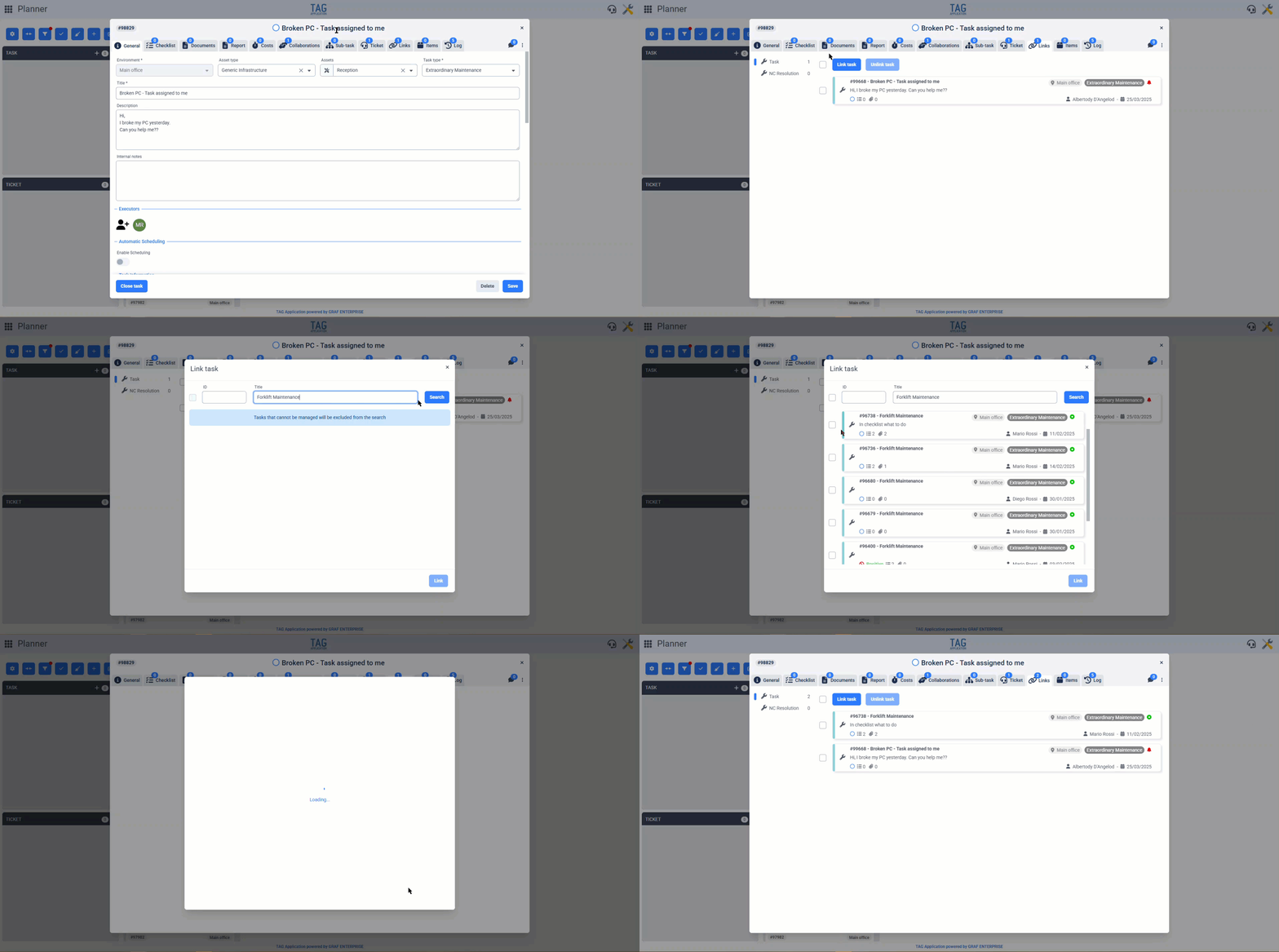
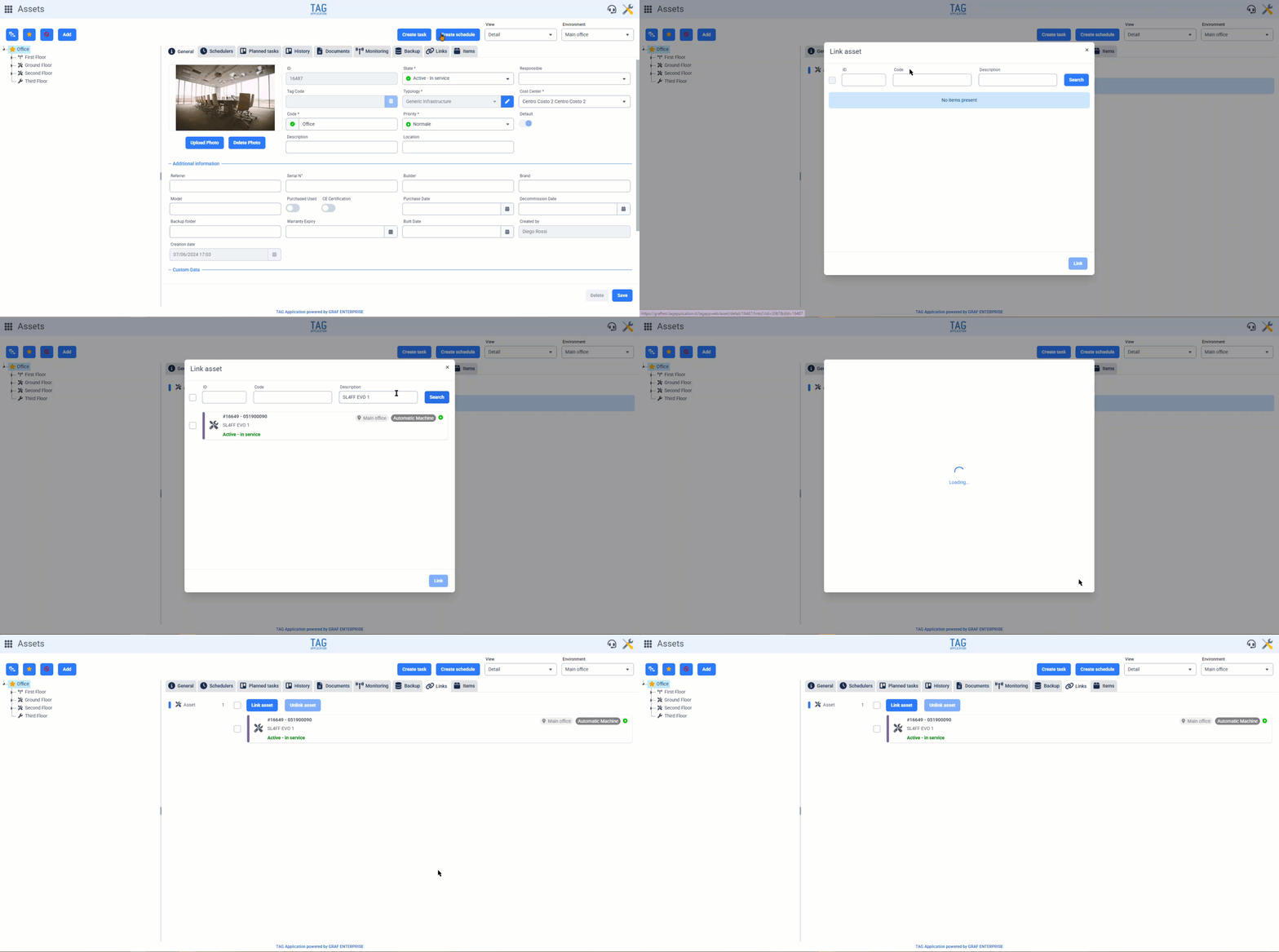
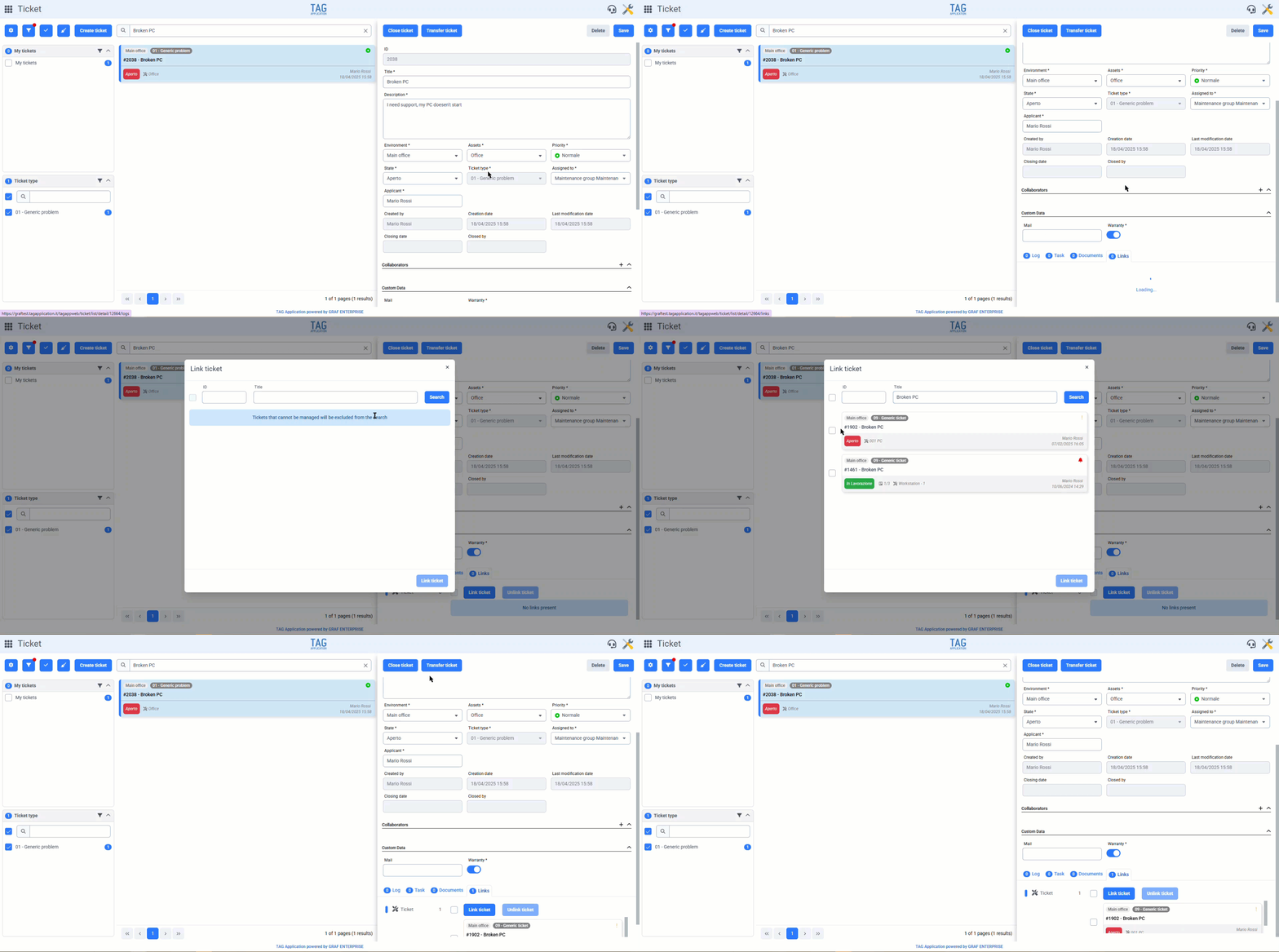
For tasks, assets, and tickets, the links section will now include the “Link” and “Unlink” buttons, useful for managing different associations.
Specifically, in this first phase, you will be able to link: tasks to tasks, assets to assets, and tickets to tickets. In this way, linked entities will have strong and always accessible connections, essential for centralizing information, avoiding data loss, and saving valuable time.
In no time, it will be possible to link and unlink entities even from different environments, searchable via convenient filters and manageable in bulk through appropriate selectors.

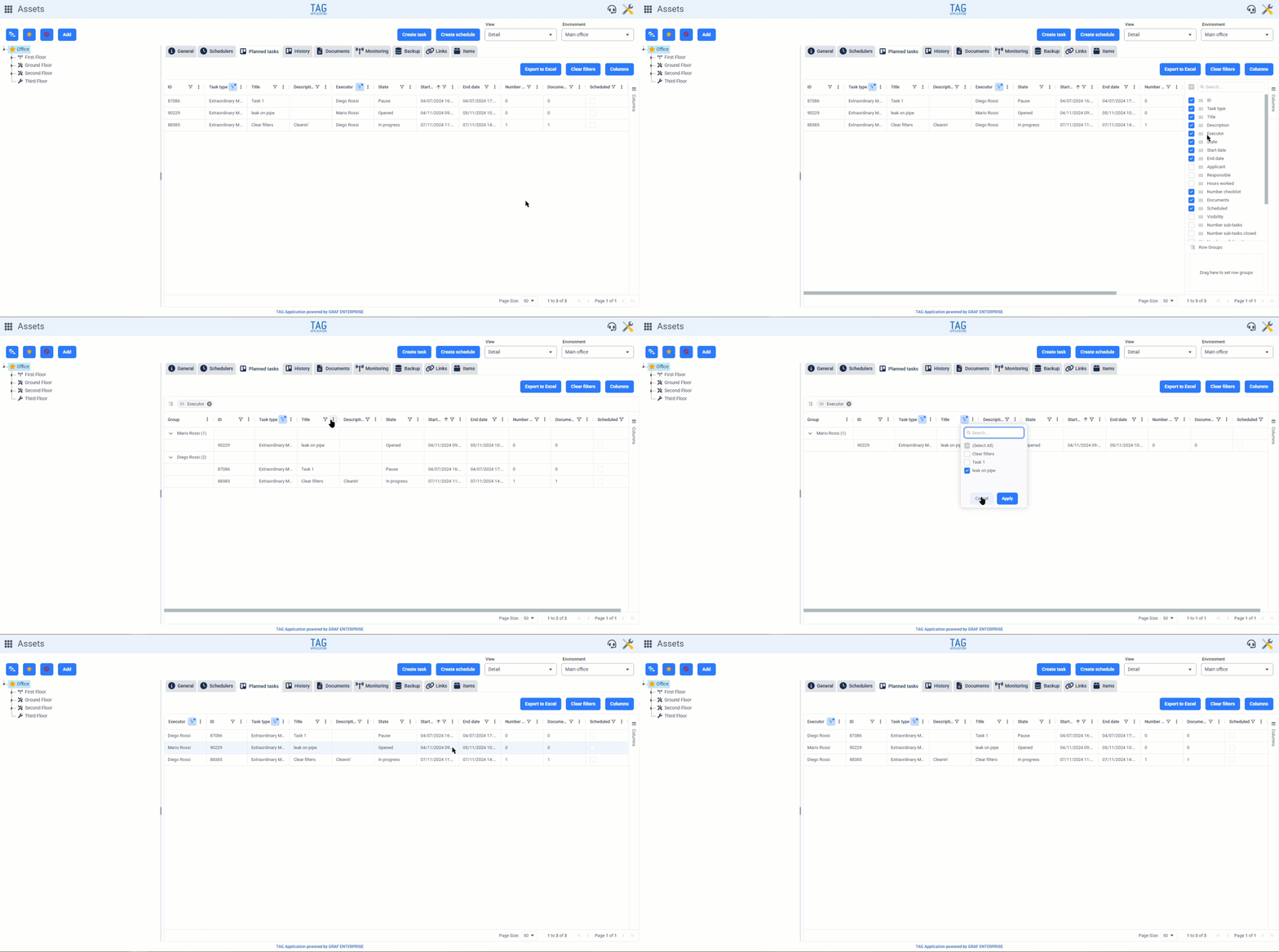
After the release for the Consultation, Articles, and Calendar modules, AG-Grid is now available for the Asset module’s tabular views!
The new library, in addition to providing users with faster and more responsive table views, will also see the classic grids changing design; with some functions placed differently compared to previous versions, positioned to guarantee an enhanced user experience in a more comfortable and intuitive interface.
Specifically, after obtaining search results in tabular form, you can filter through the classic funnel located in the column header. Additionally, several functions can be used from the contextual menu next to the funnel. From here, you can:
– Pin the selected column to the left or right of the table;Finally, it is now possible to group by column using the side drop-down menu in the table “Columns” and drag the columns you wish to group into the “Row Groupings” section.
The column reordering remains almost identical to previous versions, with the added benefit that it is now possible to perform reordering directly from the “Columns” dropdown and that dragging a column header over the table will hide the selected column.