Here are the news in version 2.3.0
Would you like to find out more about TAG Application and have more information?

Monitoring – New notifications on delta for counter variables
Immediately understanding if there is a problem on your business infrastructure is the first remedy to avoid machine downtime, ensure security and maximize profits.
That’s why TAG Application now has a new feature, which allows you to receive notifications in real time in case of failures or losses.
This functionality refers to variables, specifically those of type “Counter“.
These variables, once created from the appropriate section of the settings, can be configured specific notifications on both variation and delta.
(fig 1.0)
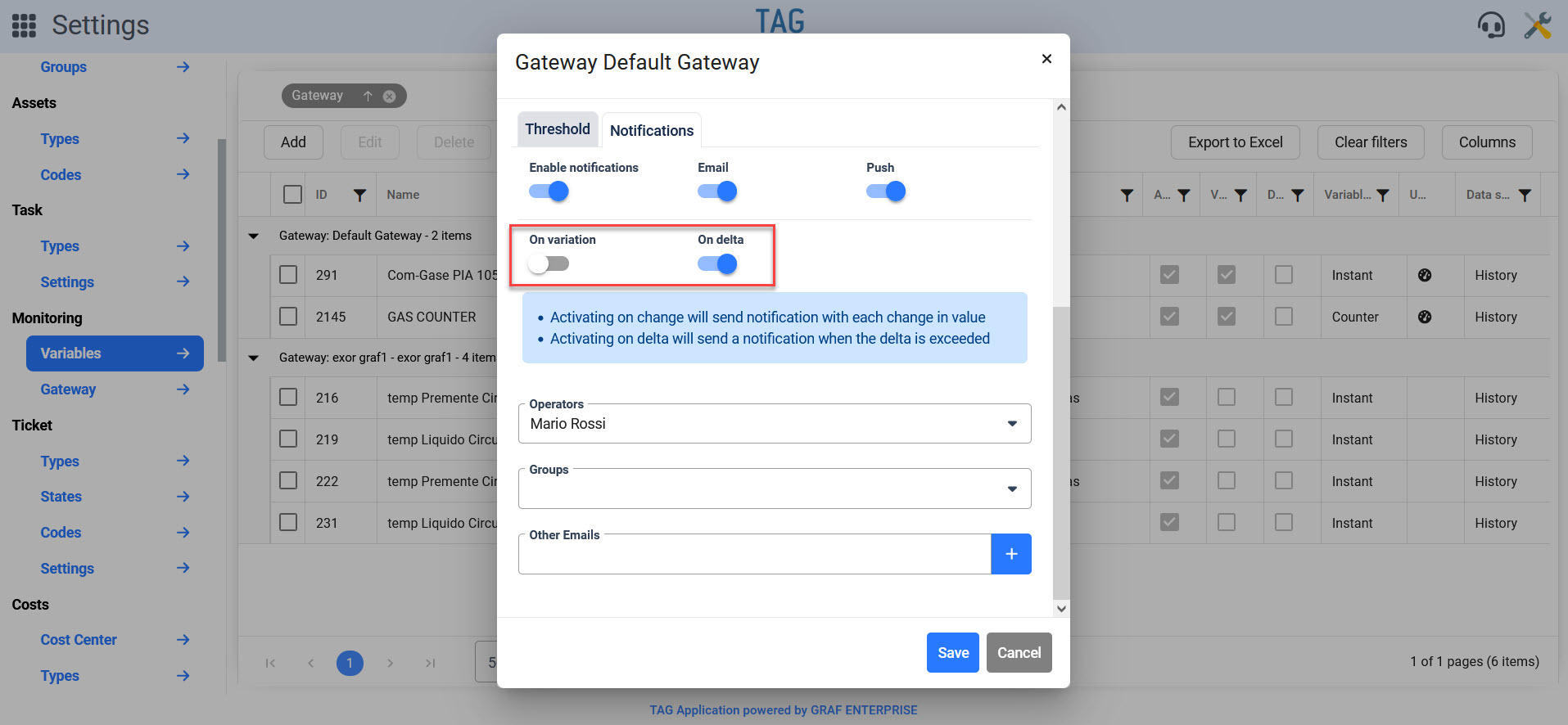
Before this version it was possible to configure the notifications on delta values only for variables of type “Instant”, now it will be possible also for those “Counter”.
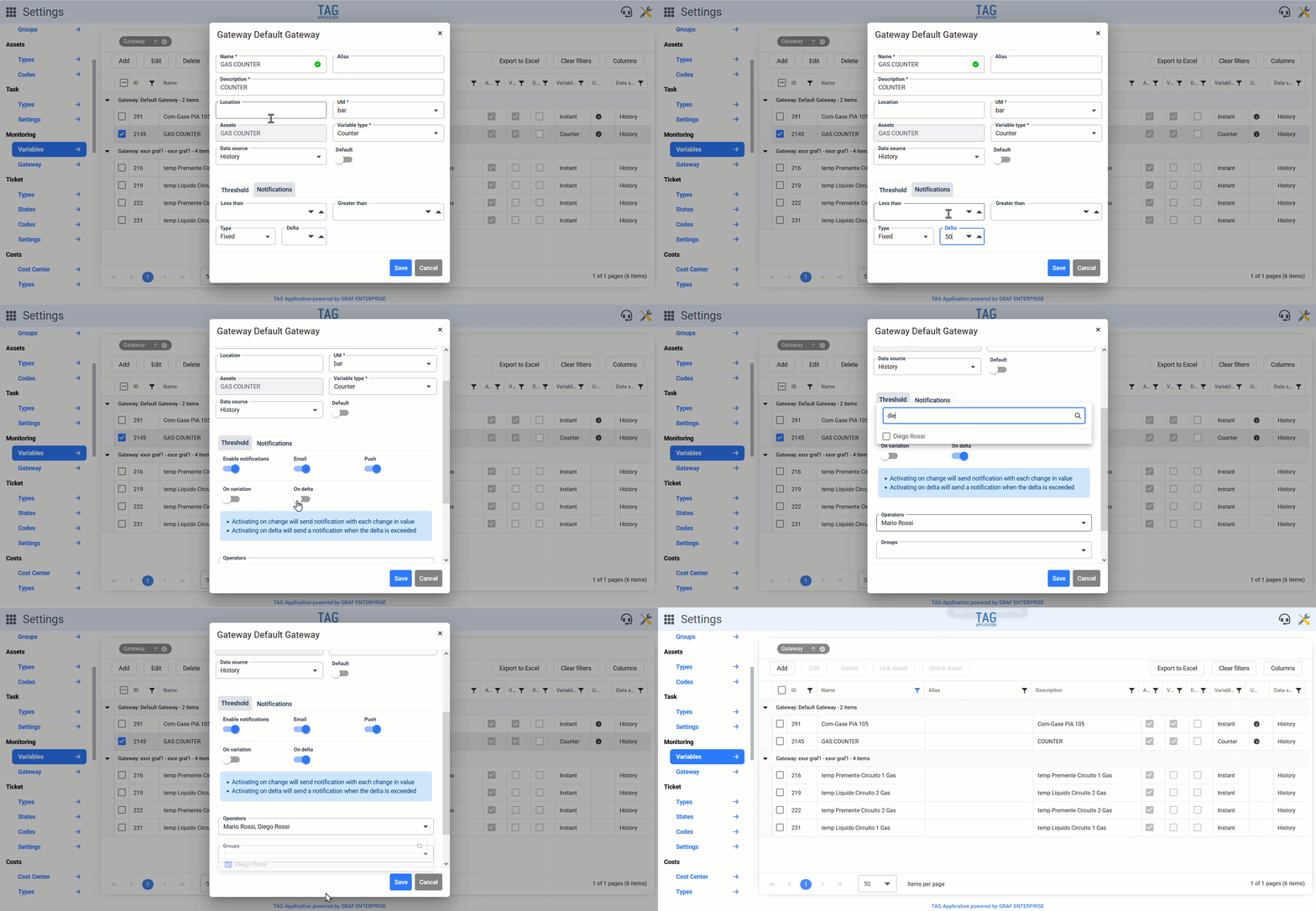
Now it will be easy to access the detail of any variable, set a value for the field “Delta” in the threshold section and choose which notifications to send, and of course to whom, from the notifications section.
Activate the notifications and set a “Delta”, each time in the variable will be inserted a value that overrides the previous at least of the delta, the recipients will receive a live communication.
This new feature becomes so essential to monitor the counters: allowing to detect any leaks and failures, receive live notifications and intervene promptly
(fig 1.1)

Calendar – New design for tasks in the plan
To manage tasks better, having the clearest and most intuitive interface possible is essential.
Understanding immediately what an activity refers to and in which state it is should be a simple, fast, almost automatic action.
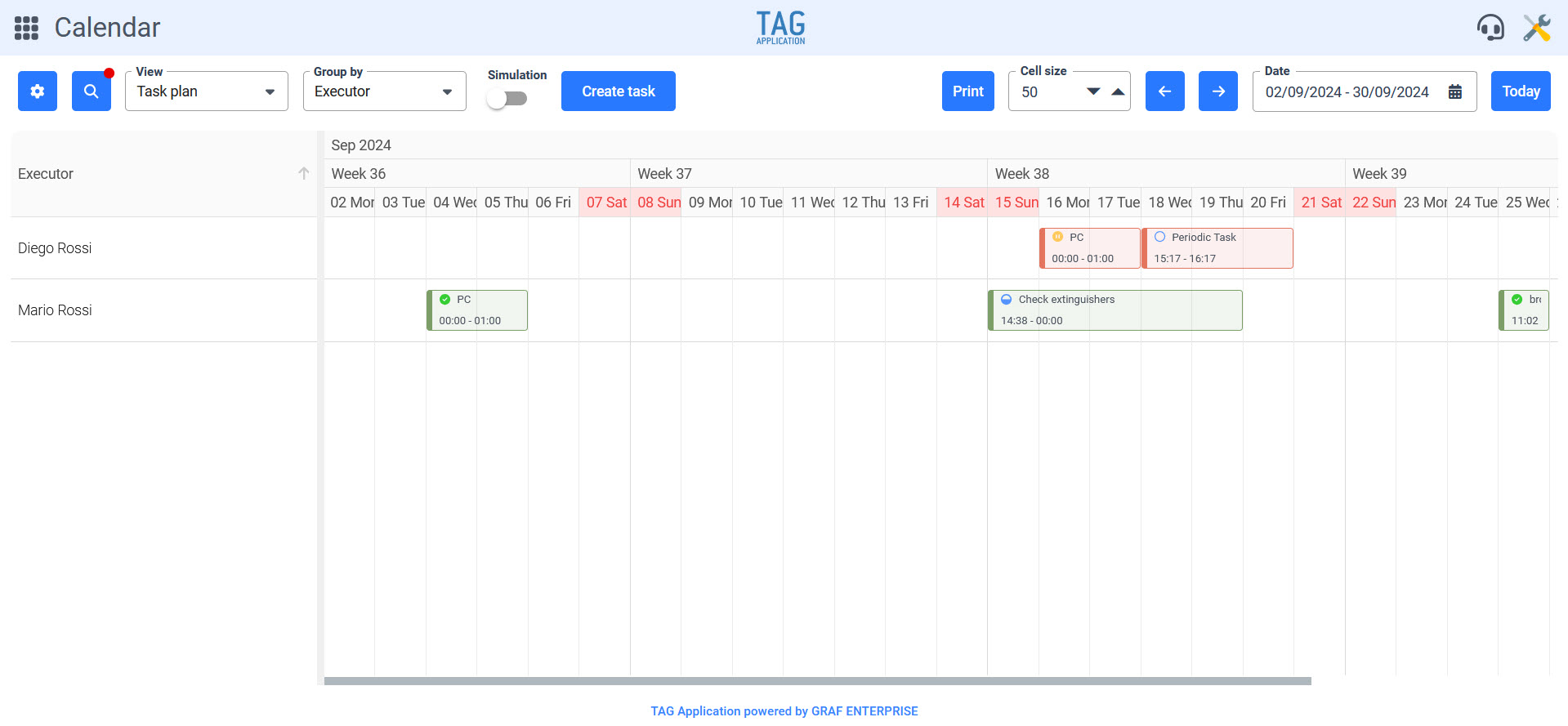
For this in the activity plan the design of the tiles related to interventions will be revisited, especially in graphic terms:
First the background color of the tiles will become lighter, allowing greater readability by the user.
Then, again for clarity, the initial edge of each task will be highlighted in a darker shade.
Finally, last but not least, within the tiles will be shown the icon representing the status of the activity, exactly as reported in the details of the same.
This revision from the graphic point of view will allow the user to identify in an instant the activities that he is managing and the state in which they are, avoiding losses of time and greatly increasing operational efficiency.
(fig 2.0)
Calendar – New grouping for scheduling in the task plan
To increase the versatility of the system and enhance the display modes even more, a new grouping for the calendar activity plan view is coming with the new version.
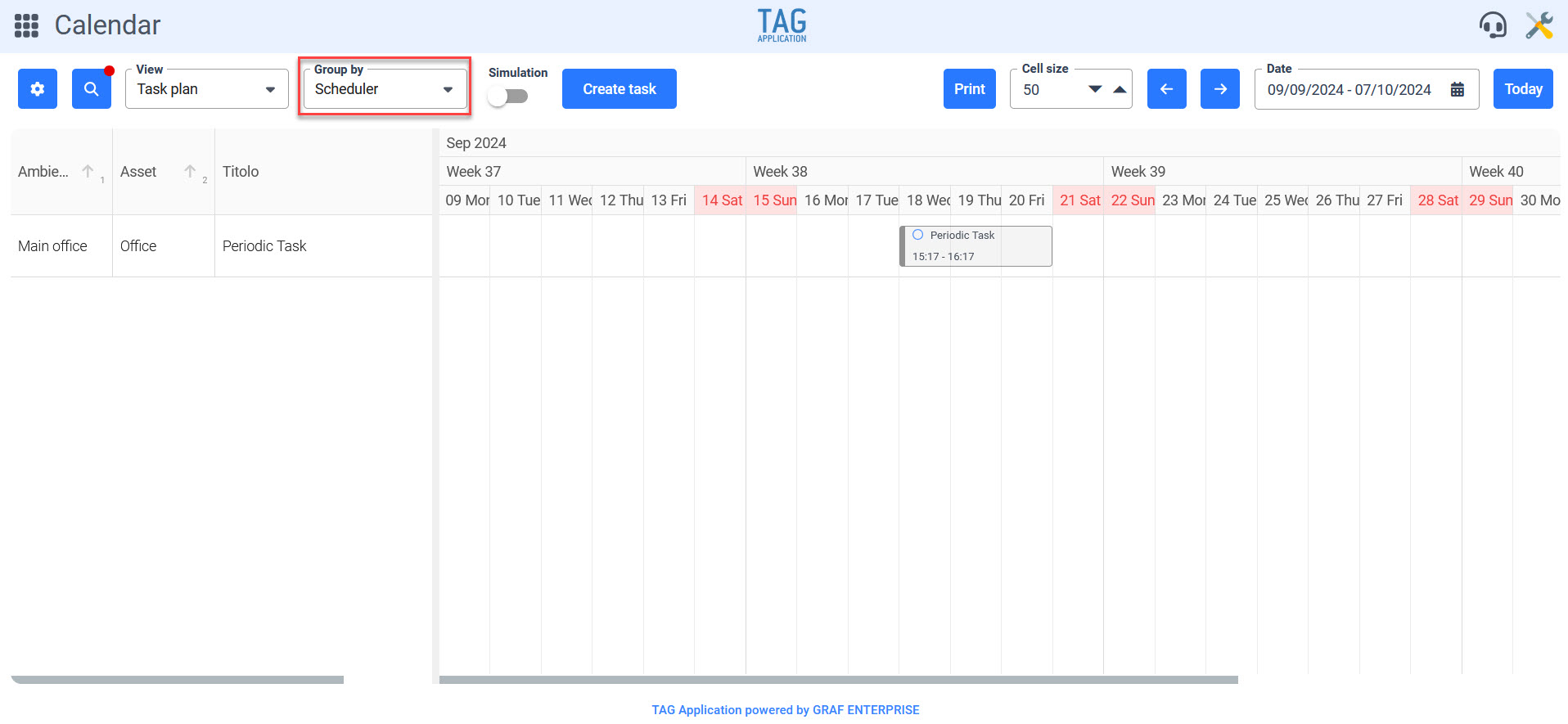
This grouping will be for “Scheduling” and will therefore allow you to divide the tasks according to the schedule that generated them.
Once the grouping is set, the various rows will be shown with the schedules, while the respective columns will show the activities.
In this way, the manager of the activities can decide to have a display that shows on the same line all the periodic interventions related to a specific schedule, even those already closed through the appropriate configuration in the filters, The future ones through simulation mode.
(fig 3.0)
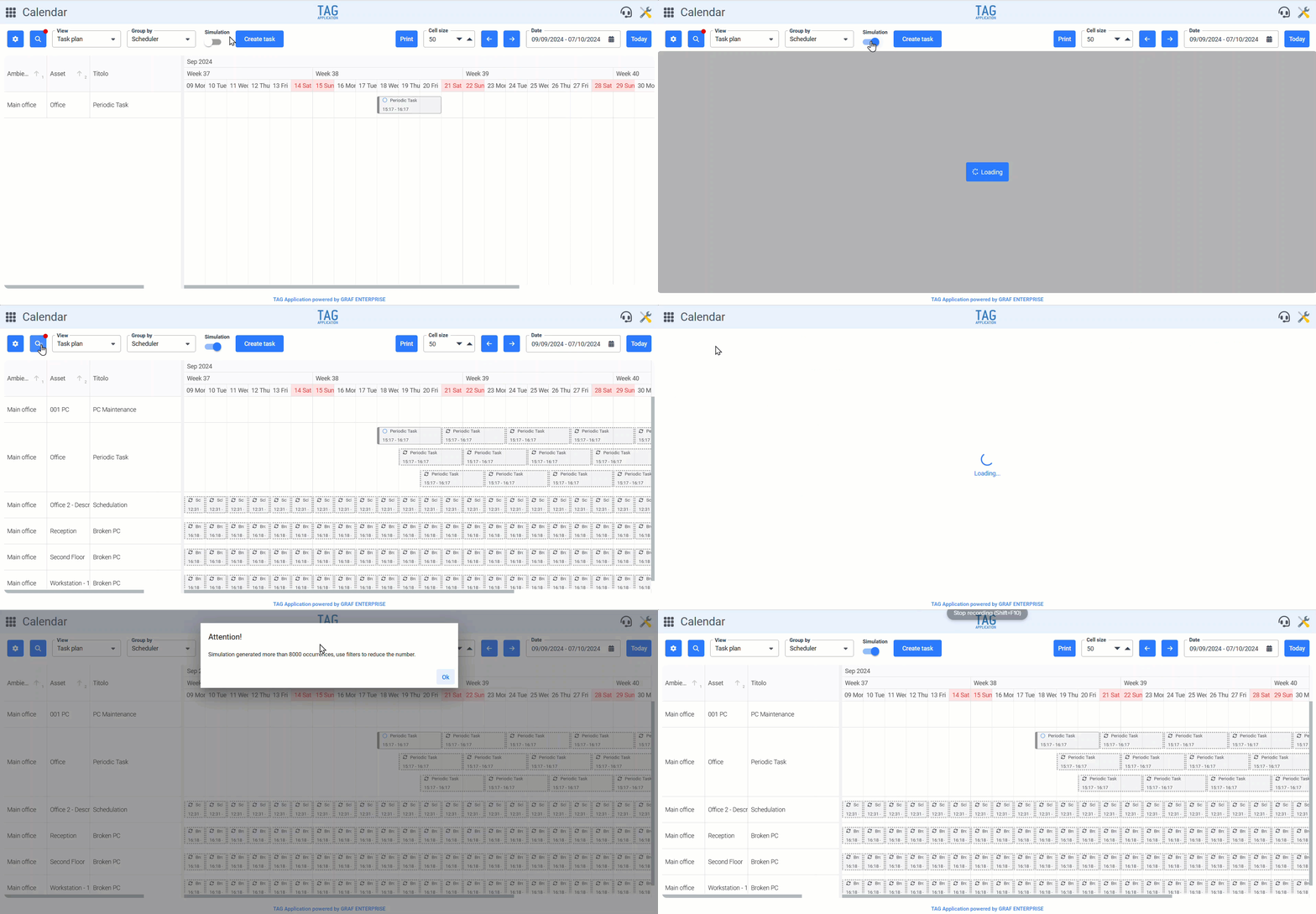
Calendar – Simulation optimization in the task plan
Seeing into the future is a skill we all wish we had… working, speaking would help us to better manage all activities, allowing us to organize the maximum both the company resources and the workloads of each operator.
For this reason, the activity plan view of the calendar allows you to simulate future occurrences and give us an overview of what needs to be done, when and by whom.
With this new version the simulation mode will be significantly enhanced especially in terms of performance*.
*For the sake of speed and fluidity, the only detail to be specified is that the simulation does not allow loading more than 8000 tasks onto the plane.
If too many activities are loaded, which could affect the performance and compromise the user’s experience, the system will warn the user, suggesting to apply a filter to obtain an optimal result.
(fig 4.0)

Documents – Introduction of the preview
Understanding in a moment whether an information could be useful or not is essential: for example, opening dozens of documents and then finding that among them there is not what we are interested in is a useless waste of time, It is frustrating and negatively impacts the morale of workers.
This example is useful for introducing an important new feature coming with this release: the document preview.
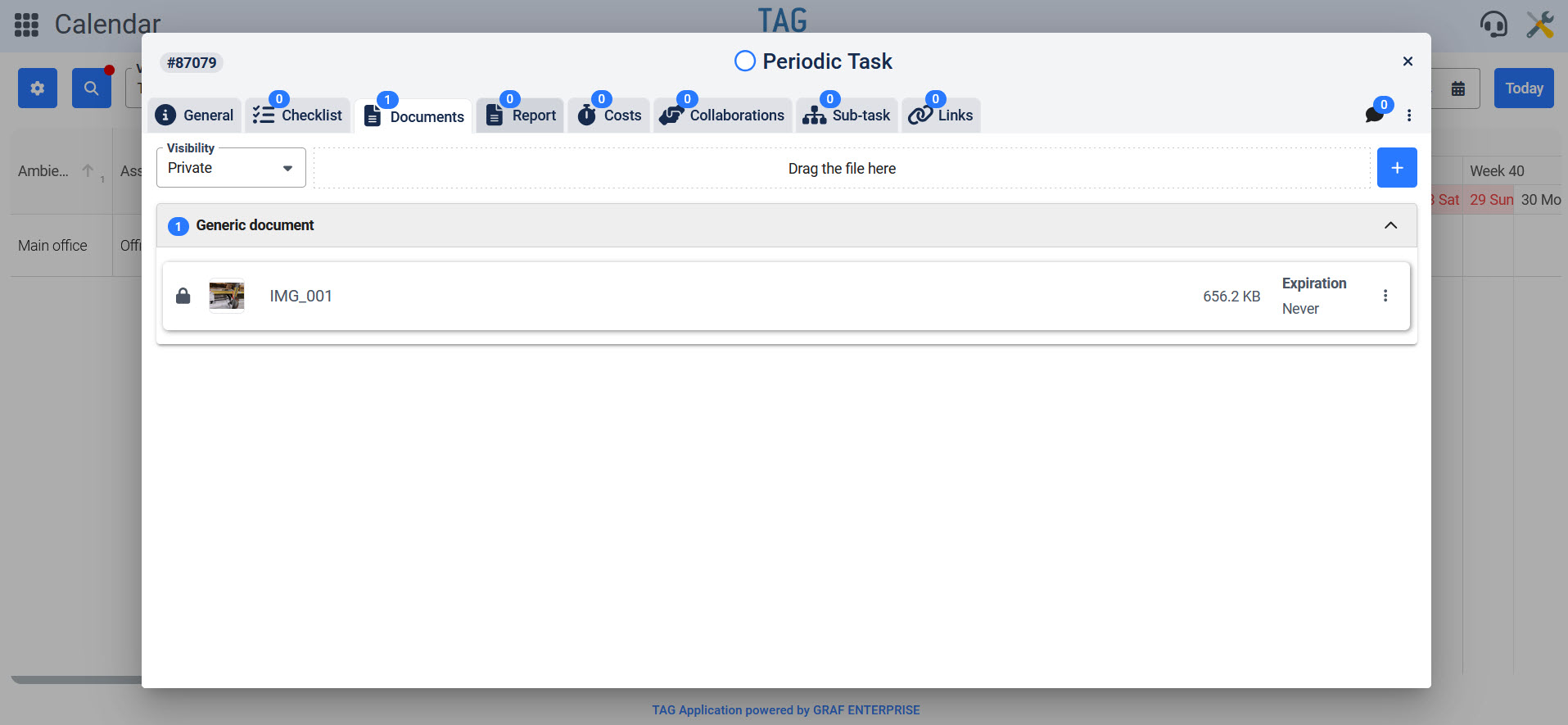
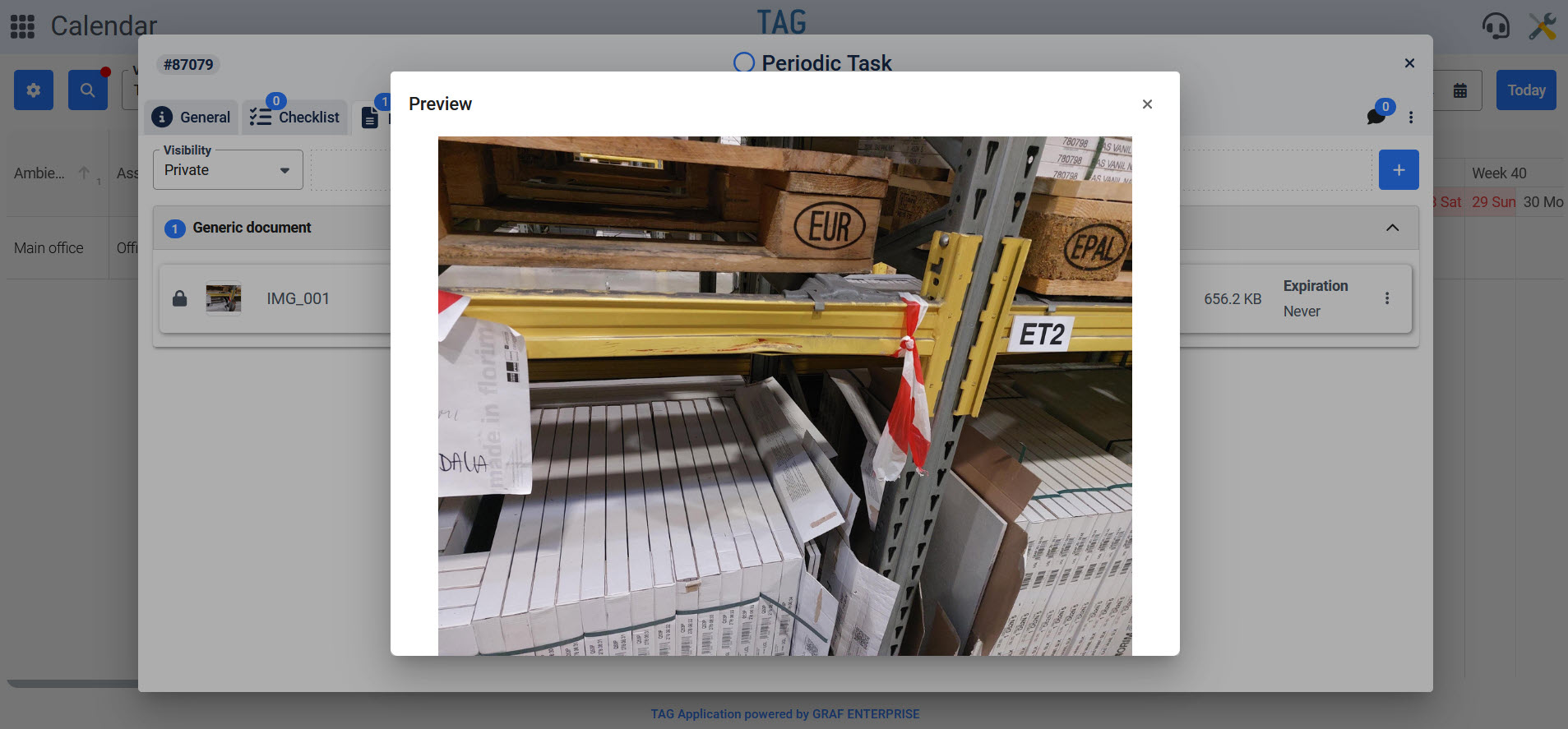
Now, in fact, any document of type image is loaded into the system will have a preview, viewable in small by external tile and quickly consulted in a comfortable and larger preview by simply clicking on the thumbnail.
In this way the image documents no longer have to be downloaded to view their content: to understand if it is the photo that interests us will just click on the thumbnail, have a preview and possibly download without any loss of time.
(fig 5.0 – 5.1)