Here are the news in version 1.89
Would you like to find out more about TAG Application and have more information?
Web Updates [v. 1.89.0]
Would you like to find out more about TAG Application and have more information?

Developing features that can improve users’ lives is among our daily goals, enhancing its details by perfecting all points of view is at least as important.
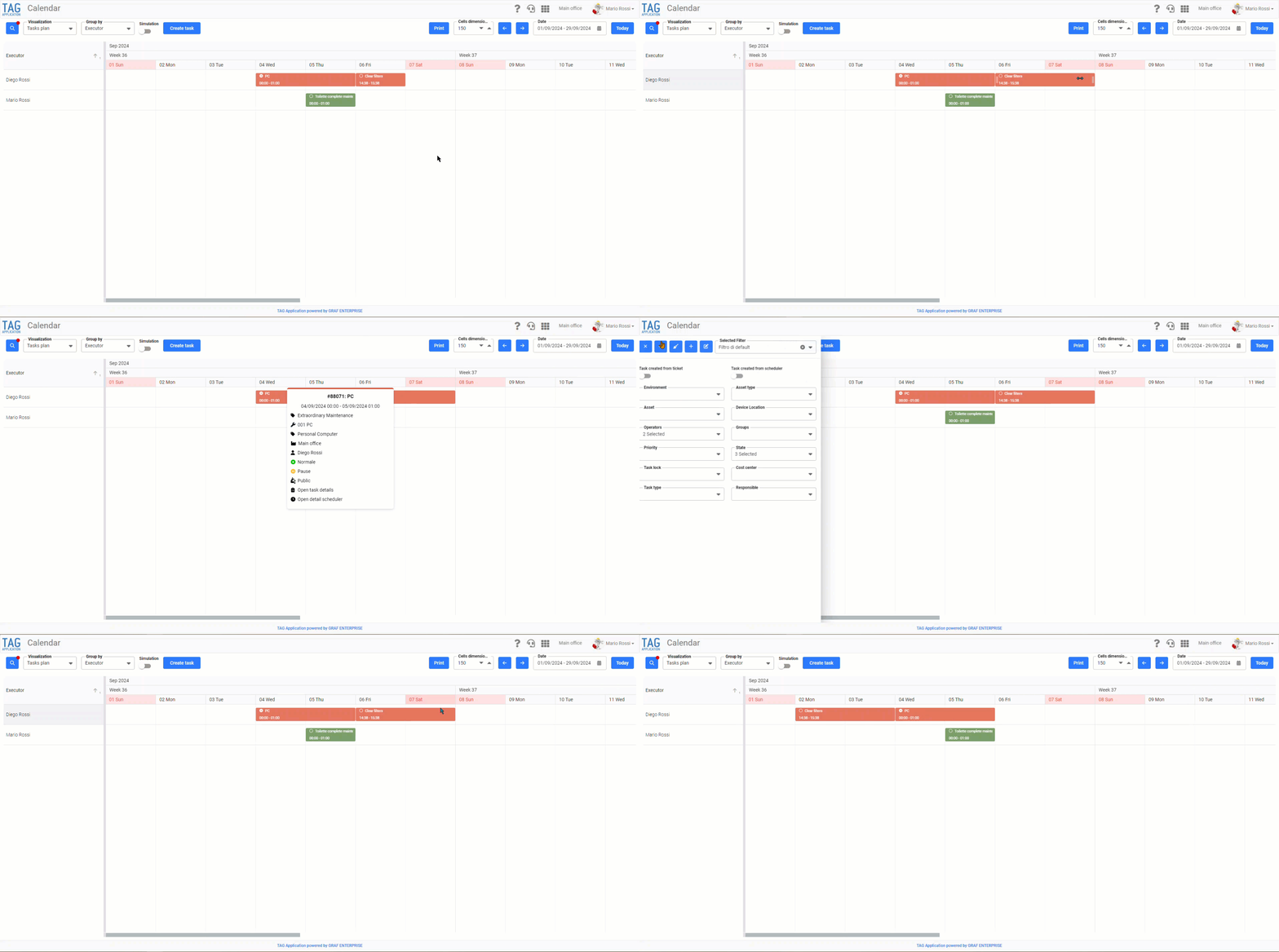
Thus, after the release of the New task plan, we have worked to make further improvements, optimizing the view both at graphic and performance level.
The major innovations that are immediately apparent include:
– the integration of a popup to quickly consult the main information of a task (Accessible by simply clicking on the tile related to the task you intend to select)
– Tiles representing the most informative tasks; complete with status icon, title and start and end time of task.
In addition, other aspects have been optimised, namely:
– The filter management
– The performance enhancement if the “Simulation” mode is activated
– The “Drag&Drop” to move and reassign tasks.
(fig 1.0)

In addition to the actually tangible features, with this version are coming also more “hidden” innovations, but at the same time fundamental for the enhancement of the system.
The monitoring synchronization service for machines connected to PCs It has been renovated, with major improvements, especially in terms of performance.
After a first phase of in-depth testing, through which it has been possible to understand the points where action can be taken to optimize the service, we have taken action:
– Resizing the initialization tasks
– Minimising resource use
– Implementing “retry policies”, so that the service retries if first boot fails
– Centralizing the Windows logs
In this way we have been able to make the asynchronous synchronization service, reducing boot times and allowing greater control on eventual exeptions
Finally, the centralization of logs has also been beneficial, making them more robust and less prone to crashes.

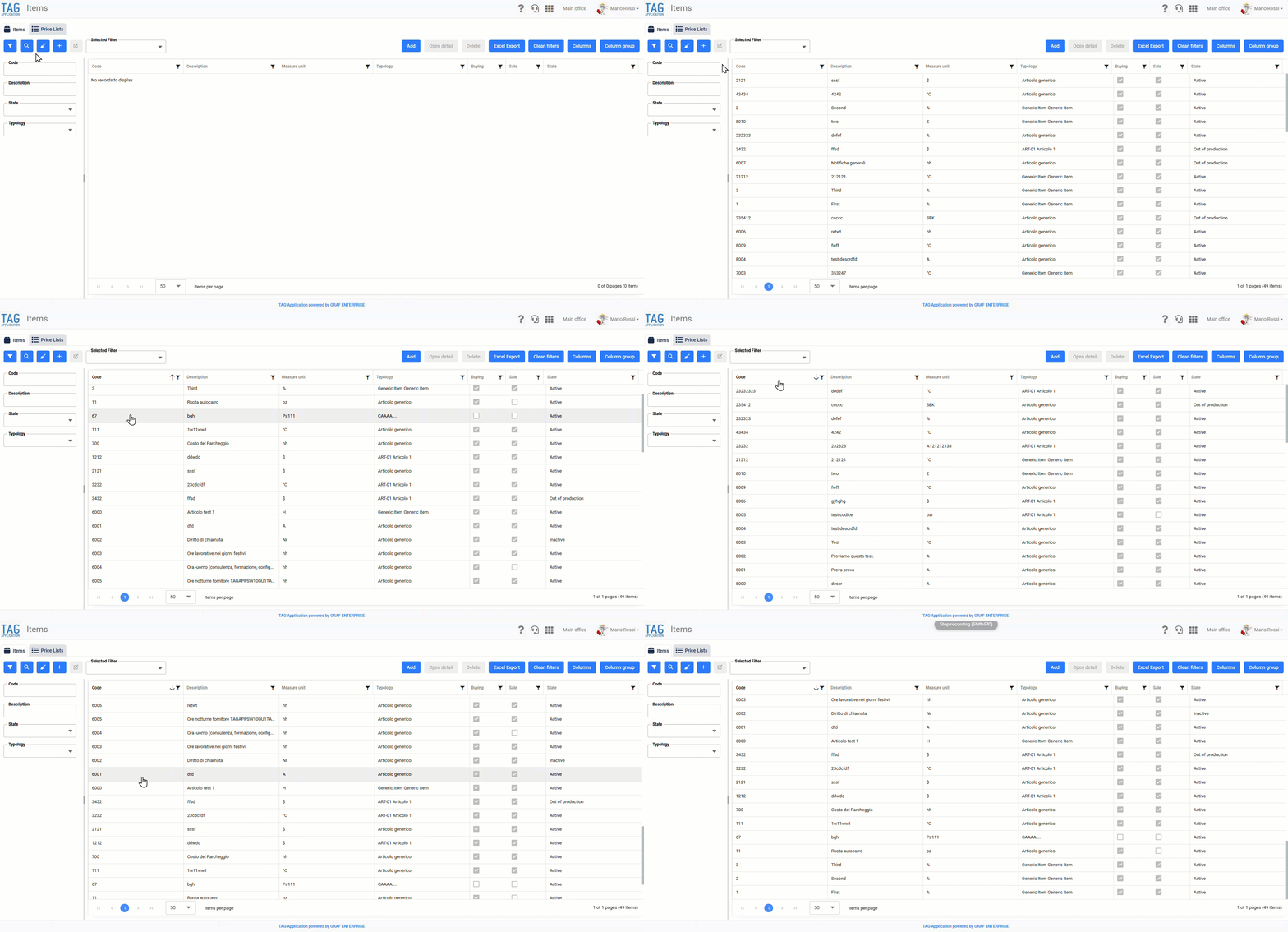
In order to increase transparency and user understanding, this version will see the release of a development concerning column-based orders, specifically the transformation of alphanumeric to numeric orders.
Both in the Items module and in that Consultations, in fact, a new order will be implemented through which it will be possible to display all the codes entered by filters on the homonymous column in numerical order (ascending or descending).
It should be noted that if the system detects characters other than numbers (0…9) in at least one code, the order would return alphanumeric.
(fig 3.0)

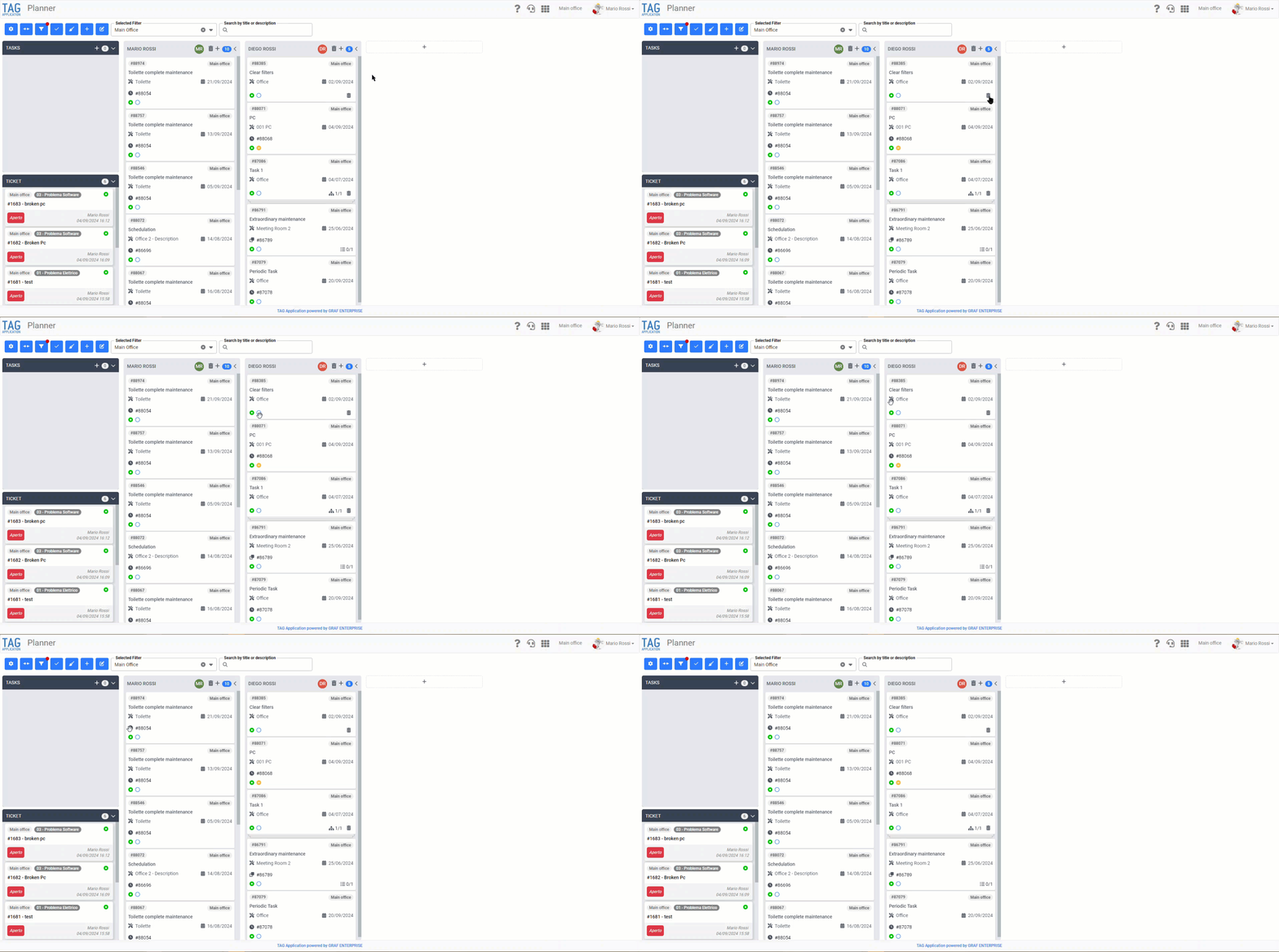
To understand the best way you want to express yourself, often icons are not enough.
Although the most intuitive figures are sought, sometimes even the elements that come closest to a specific definition can be misunderstood.
Thus, for each icon, the respective tooltip was inserted in the schedule module.
Now, when you position the mouse pointer over any graphic element, a label will appear that explains what the icon represents.
(fig 4.0)